
In today’s oversaturated inboxes, getting your email noticed — let alone opened — is no easy feat. In this article, we’ll explore the power of video in email campaigns, how to embed video content the right way, best practices to maximise performance, and how to track your results. Whether you’re a startup, marketer, or creative agency, using video in your emails can be a game-changer for audience retention and conversions.
Why Planning Matters

Whether you're hosting a product launch, conference, webinar, training session, company update, or panel discussion, planning is what holds the entire event together. While viewers only see the final broadcast, a significant amount of work happens behind the scenes to ensure everything feels seamless on the day.
Without proper planning, even small issues can have a noticeable impact. A presenter might not know when they're due to speak, presentation slides may not be ready, audio problems could interrupt the broadcast, or the event may simply overrun because timings weren't considered in advance.
Good planning helps you:
- Keep the event running on schedule.
- Reduce technical issues before they happen.
- Give presenters confidence.
- Deliver a better viewing experience.
- Allow your production team to prepare properly.
- Reduce stress for everyone involved.
Planning also helps you get better value from your investment. Rather than reacting to problems during the livestream, you can focus on delivering your message while the production team manages the technical side of the event.
In our experience working with organisations across Ireland, the smoothest livestreams aren't necessarily the biggest or most expensive—they're the ones where everyone understands the plan before the cameras start rolling.
1. Define the Purpose of Your Livestream

Every successful livestream begins with one simple question:
What are you trying to achieve?
Many businesses jump straight into discussing equipment or platforms, but those decisions should come later. The purpose of the event should drive every decision that follows, from the running order to the way the broadcast is produced.
Common business objectives include:
- Launching a new product or service
- Hosting a conference or seminar
- Delivering a company-wide update
- Reaching audiences who can't attend in person
- Generating leads
- Educating customers
- Increasing brand awareness
Having one primary objective helps guide every other decision throughout the planning process.
Ask yourself:
- Who is this event for?
- What do they need to learn?
- What action should they take afterwards?
- How will we measure success?
Having clear answers to these questions makes the rest of the planning process much easier.
2. Know Your Audience
A successful livestream is designed around the people watching it.
Before planning the content, think about who your audience is and what they're expecting from the event. The more you understand your viewers, the easier it becomes to create a livestream that feels relevant and engaging.
Some useful questions include:
- Are they existing customers or new prospects?
- Are they employees, stakeholders, or members of the public?
- How familiar are they with the topic?
- Will they be watching on desktop or mobile?
- Will most people attend live, or are they likely to watch the recording later?
The answers will influence several aspects of your livestream.
Understanding your audience also helps you decide how interactive the livestream should be. Some events benefit from live Q&A sessions and audience polls, while others work better as structured presentations with questions answered at the end.
When every planning decision is made with the audience in mind, the final event is far more likely to achieve its objective.
3. Choose the Right Streaming Platform

The platform you choose has a direct impact on how your audience accesses the event and how the livestream is delivered.
Rather than choosing the platform you're most familiar with, think about where your audience already spends their time and what type of event you're hosting.
For example:
LinkedIn Live
LinkedIn Live is often the strongest choice for business-to-business events.
It's well suited to:
- B2B marketing
- Professional thought leadership
- Industry updates
YouTube Live
YouTube Live is ideal when you want to reach a broad audience and make the content available afterwards.
It works particularly well for:
- Public events
- Conferences
- Educational content
- Long-term on-demand viewing
Facebook Live
Facebook Live remains useful for businesses with an established community on the platform.
It's commonly used for:
- Community engagement
- Local events
- Consumer-focused businesses
Zoom or Microsoft Teams
Not every livestream needs to be public.
Platforms like Zoom Webinar and Microsoft Teams are often more appropriate for:
- Internal communications
- Staff meetings
- Training sessions
- Private webinars
The platform should support both your audience and your objectives—not simply be the one you're most familiar with.
4. Build a Detailed Running Order

One of the clearest differences between a well-produced livestream and one that feels rushed is the quality of the running order.
A running order is more than just a schedule. It acts as the blueprint for the event, giving presenters, organisers, and the production team a clear understanding of what is happening and when. When everyone is working from the same plan, transitions are smoother, speakers are better prepared, and there's less risk of confusion during the live broadcast.
A typical running order might include:
- Event start and finish times
- Welcome and introductions
- Speaker presentations
- Panel discussions
- Video playback
- Audience Q&A sessions
- Scheduled breaks
- Closing remarks
Where possible, include the expected duration for each segment. This helps presenters manage their time and gives the production team enough notice to prepare graphics, switch camera angles, or cue pre-recorded content.
For larger events, it's also worth identifying who is responsible for each part of the programme. This could include:
- Event host or moderator
- Individual speakers
- Technical producer
- Presentation operator
- Q&A moderator
Having clearly defined roles helps avoid uncertainty on the day and keeps the event running efficiently.
If your livestream includes multiple speakers, build a small amount of flexibility into the schedule. Presentations occasionally run over time, and allowing a few minutes between sessions can help prevent one delay from affecting the rest of the event.
5. Prepare Your Speakers
Even confident presenters benefit from preparation before a livestream.
Speaking to a camera can feel very different from presenting to a room full of people, especially if the event is being broadcast to a large audience. Spending time preparing your speakers helps them feel more comfortable and reduces the likelihood of mistakes during the live event.
Before the livestream, make sure presenters understand:
- The purpose of the event
- Who the audience is
- How long they have to speak
- The order of the programme
- How questions will be handled
- When they will be on camera
It's also worth discussing practical considerations such as microphone placement, where to look during the presentation, and how the production team will communicate with them if needed.
Schedule a Rehearsal
Whenever possible, arrange a rehearsal before the event.
This doesn't have to be a full run-through, but it should give everyone an opportunity to:
- Test microphones
- Check presentation slides
- Practise transitions between speakers
- Confirm timings
- Identify any technical issues
A rehearsal also helps presenters become familiar with the setup, which often leads to a more natural and confident delivery when the event goes live.
6. Plan Your Visual Content
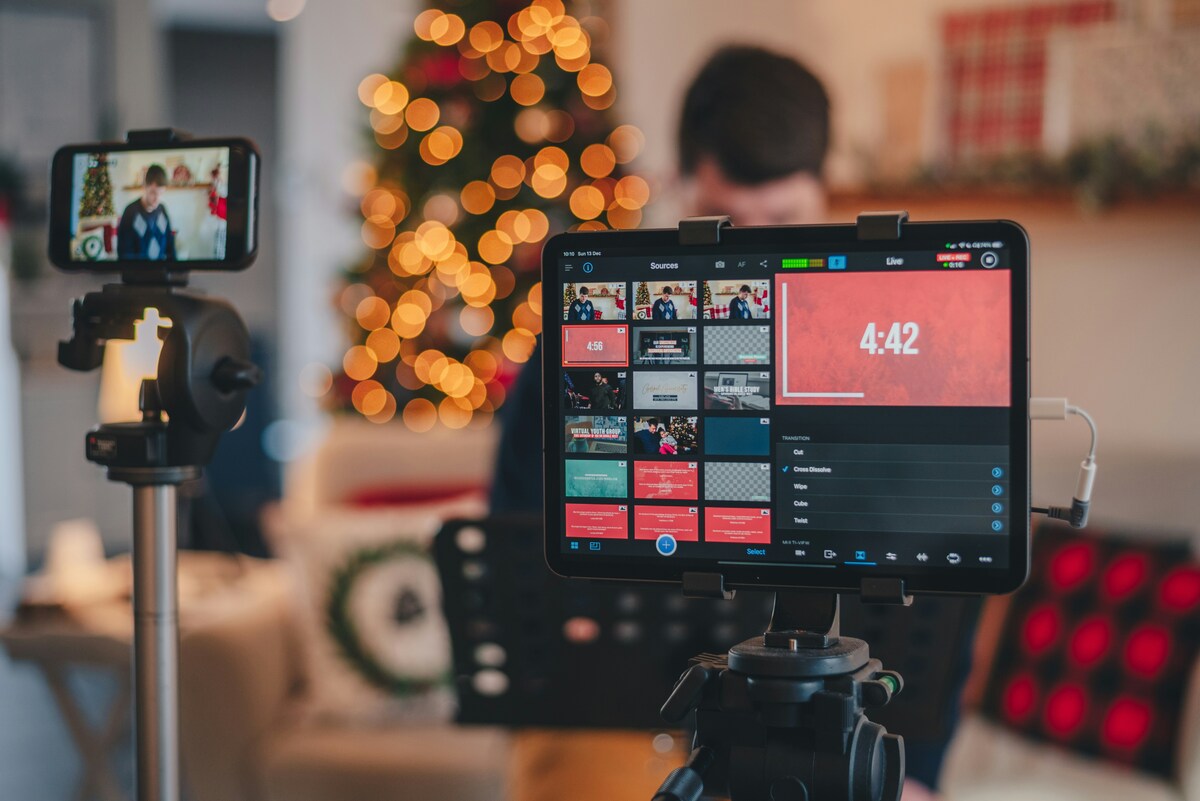
A successful livestream is rarely just a camera pointed at someone speaking.
Well-planned visual content helps maintain audience interest, reinforces your branding, and makes the overall production feel more polished.
Depending on the type of event, you might prepare:
- Presentation slides
- Company branding
- Lower-third name graphics
- Intro and outro videos
- Sponsor logos
- Call-to-action graphics
- Video inserts
- Event countdown timers
These elements add variety to the broadcast and give viewers visual cues that help them follow the event.
Keep Slides Clear and Readable
If your presenters are using slides, remember that viewers may be watching on laptops, tablets, or mobile phones.
To improve readability:
- Use large fonts.
- Keep text concise.
- Avoid overcrowded slides.
- Use high-quality images.
- Maintain consistent branding.
Simple, uncluttered slides are usually much easier to follow than presentations filled with paragraphs of text.
Think About Branding
Livestreams are an extension of your brand, so visual consistency is important.
Consider including:
- Company colours
- Logo placement
- Consistent typography
- Branded holding slides
- Speaker name graphics
- Closing call-to-action screens
These details may seem small, but together they create a more professional viewing experience.
7. Test the Technical Setup
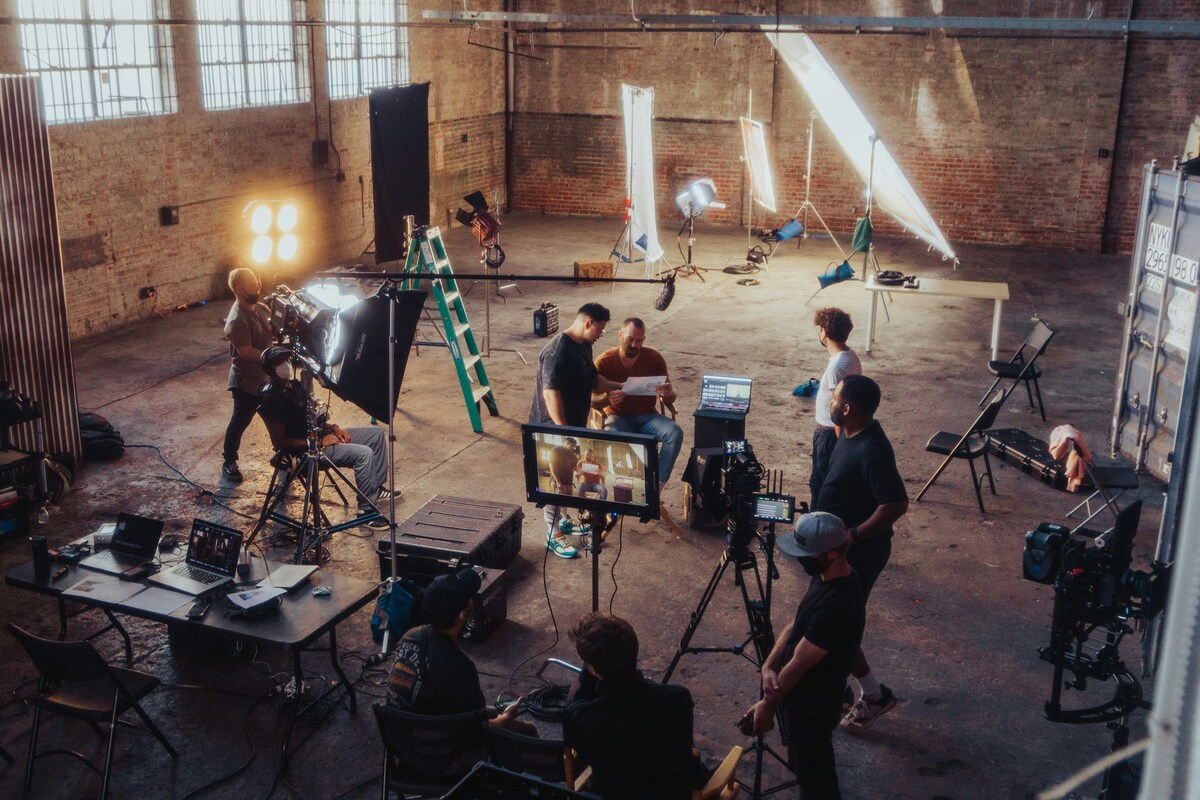
No matter how good your content is, technical problems can quickly distract viewers and reduce confidence in your event.
Testing every part of the setup before going live is one of the most important stages of livestream planning.
This includes checking:
- Internet connection
- Cameras
- Microphones
- Lighting
- Presentation playback
- Graphics
- Streaming software
- Platform connection
- Recording settings
Rather than assuming everything will work as expected, carry out a full technical test using the same equipment, location, and internet connection that will be used during the livestream.
Prioritise Audio Quality
Viewers are often more forgiving of average video quality than poor audio.
If people struggle to hear the presenter because of background noise, echo, or inconsistent microphone levels, they're far more likely to leave the livestream.
For that reason, make sure to:
- Test every microphone individually.
- Check audio levels before each speaker.
- Minimise background noise where possible.
- Have spare batteries available for wireless microphones.
Clear, consistent audio makes a significant difference to the overall viewing experience.
Check Your Internet Connection
A stable internet connection is essential for any livestream.
If the upload speed isn't sufficient or the connection becomes unstable, viewers may experience buffering, reduced video quality, or interruptions to the broadcast.
Where possible:
- Use a wired internet connection instead of Wi-Fi.
- Test upload speeds in advance.
- Avoid sharing the network with unnecessary devices during the event.
- Have a backup internet solution available if possible.
For larger corporate events, many production teams use dedicated internet connections or mobile backup systems to reduce the risk of disruption.
Test the Entire Production
Rather than testing each element separately, it's good practice to carry out a complete rehearsal.
This allows you to confirm that:
- Cameras switch correctly.
- Graphics display properly.
- Presentation slides appear as expected.
- Videos play back smoothly.
- Audio remains consistent.
- The livestream reaches the intended platform.
Running through the entire production gives you the opportunity to resolve small issues before they become visible to your audience.
8. Have Backup Plans
Even with careful preparation, unexpected issues can happen during a live event. Internet connections can become unstable, a microphone may stop working, or a presenter could experience technical difficulties.
While it's impossible to predict every scenario, planning for common issues helps minimise disruption if something does go wrong.
Professional livestream productions often prepare backups for critical elements, including:
- A secondary internet connection
- Backup microphones
- Spare cameras or batteries
- Duplicate presentation files
- Backup recording of the event
- Extra cables and power supplies
Not every event will require all of these, but having contingency plans gives everyone greater confidence and helps keep the event running if an issue arises.
For presenter-led events, it's also helpful to have a backup contact method, such as a phone number or messaging platform, so organisers can communicate quickly if someone loses their connection before joining the stream.
The goal isn't to expect problems—it's to be prepared for them.
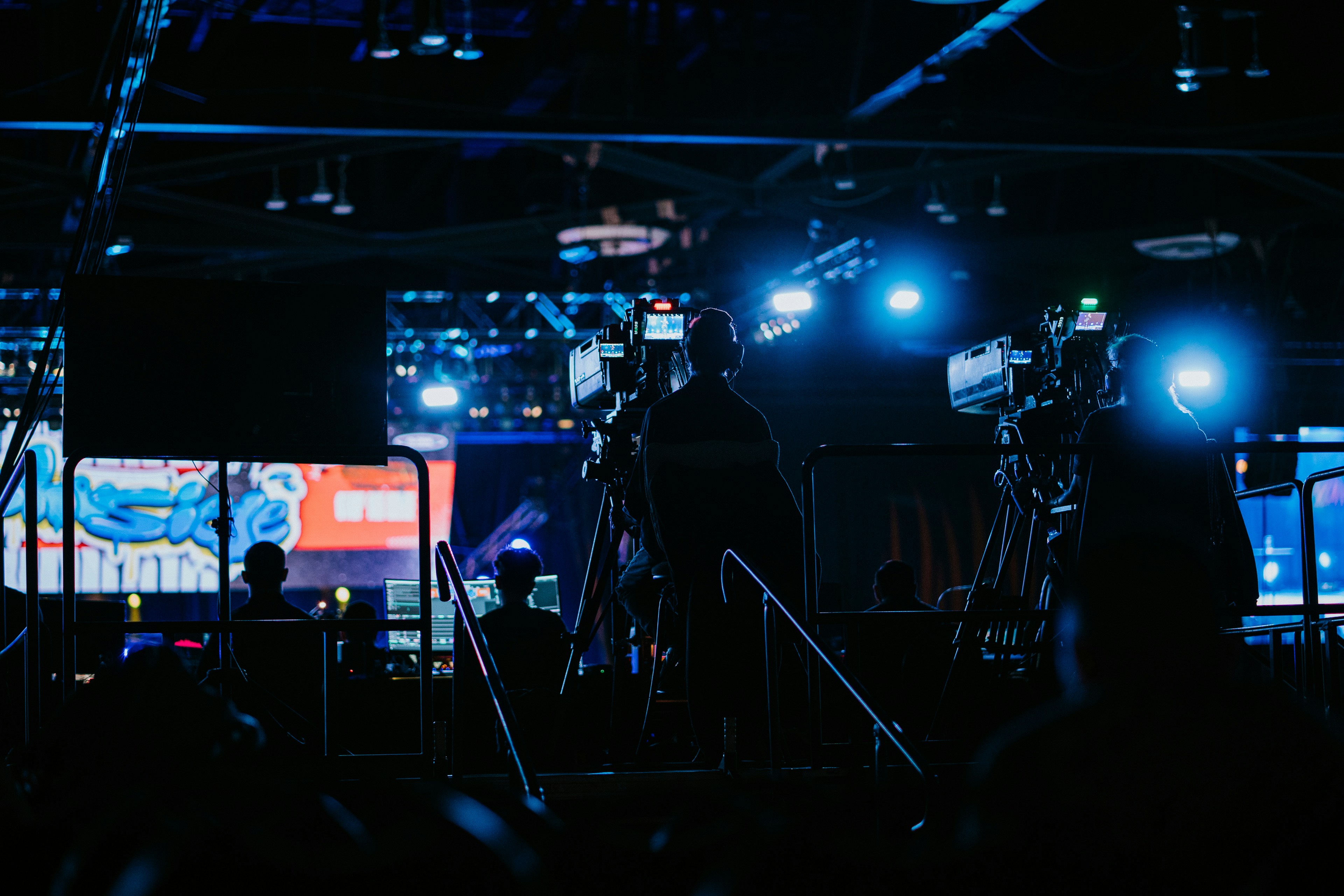
9. Think About Audience Engagement
A livestream should feel like a live experience, not simply a presentation being broadcast online.
Keeping viewers engaged throughout the event helps maintain attention and encourages them to stay until the end. The right level of interaction will depend on the type of event, but giving your audience opportunities to participate can make the experience far more memorable.
Consider including:
- Live Q&A sessions
- Audience polls
- Moderated chat
- Guest interviews
- Panel discussions
- Live demonstrations
For longer events, changing the format every so often can also help maintain interest. For example, you might move from a keynote presentation into a panel discussion before opening the floor to audience questions.
It's also worth assigning someone to monitor audience comments or questions during the livestream. This allows presenters to stay focused while ensuring viewers still feel acknowledged and involved.
Even simple interactions, such as answering a few audience questions live, can make the event feel more engaging and personal.
10. Plan for After the Event
One of the biggest advantages of livestreaming is that the content doesn't have to end when the broadcast finishes.
With a little planning, your livestream can continue delivering value long after the live audience has signed off.
For example, you could:
- Publish the full recording on your website.
- Share the replay with registered attendees.
- Create shorter clips for LinkedIn or social media.
- Turn key moments into promotional videos.
- Repurpose sections for future presentations or training.
- Embed the recording in relevant blog articles.
Thinking about content reuse before the event also influences how the livestream is filmed. You may decide to capture additional camera angles, record cleaner audio, or create separate introductions and closing segments that work well as standalone content.
Repurposing your livestream helps extend its lifespan and can significantly increase the return on your investment.
Common Livestream Planning Mistakes
Businesses often encounter similar challenges when organising livestream events.
Some of the most common include:
Leaving planning until the last minute
Rushed preparation increases the likelihood of technical issues and scheduling problems.
Choosing the wrong platform
The best platform depends on your audience and objectives—not necessarily the one with the largest user base.
Not rehearsing
Even a short run-through can identify timing issues, presentation errors, or technical problems before the event begins.
Ignoring audience engagement
A livestream without opportunities for interaction can quickly lose viewers.
Forgetting about post-event content
A professionally produced livestream can continue generating value through recordings, clips, and marketing assets long after the live broadcast ends.

Your Livestream Planning Checklist
Before your event, make sure you've:
✔ Defined your objectives.
✔ Identified your target audience.
✔ Selected the most appropriate streaming platform.
✔ Created a detailed running order.
✔ Prepared presenters and scheduled a rehearsal.
✔ Organised all presentation materials and branding assets.
✔ Tested cameras, microphones, internet, and streaming software.
✔ Put backup plans in place.
✔ Planned opportunities for audience engagement.
✔ Decided how you'll use the recording after the event.
A simple checklist like this can make planning more manageable and reduce the risk of overlooking important details.
From Planning to Production
A successful livestream begins well before the cameras start rolling. Once you have clear objectives, an organised schedule, and the right preparation in place, you're far more likely to deliver an event that runs smoothly and leaves a positive impression on your audience.
Professional production support can also remove much of the technical pressure, allowing your team to focus on presenting rather than troubleshooting.
Conclusion
Planning is the foundation of every successful livestream. By defining clear objectives, understanding your audience, preparing your speakers, and testing every aspect of the production, you can create a professional event that delivers value for both your business and your viewers.
If you're planning a livestream and would like expert support, you can explore our livestreaming services, try our instant price calculator, or get in touch with the Mango Media team for a no-obligation conversation.
Frequently Asked Questions
What should I include in a video production brief?
A video production brief should include the goal of the video, target audience, key message, deadline, budget range, filming location, deliverables, and where the video will be used.
How detailed should a brief for a videographer be?
A brief should be clear enough to explain the project goals, audience, timeline, and preferred style, but it does not need to include technical production details.
Do I need a script before hiring a videographer?
Not always. Many businesses begin with a clear brief rather than a finished script, and the videographer or production company can help shape the concept and messaging from there.
Similar blogs:
















![How to Write a Promo Video Script (Free Template Included) [2026 Guide]](https://cdn.prod.website-files.com/6226fcc37e2eb518b6e69a7f/69c3804c0b9ea78696bd89e0_covertab11.jpeg)


.jpg)
%20(1)%20(1).jpg)
.jpg)




We'd love to hear from you! Reach out to us today for a chat about our services, pricing, or just to say hello!


