
In today’s oversaturated inboxes, getting your email noticed — let alone opened — is no easy feat. In this article, we’ll explore the power of video in email campaigns, how to embed video content the right way, best practices to maximise performance, and how to track your results. Whether you’re a startup, marketer, or creative agency, using video in your emails can be a game-changer for audience retention and conversions.
Why Existing Business Videos Need Reviewing
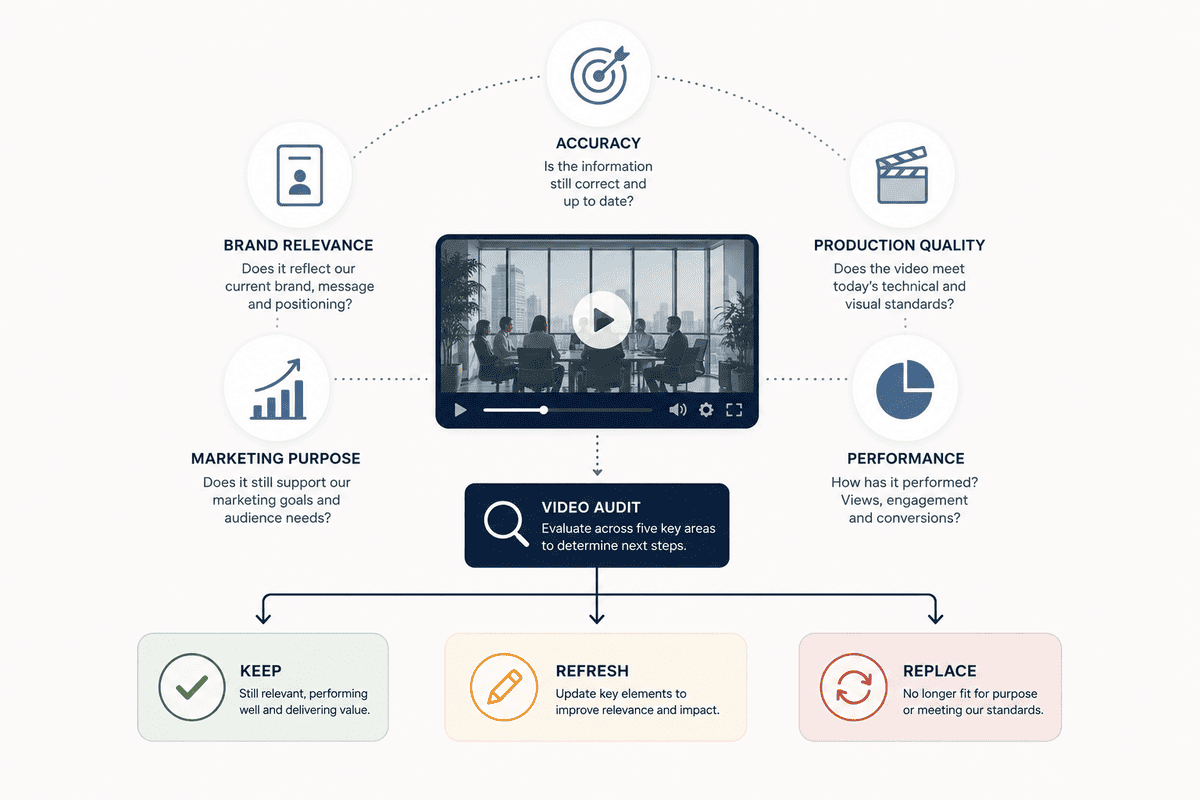
A good business video can remain useful for years, but it should not automatically be treated as a permanent asset. Your business, products, positioning, audience and marketing channels can all change, so an older video can gradually become less useful without one obvious moment when it becomes outdated.
Rather than replacing videos based simply on age, review them based on relevance, accuracy, performance and purpose.
A useful video audit should ask:
- Is the information still accurate?
- Does the video reflect our current brand and audience?
- Does it support our current marketing objective?
- Is the production quality still appropriate?
- Is it performing as expected?
- Can the footage still be reused or repurposed?
If several answers are no, it may be time to update or replace the video.
How Long Should a Business Video Last?
There is no universal expiry date for business video. A video does not become ineffective simply because it is two, three or five years old.
An evergreen brand story may remain relevant for years, while a product video containing pricing, features or current team members may need more frequent review.
Lower-maintenance content:
- Brand stories
- Company values
- Evergreen educational content
- Long-term positioning
Higher-maintenance content:
- Product demonstrations
- Service explanations
- Pricing information
- Team introductions
- Recruitment videos
- Technology-related content
- Campaign videos
- Temporary offers
The better question is not “How old is the video?” It is “Is this video still doing the job we need it to do?”

1. Your Business Has Changed
One of the clearest reasons to update a business video is that the business itself has changed.
You may have expanded your services, entered a new market, changed your target audience or repositioned the company. If your website now tells visitors one story while your video tells them another, you have a consistency problem.
Changes that may justify a review include:
- New products or services
- A different target audience
- New locations or markets
- Business expansion or restructuring
- A change in positioning
- A significant change to your customer proposition
The video does not necessarily need a full replacement. If the existing footage is still useful, you may be able to update the messaging, graphics, voiceover or structure.
2. Your Brand Has Been Updated
A rebrand is another obvious trigger for reviewing existing video content.
If your logo, colours, typography, messaging or visual identity has changed, older videos can look disconnected from the rest of your marketing. This becomes particularly noticeable when a potential customer moves between your website, social channels and video content.
A refresh might involve:
- New logos and graphics
- Updated lower thirds
- Revised colour treatment
- New typography
- Updated messaging
- A new opening or closing sequence
- Replacing outdated branded footage
If the underlying footage still represents the business accurately, there may be no need for a full reshoot.
3. Your Products or Services Have Changed
This is one of the strongest reasons to update or replace a business video.
If a video promotes a feature you no longer provide, describes an outdated process or shows a service that has changed significantly, the fact that it still looks professional does not make the information useful.
Review videos when there are meaningful changes to:
- Product features
- Service packages
- Pricing
- Processes
- Technology
- Availability
- Guarantees or policies
- Customer experience
For information that changes regularly, future videos can also be planned in sections so certain elements can be replaced without rebuilding the entire asset.
4. The People in the Video Are No Longer With the Company
People can quickly make an otherwise useful business video outdated. If a managing director has changed, a senior employee has left or a featured spokesperson is no longer involved, ask whether their presence creates confusion.
This is particularly relevant to:
- Founder videos
- Team introductions
- Recruitment videos
- Leadership messages
- Customer service videos
- Testimonial-led content
Someone leaving the company does not automatically mean the video must be removed. But if the video presents them as a current member of the team, an update may be appropriate.
5. The Message No Longer Matches Your Audience
Your business may not have changed dramatically, but your audience might have.
A video originally created for a broad audience may no longer speak clearly to the customers you actually want to attract. The footage may still be usable, but the messaging could need to change.
Ask whether the video clearly answers:
- Who is this for?
- What problem does it address?
- Why should this audience care?
- Why is the business relevant to them?
- What should they do next?
If those answers are no longer clear, updating the message may be more valuable than improving the visuals.
6. The Video Looks or Sounds Noticeably Dated
Technology alone is not a reason to replace a video. An older production can still look professional.
Production quality becomes a stronger consideration when limitations are distracting, such as:
- Poor audio
- Low-resolution footage
- Inconsistent lighting
- Outdated graphics
- Abrupt editing
- Old branding
- Poorly framed interviews
The important distinction is between old and distracting. If viewers are noticing the production limitations instead of your message, a new version may be justified.
7. The Video Is No Longer Performing
Performance data can help determine whether an existing video needs attention. Do not judge it purely by views.
Depending on where it is used, consider:
- Watch time and completion rate
- Engagement
- Click-through rate
- Website behaviour
- Leads or enquiries
- Conversion activity
- Drop-off points
If viewers leave within the first few seconds, the problem may be the opening rather than the whole video. If they watch most of it but do not take the intended next step, the message or CTA may need work.
Performance data should help you identify what needs changing, rather than simply telling you that something needs changing.
8. The Video Is Too Long or Not Suited to Its Current Use
A video can be good and still be the wrong length for the channel where you now use it.
A five-minute corporate video originally created for your website may contain valuable material, but that does not mean the full five minutes should be used on LinkedIn, paid advertising and short-form social channels.
Consider creating:
- A full website version
- Short social cuts
- Paid advertising versions
- Individual topic clips
- Customer or employee snippets
- Platform-specific versions
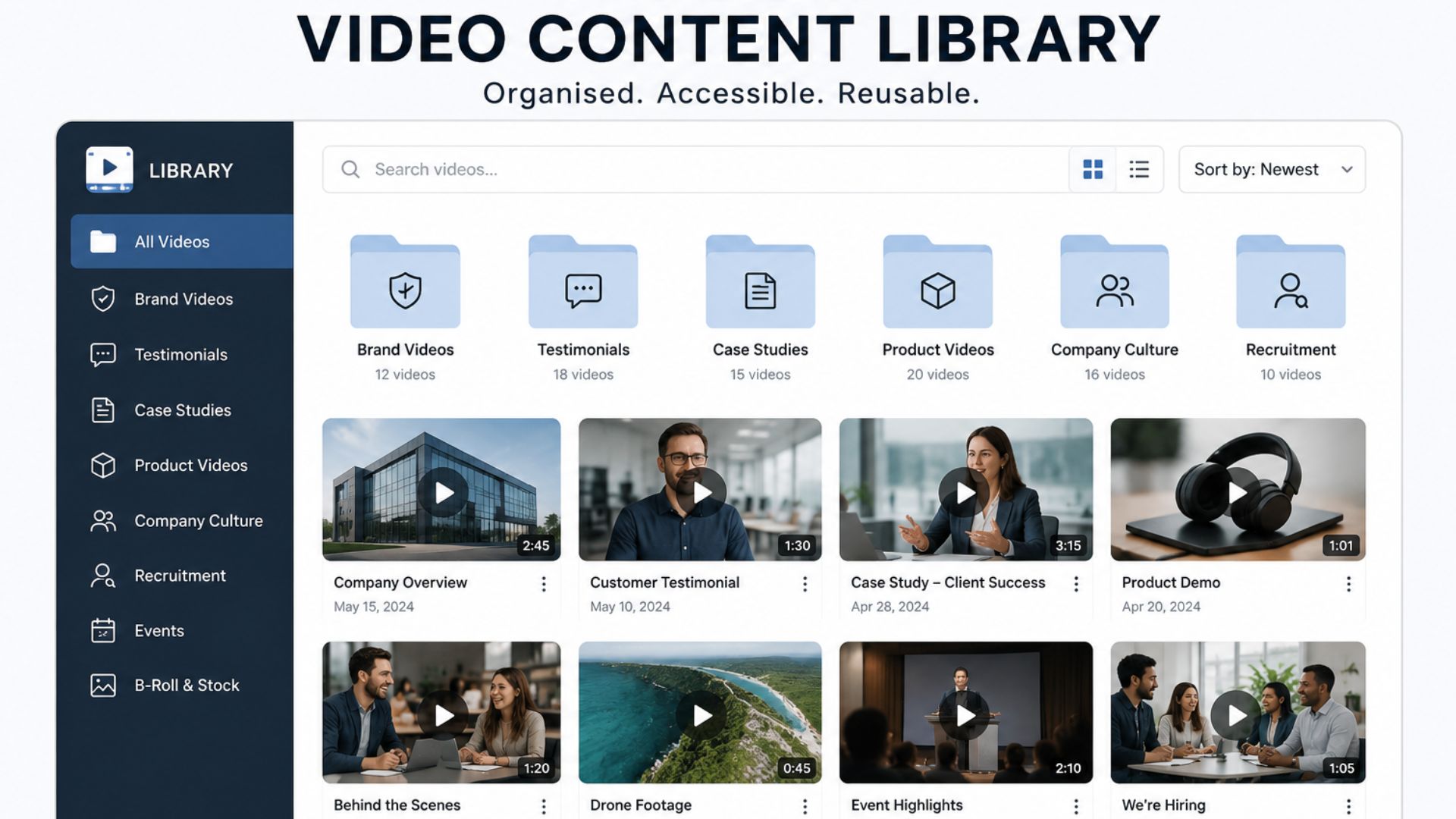
Existing footage can become a content library rather than a single finished video. This can extend the value of the original production without requiring another full shoot.
9. Your Video Is Not Optimised for Current Channels
The way people consume video varies between platforms. A video produced for a website may need different aspect ratios, durations, openings, captions, text treatments or calls to action for social channels.
That does not automatically mean producing something completely new. Existing footage can often be edited into shorter versions, subtitled clips or platform-specific formats. LinkedIn has also highlighted the use of new editing, narration, subtitles and motion graphics to reframe existing video content rather than automatically starting from scratch.
The key is to make the asset fit its intended use.
10. Your Call to Action Is Outdated
A simple CTA can make an otherwise useful video outdated.
Your video might still explain the business accurately but send viewers to an old webpage, discontinued offer, outdated contact method or service you no longer prioritise.
In some cases, only the final section needs changing. Updating the CTA, end screen, URL or graphics can extend the useful life of the video without a complete reshoot.
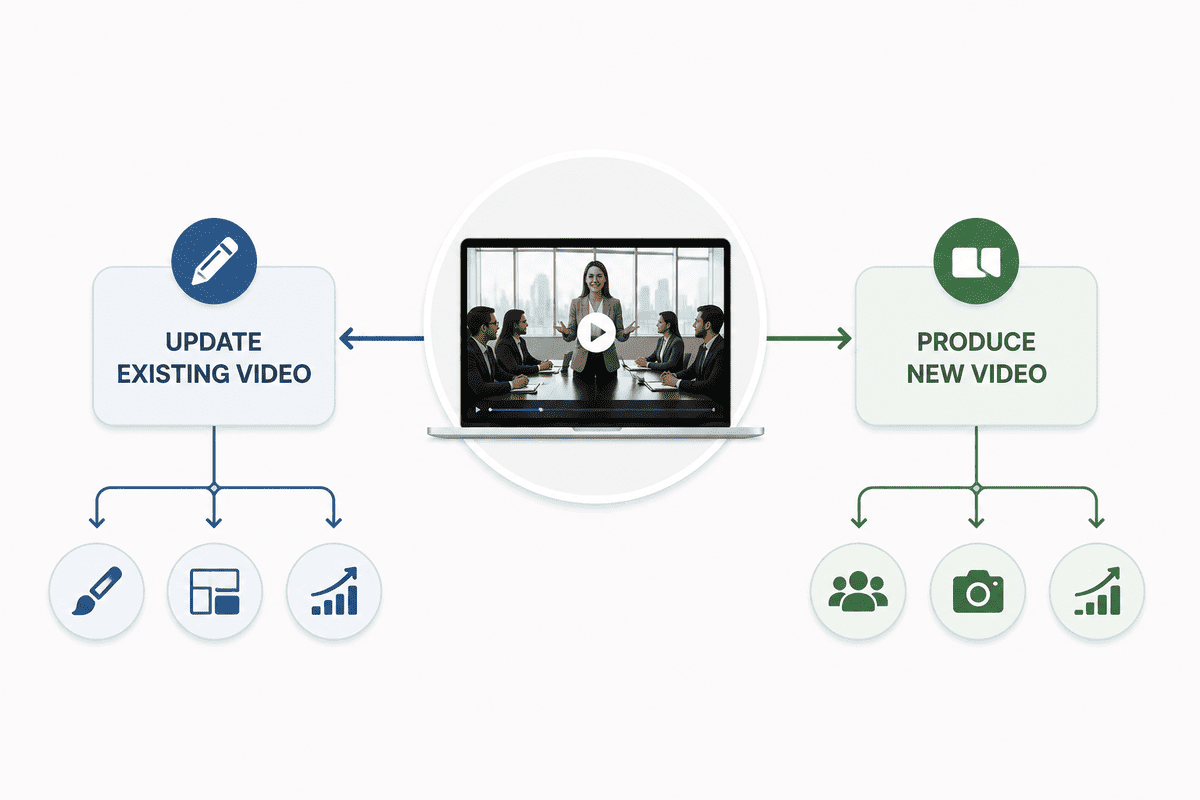
Should You Update an Existing Video or Produce a New One?
This is usually the most important decision.
Update the existing video when:
- The core message is still accurate.
- The footage still represents your business.
- Changes are relatively minor.
- Only certain information is outdated.
- The video performs reasonably well.
- Useful footage can be repurposed.
- A new introduction, voiceover or CTA could solve the problem.
Produce a new video when:
- The business proposition has changed significantly.
- The target audience has changed.
- The original footage no longer represents your brand.
- The visual quality is actively hurting the message.
- The structure is fundamentally wrong.
- The video has consistently underperformed.
- Major products, services or processes have changed.
- You need a completely different creative direction.
The goal is not to preserve old footage simply because you paid for it, nor to discard useful footage simply because the video is no longer current. The decision should be based on how much of the original asset is still valuable.
What Can You Update Without a Full Reshoot?
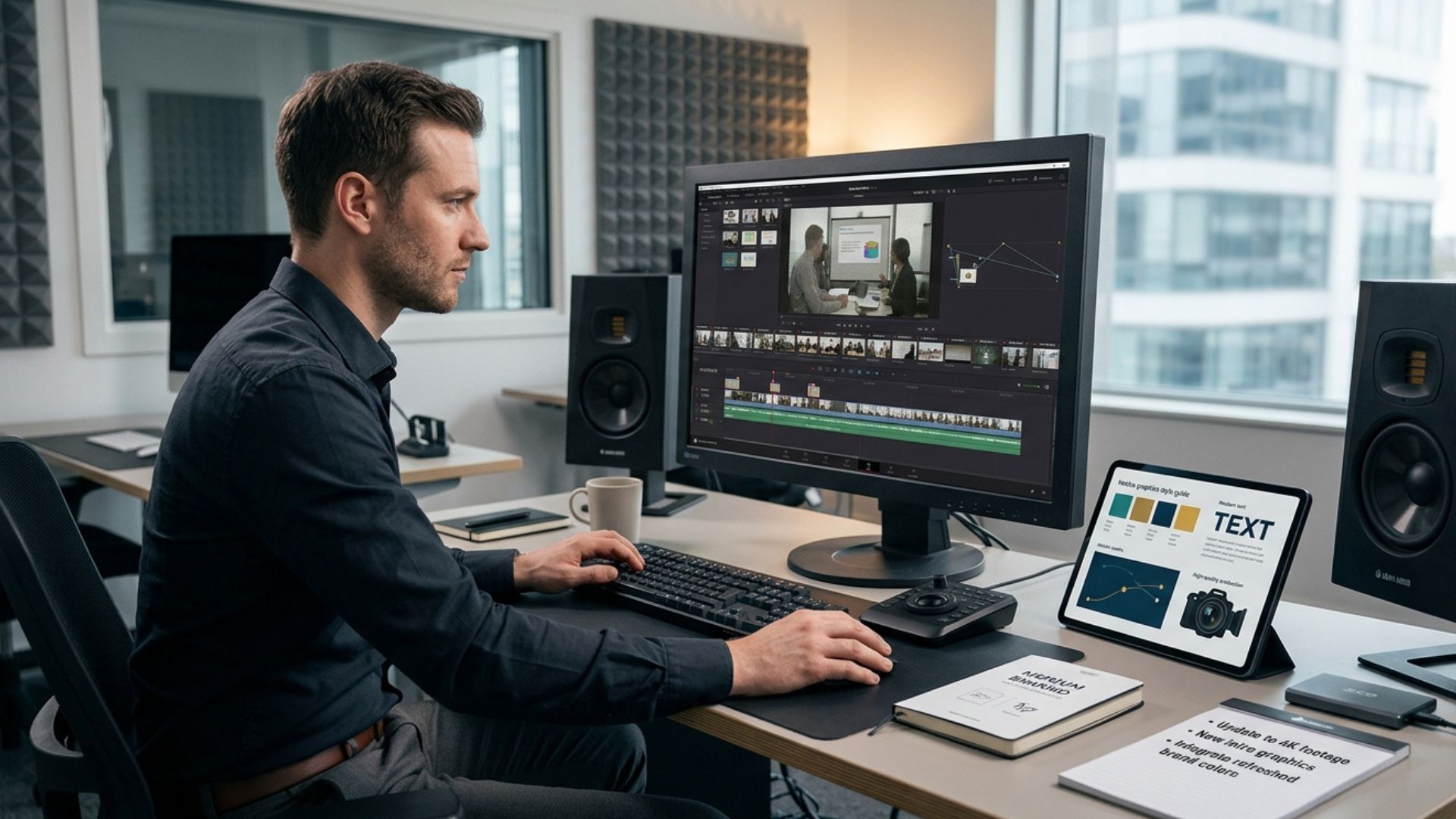
A refresh can involve much less work than businesses expect. Depending on the original footage, you may be able to update:
Graphics
Replace logos, text overlays, statistics, product information, lower thirds and end screens.
Voiceover and music
A new voiceover can change the context of existing footage, while a new soundtrack can update the feel without changing the visuals.
Editing
Existing footage can be restructured around a new message. You may be able to shorten the introduction, remove outdated sections or bring stronger footage forward.
Subtitles and captions
Captions can make existing content more accessible and useful when people watch without sound.
New footage
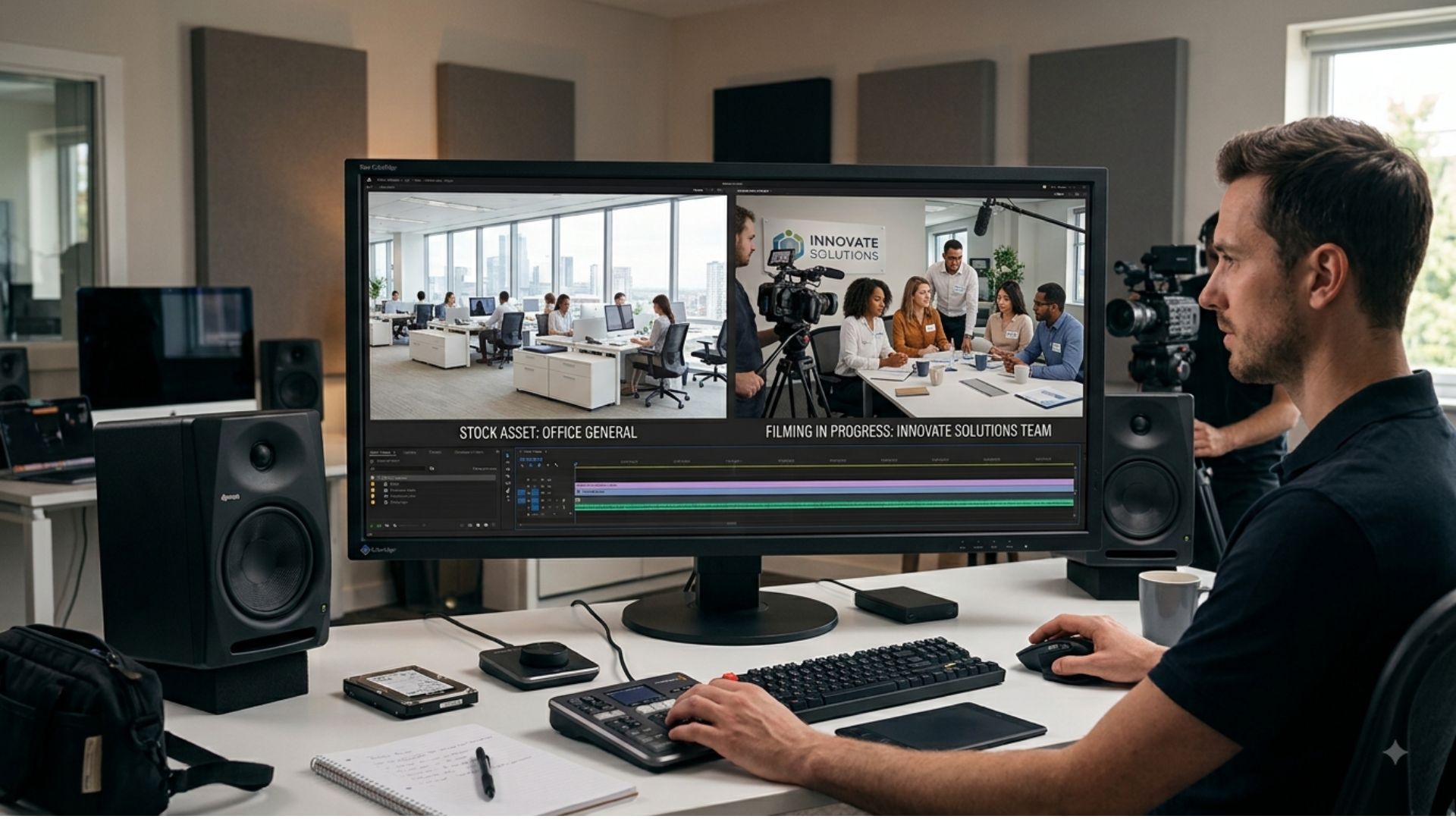
A short new filming session can sometimes be combined with older footage. This is useful when most of the original production remains relevant but a few elements need updating.

How to Audit Your Existing Business Videos
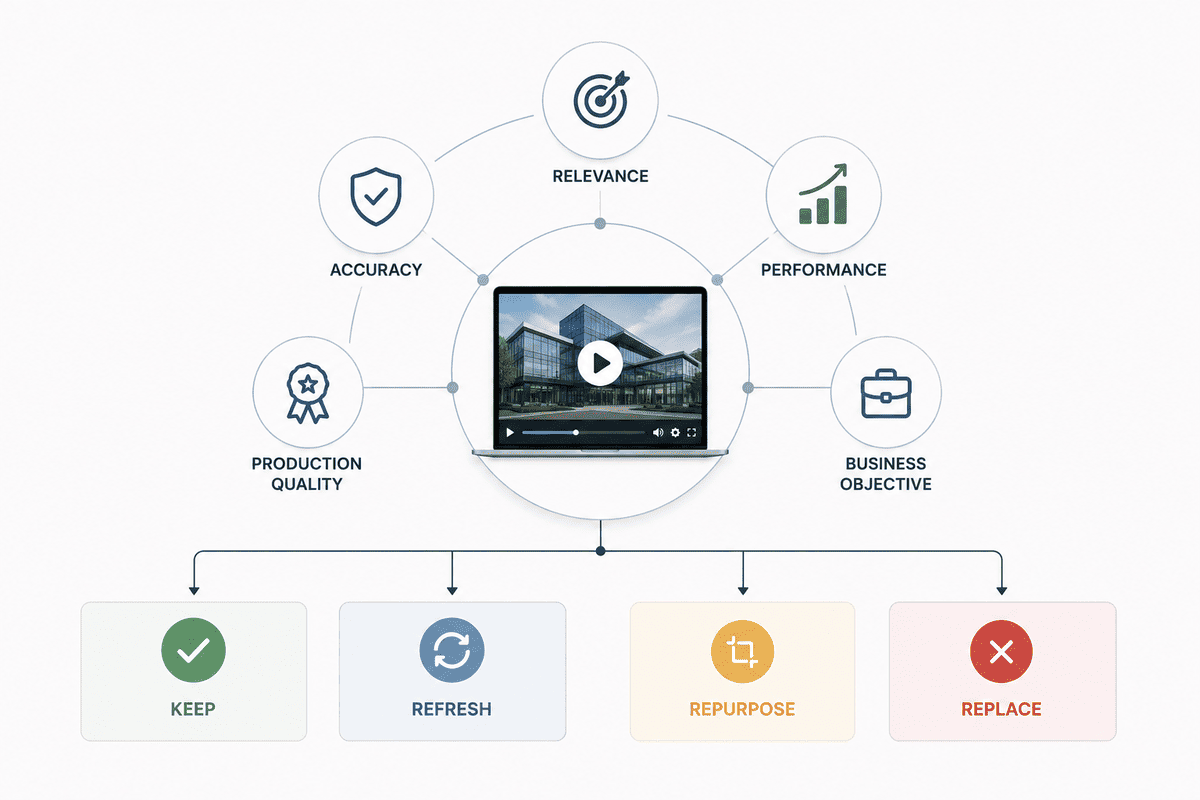
Before deciding what to replace, review your video library systematically. Assess each video against five areas:
1. Accuracy
Is everything still correct?
2. Brand consistency
Does it look and sound like your business today?
3. Audience relevance
Does it speak to the customers you currently want to reach?
4. Performance
Is it achieving its intended purpose?
5. Reusability
Could the footage be edited into other formats or updated rather than discarded?
Then classify each video as:
Keep — still accurate, relevant and effective.
Refresh — useful foundation but needs some changes.
Repurpose — valuable footage that could work better in another format.
Replace — no longer relevant or effective enough to justify updating.
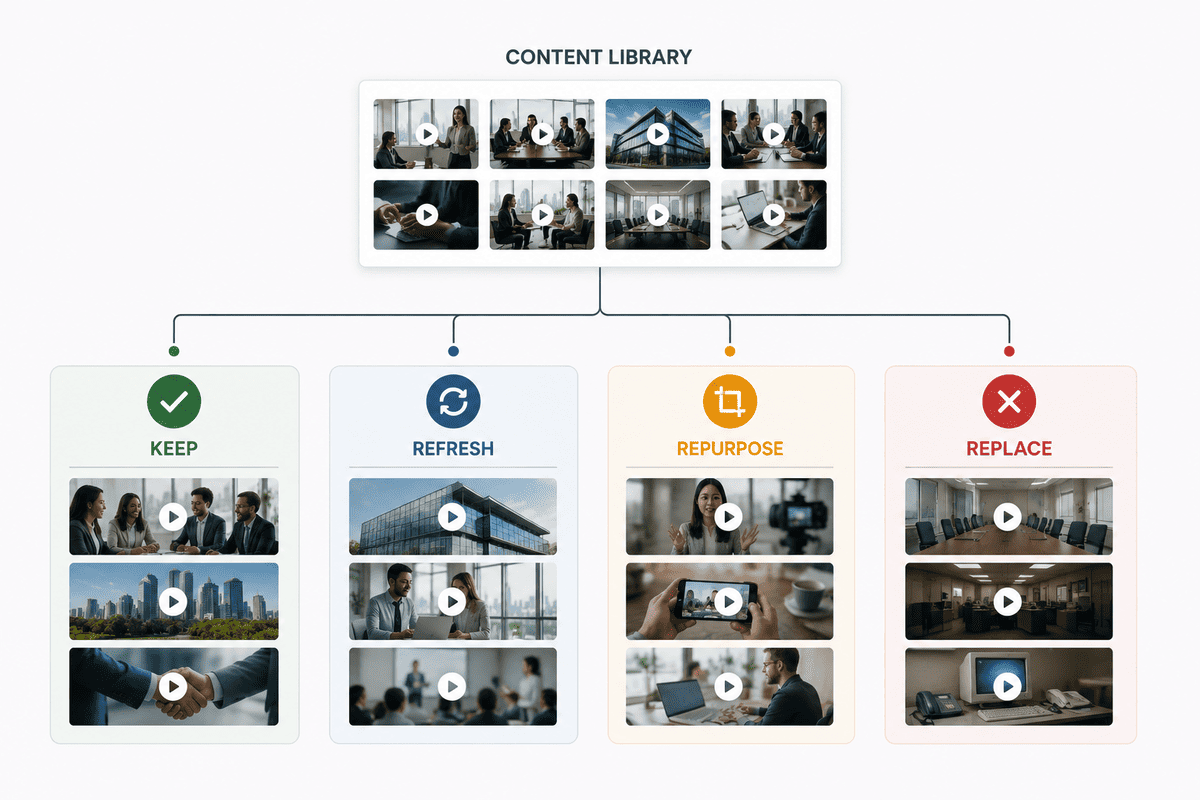
In our experience working with Irish businesses, a regular video review often reveals that a video does not need to be completely replaced — sometimes a few targeted changes can bring an existing asset back in line with the business.
How to Get More Value from an Existing Video
Before commissioning a completely new production, look at what you already have. A single video may contain enough useful material for several assets, such as:
- A full company video
- Short leadership clips
- Social media videos
- Customer-focused snippets
- Recruitment content
- Website sections
- Sales presentation clips
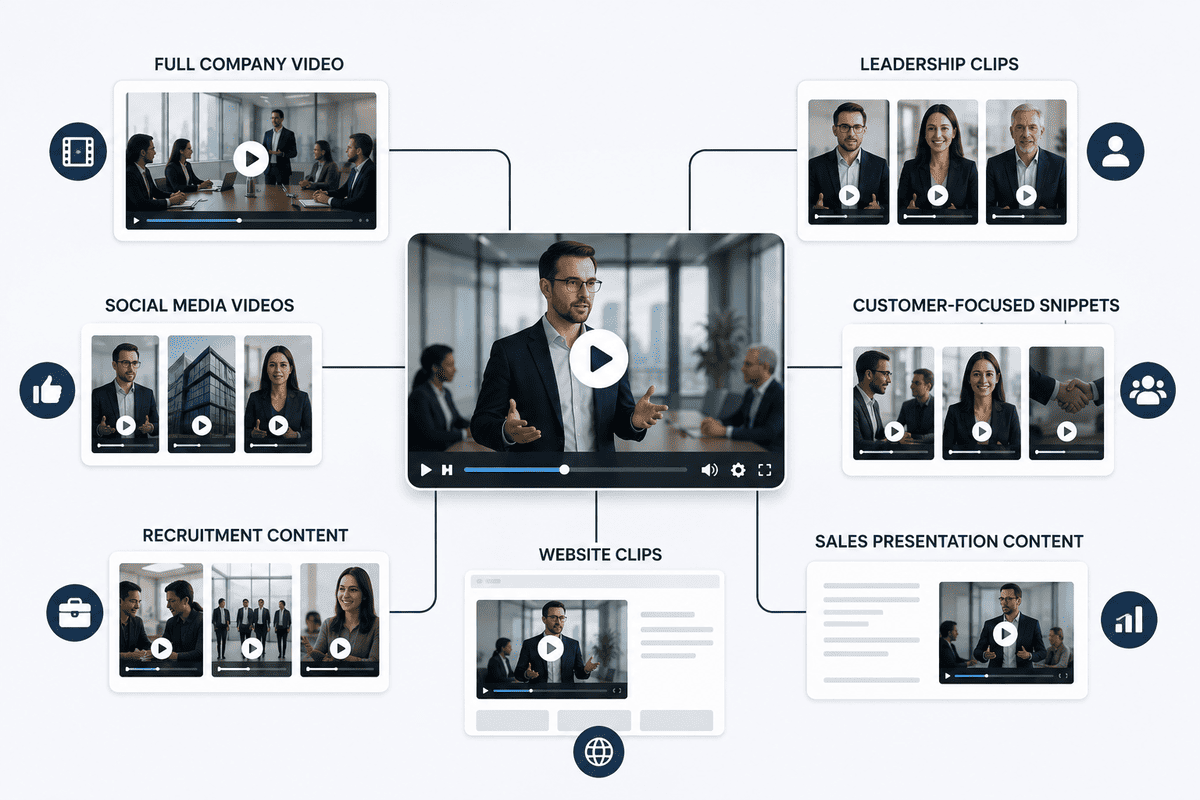
Repurposing does not mean cutting random sections from a long video. Each version should have a clear purpose and audience.
The existing footage is the raw material; the new edit should be built around the new objective.
The Cost of Leaving an Outdated Video Online
An outdated video can affect how people perceive your company even when there is no direct financial cost attached to it.
It can:
- Create confusion about your services
- Present old information
- Make your brand look inconsistent
- Reduce confidence in your business
- Send visitors towards the wrong next step
- Make your website feel neglected
This does not mean every older video is damaging. It means important videos deserve regular review, particularly when they appear prominently on your website or support an important commercial journey.
A Practical Business Video Review Checklist
Use this checklist when reviewing an older video.
Content
- Are all claims accurate?
- Are products and services current?
- Are prices, dates or statistics correct?
- Are the people featured still relevant?
Brand and audience
- Does it use current branding?
- Does the tone match your positioning?
- Is it aimed at the right customer?
- Does the message remain clear?
Performance and technical quality
- Are people watching?
- Where do they drop off?
- Is the audio clear?
- Does the footage look professional?
- Does it work on the platforms where you use it?
Commercial purpose
- Does it support a current business goal?
- Is the CTA still relevant?
- Is this still the best use of the asset?
If most answers are positive, you probably do not need a full replacement. If several are negative, consider a refresh, repurpose or new production.
Do Not Replace a Video Just Because It Is Old
Age is only one factor.
An older video can outperform a newer one if its message is more relevant and useful. Likewise, a brand-new video can fail if it does not clearly communicate something the audience cares about.
A better evaluation considers:
Relevance + accuracy + performance + production quality + business objective
If those elements are still working, keep using the video. If only one or two need attention, update it. If the fundamentals no longer work, replace it.
When Updating Is Better Than Starting Again
There is a strong case for refreshing an existing video when the underlying footage still has value. You have already invested in filming, locations, people, planning and production.
A targeted refresh can give an existing asset a second life through:
- New messaging
- Updated graphics
- Revised editing
- New voiceover or music
- Additional footage
- Shorter versions
- Platform-specific edits
When a Completely New Video Is the Better Investment
Sometimes an old video is simply the wrong asset for the job. A new production is more appropriate when:
- Your company has undergone major repositioning.
- Your services or audience have changed significantly.
- The original story no longer reflects the business.
- The footage is technically poor.
- The video has no clear current purpose.
- You need a substantially different creative approach.
In these situations, starting with a new brief is often more efficient than trying to repair an outdated one. The new production should begin with the business objective, audience and intended use.
A Better Way to Think About Your Video Library
Your existing videos should not be treated as isolated projects. They are business assets.
Some may be evergreen. Others may need regular updates, be useful only for a particular campaign, or contain footage that can support new content long after the original video has stopped being used.
A simple video library review can help you identify:
- What is still performing
- What needs updating
- What can be repurposed
- What should be retired
- Where you have content gaps
This makes future video investment more strategic and can help you build a library of footage and assets that supports multiple marketing needs.

Make Your Existing Video Work Harder Before You Replace It
Before commissioning a completely new production, ask whether the problem is the video itself or simply the way it is currently being used.
A strong piece of footage may need a different edit, shorter version, updated message or new context. Reviewing existing content first can help you avoid unnecessary work and identify assets that still have commercial value.
Ready to Get More From Your Existing Video Content?
If your current video is starting to feel outdated, you do not necessarily need to start from zero. Take a closer look at what still works, what no longer reflects your business and where the existing footage could be reused or refreshed. A targeted update may be enough to bring the video back in line with your current goals, while a new production makes more sense when the message, audience or direction has changed significantly.
Conclusion
An existing business video does not need replacing simply because it is old. Review its accuracy, relevance, performance and production quality first, then decide whether to keep, refresh, repurpose or replace it.
If it no longer reflects your business, explore Mango Media’s video production services, use the instant price calculator for an initial cost indication, or get in touch for a free consultation.
Frequently Asked Questions
Is stock footage better than original video?
Neither is universally better. Stock footage can be useful for generic visuals, quick-turnaround projects and supplementary B-roll, while original video is usually more valuable when a business needs to showcase its people, products, locations or processes. Many projects can benefit from combining both.
Is original video worth the cost for a business?
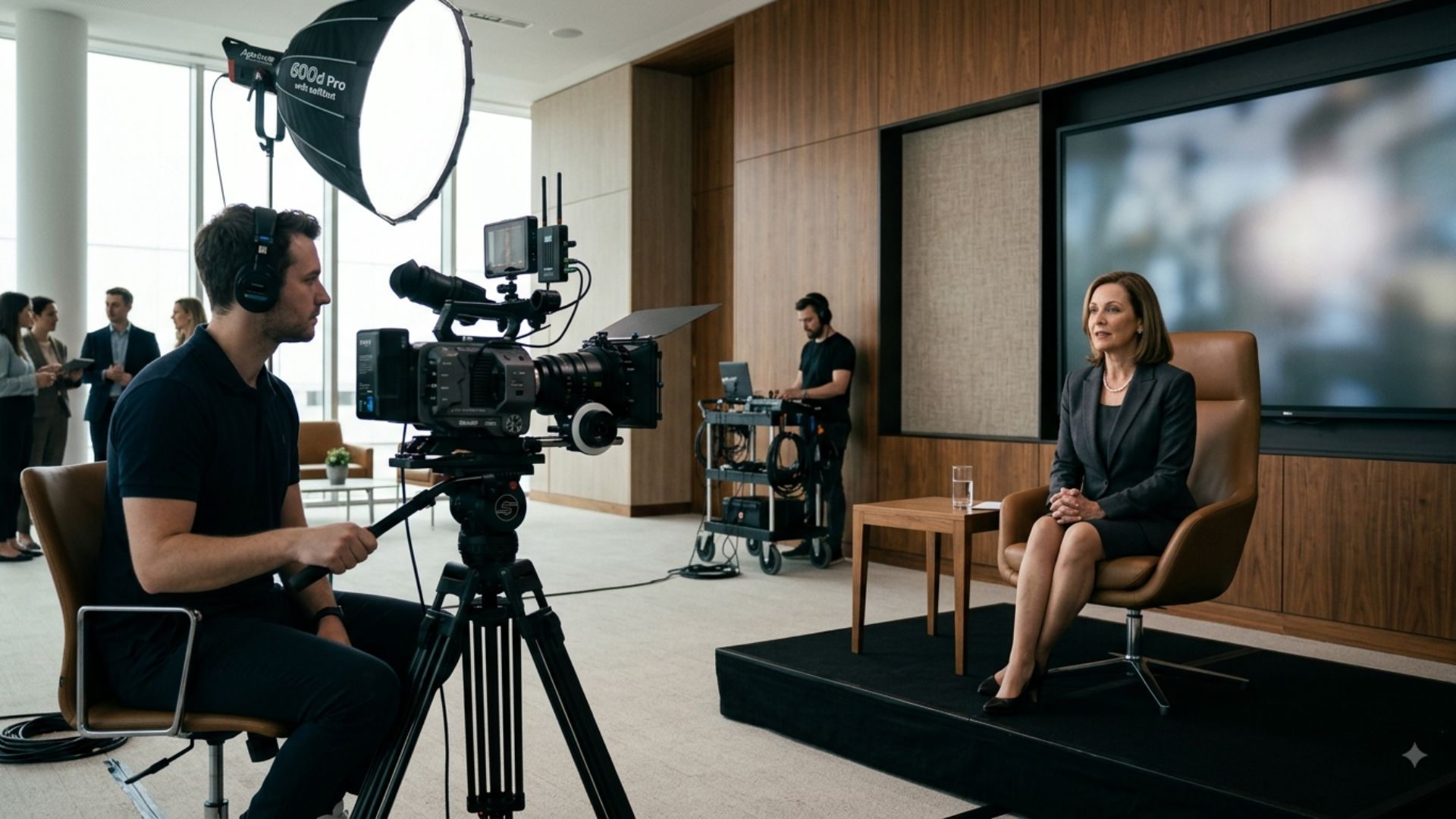
Original video can be worth the investment when the footage needs to communicate something unique about your business or support an important marketing, recruitment, advertising or brand objective. The value also increases when footage can be repurposed across multiple channels and campaigns.
Can businesses use stock footage in professional videos?
Yes. Stock footage can be used effectively in professional business videos when it is appropriately licensed, carefully selected and integrated into the wider visual style. It can work particularly well as supporting footage alongside original video, graphics, interviews and other brand-specific content.
Similar blogs:




























![How to Write a Promo Video Script (Free Template Included) [2026 Guide]](https://cdn.prod.website-files.com/6226fcc37e2eb518b6e69a7f/69c3804c0b9ea78696bd89e0_covertab11.jpeg)



.jpg)
%20(1)%20(1).jpg)
.jpg)






We'd love to hear from you! Reach out to us today for a chat about our services, pricing, or just to say hello!


