
In today’s oversaturated inboxes, getting your email noticed — let alone opened — is no easy feat. In this article, we’ll explore the power of video in email campaigns, how to embed video content the right way, best practices to maximise performance, and how to track your results. Whether you’re a startup, marketer, or creative agency, using video in your emails can be a game-changer for audience retention and conversions.
What Is B-Roll in Video Production?
B-roll is supplementary footage used alongside the main footage in a video.
The main footage is often referred to as A-roll. In a business video, A-roll might be an interview with a company director, an employee explaining a process, a customer giving a testimonial, or someone delivering a scripted message.
B-roll is the visual material that supports what the viewer is hearing or seeing.
For example, imagine a company director says:
"Our team works closely with clients throughout the design process."
Rather than showing the director speaking for the entire sentence, the editor might cut to footage of:
- Team members working together
- A client meeting
- Designers reviewing plans
- Someone working at a computer
- A close-up of drawings or prototypes
The director's voice can continue while these images appear on screen.
That's B-roll.
It gives the audience something relevant to look at while reinforcing what is being said.
The term is widely used in professional video production, and modern definitions generally describe B-roll as supporting footage that adds context, visual variety or storytelling value to the primary footage.
A-Roll vs B-Roll: What's the Difference?
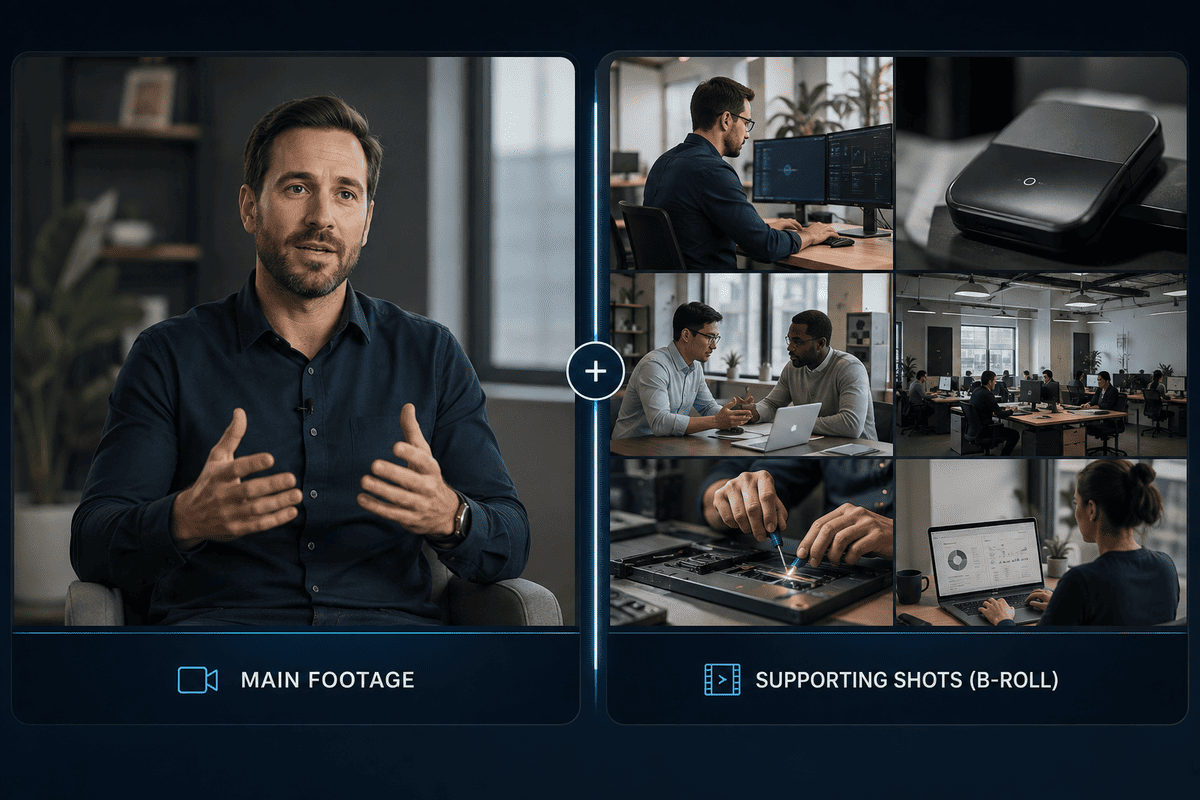
The simplest way to understand the difference is:
A-roll = the main story.
B-roll = the supporting visuals.
A-roll usually carries the primary dialogue, interview, presentation or action that moves the story forward.
B-roll supports that material without necessarily carrying the main message itself.
For a corporate video, the A-roll could be:
- A CEO interview
- A customer testimonial
- An employee interview
- A presenter speaking to camera
- A voiceover
- A product demonstration
The B-roll could then show:
- Employees doing their jobs
- Products being used
- Customers interacting with the business
- Office or facility footage
- Close-ups of equipment
- Manufacturing processes
- Meetings
- Exterior shots
- Details of the working environment
The two work together.
Without A-roll, the audience may not have the main narrative or explanation.
Without B-roll, the video can become visually repetitive and may struggle to show what the speaker is actually describing.
Why Is B-Roll Important in Business Video Production?

B-roll isn't simply footage added to make a video look more cinematic.
When planned properly, it serves several practical purposes.
B-Roll Makes Your Message More Visual
One of the biggest limitations of an interview-led video is that the person speaking can only describe so much.
If someone says:
"We manufacture everything in our facility here in Dublin."
The audience learns something from the statement.
But showing the manufacturing process while they speak gives that statement visual evidence.
The viewer can actually see the facility, equipment, employees and process.
This is particularly useful for businesses selling products, technical services or processes that are difficult to explain with words alone.
B-Roll Keeps the Video Visually Interesting
Watching one person speak continuously for several minutes can become visually repetitive, even if the information itself is valuable.
B-roll gives the editor opportunities to change what the viewer sees while maintaining the same underlying message.
The result is a more varied viewing experience.
This doesn't mean every sentence needs a different shot. Good B-roll should serve the story rather than become constant visual distraction.
The goal is to give the viewer a reason to keep watching while making the information easier to absorb.
B-Roll Helps Tell the Story
Good B-roll doesn't simply decorate a video.
It helps communicate the story.
Suppose you're producing a customer case study for an engineering company.
The customer might explain how the company helped solve a complex problem.
Instead of showing the customer speaking for the entire interview, B-roll could show:
- The customer's facility
- Engineers examining equipment
- The problem being addressed
- The finished solution
- Employees working with the equipment
- The completed project
The viewer isn't just being told about the work.
They're seeing it.
That's where B-roll becomes particularly powerful for corporate storytelling.
B-Roll Can Cover Cuts in Interviews
B-roll also has an important practical function during editing.
Interviews rarely make it into the final video exactly as they were recorded.
A speaker may repeat themselves, pause, change direction, stumble over a sentence or provide a longer answer than the final edit requires.
An editor can remove those sections from the A-roll.
However, cutting directly from one part of an interview to another can sometimes create an obvious jump.
B-roll provides a natural way to cover that transition.
The speaker's audio can continue while the image changes to relevant supporting footage.
This allows the editor to tighten the interview without making every cut visually obvious. Professional video guides commonly identify covering edits and smoothing transitions as one of B-roll's practical uses.
What Does B-Roll Look Like in a Corporate Video?

B-roll will look different depending on the business and the purpose of the video.
There is no single type of B-roll that every company needs.
For a professional services company, it might include:
- Employees collaborating
- Client meetings
- Presentations
- Office environments
- People working at desks
- Technology being used
- Team interactions
For a manufacturing business, it could include:
- Machinery operating
- Employees working on the production line
- Product close-ups
- Materials being handled
- Quality-control processes
- Packaging
- Finished products
For a construction company, it might include:
- Workers on site
- Equipment operating
- Materials being installed
- Site preparation
- Architectural plans
- Completed projects
- Aerial footage
For a technology company, B-roll could show:
- Software being used
- Product demonstrations
- Developers working
- Team meetings
- Screens and interfaces
- Customer interactions
The best B-roll is therefore specific to the story you're trying to tell.
Common Types of B-Roll to Capture
When planning a business video, it helps to think about B-roll in categories.
Establishing Shots
These show the viewer where the story is taking place.
Examples include:
- Exterior of your building
- Office entrance
- Factory or facility
- City surroundings
- Event venue
An establishing shot can quickly give the audience context before moving into the main story.
People at Work
This is some of the most useful B-roll for business videos.
Capture employees actually doing their jobs rather than simply standing around for the camera.
Depending on your business, that could include:
- Meetings
- Customer interactions
- Designing
- Manufacturing
- Presenting
- Installing
- Delivering
- Consulting
- Testing
- Collaborating
Authentic activity usually gives the audience a stronger understanding of what your business actually does.
Product and Service Footage
If you're selling a physical product, show it in use.
If you're selling a service, show the process behind that service.
For example, rather than simply saying that your business provides specialist engineering services, show engineers inspecting equipment, reviewing plans or working on a live project.
This turns an abstract description into something tangible.
Detail Shots
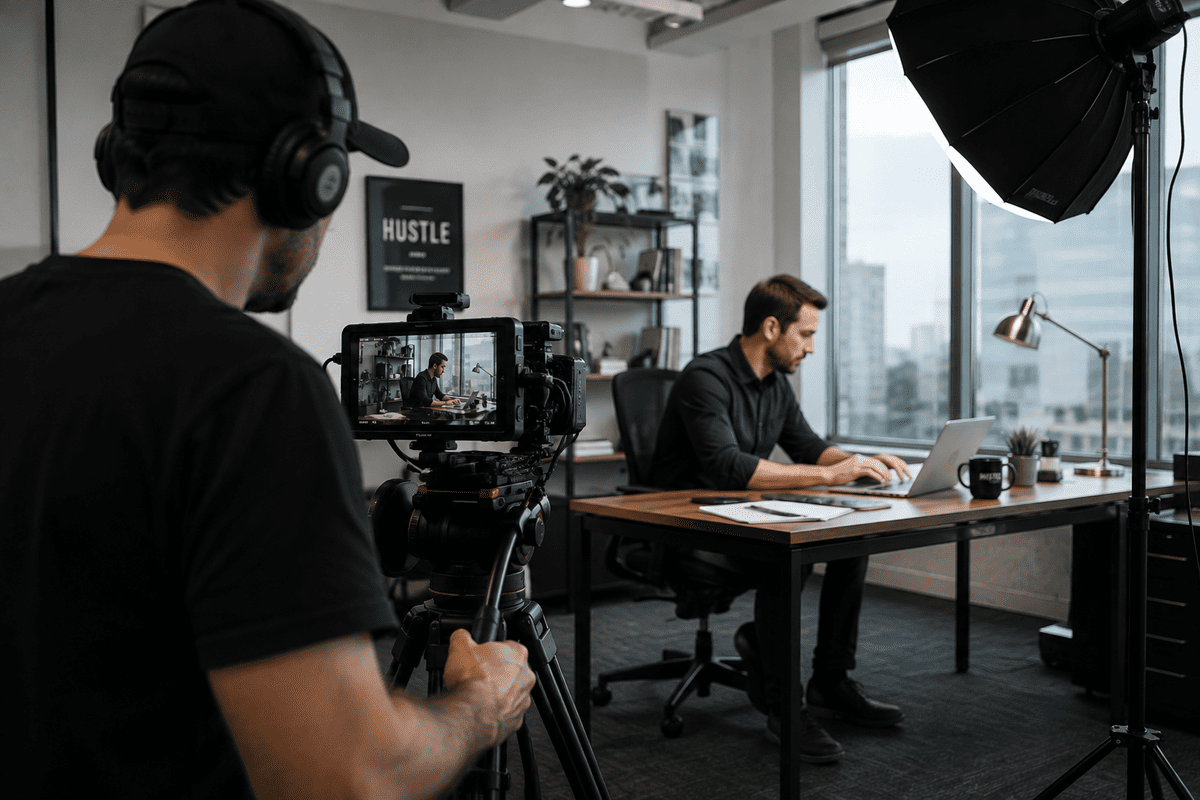
Close-ups can provide useful visual variety.
These might include:
- Hands working
- Tools
- Machinery
- Product details
- Computer screens
- Documents
- Materials
- Equipment
Detail shots can also be particularly useful during editing because they're easy to cut into sequences without distracting from the main message.
Environmental Footage
Your workplace itself can tell part of the story.
Capture the environment around your team, including:
- Offices
- Workshops
- Warehouses
- Facilities
- Meeting rooms
- Reception areas
- Outdoor locations
These shots help establish a sense of place and make the video feel specific to your business.
How Much B-Roll Should You Capture?
There isn't a fixed amount of B-roll that every production needs.
It depends on the length, style and purpose of the video.
A two-minute customer testimonial will have different requirements from a five-minute corporate documentary.
What matters is having enough relevant supporting footage to give the editor options.
Rather than asking:
"How many B-roll clips do we need?"
it's more useful to ask:
"What visuals do we need to tell this story?"
If the script mentions a specific process, product, location or team, try to capture footage that shows it.
This approach produces much more useful B-roll than simply filming random shots around the workplace.
Plan Your B-Roll Before the Camera Starts Rolling
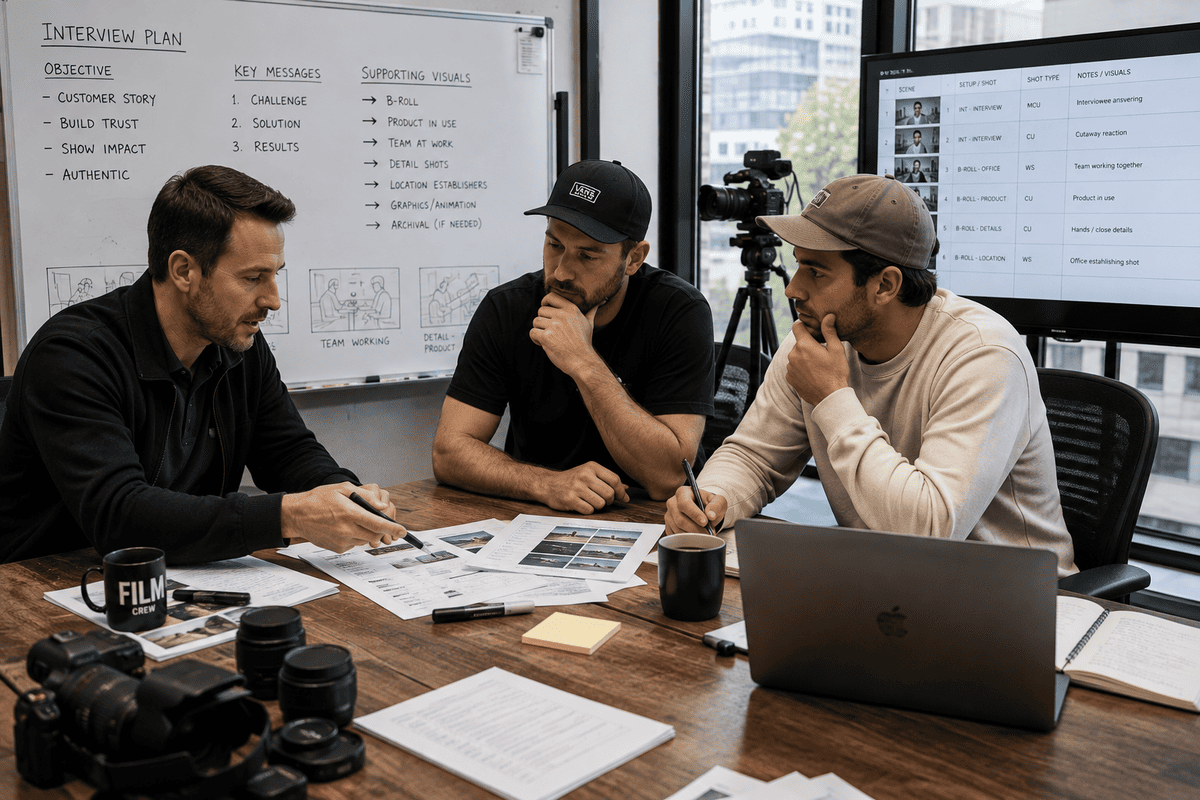
Good B-roll begins during pre-production, not when the camera operator arrives at the location.
Mango Media's own production guidance places B-roll within the production stage and highlights its role in covering interview cuts, reinforcing spoken messaging, adding visual variety and showcasing business operations.
Before filming, review the script, interview topics or key messages.
Then identify the visuals that could support them.
For example:
Message:
"Our team works closely with clients from the initial consultation through to delivery."
Potential B-roll:
- Initial client meeting
- Team reviewing a brief
- Design or planning session
- Project development
- Client review
- Finished product or service
This creates a clear connection between what the audience hears and what they see.
Don't Stage B-Roll That Doesn't Reflect Your Business
One of the easiest ways to make corporate B-roll feel artificial is to stage activities that don't normally happen.
If a company says it has a collaborative culture, showing employees genuinely working together is more convincing than arranging a group around a laptop purely for the camera.
That doesn't mean every B-roll shot needs to be completely spontaneous.
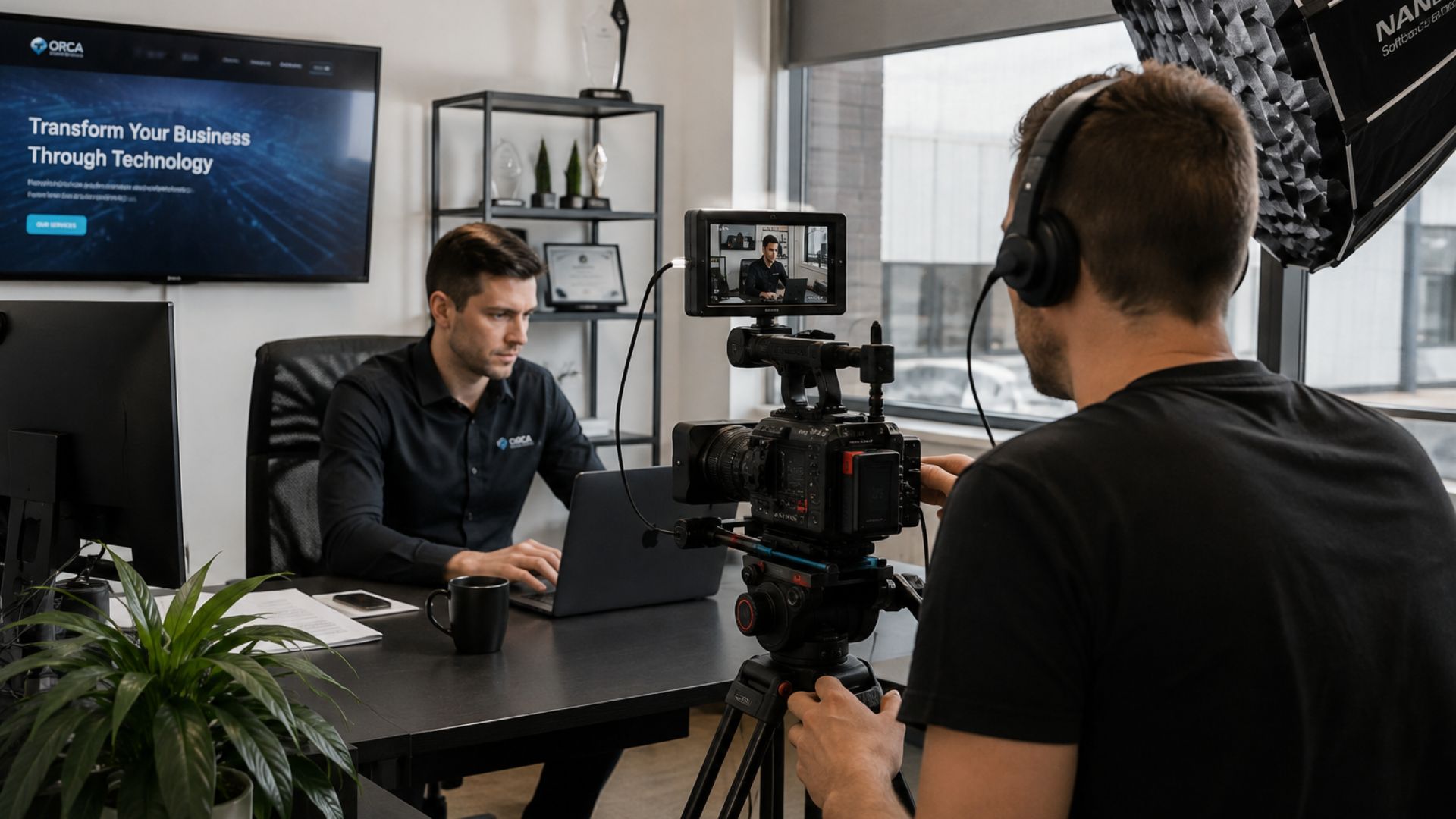
A production team may need to repeat an action, adjust positioning or recreate part of a process so it can be filmed effectively.
The important thing is that the footage still represents something real.
Authentic B-roll should make the viewer feel like they're getting a genuine look inside the business.
This aligns with Mango Media's wider approach to authenticity in business video: the supporting visuals should reinforce the reality of the company rather than create an artificial impression.
Think About B-Roll as a Long-Term Business Asset
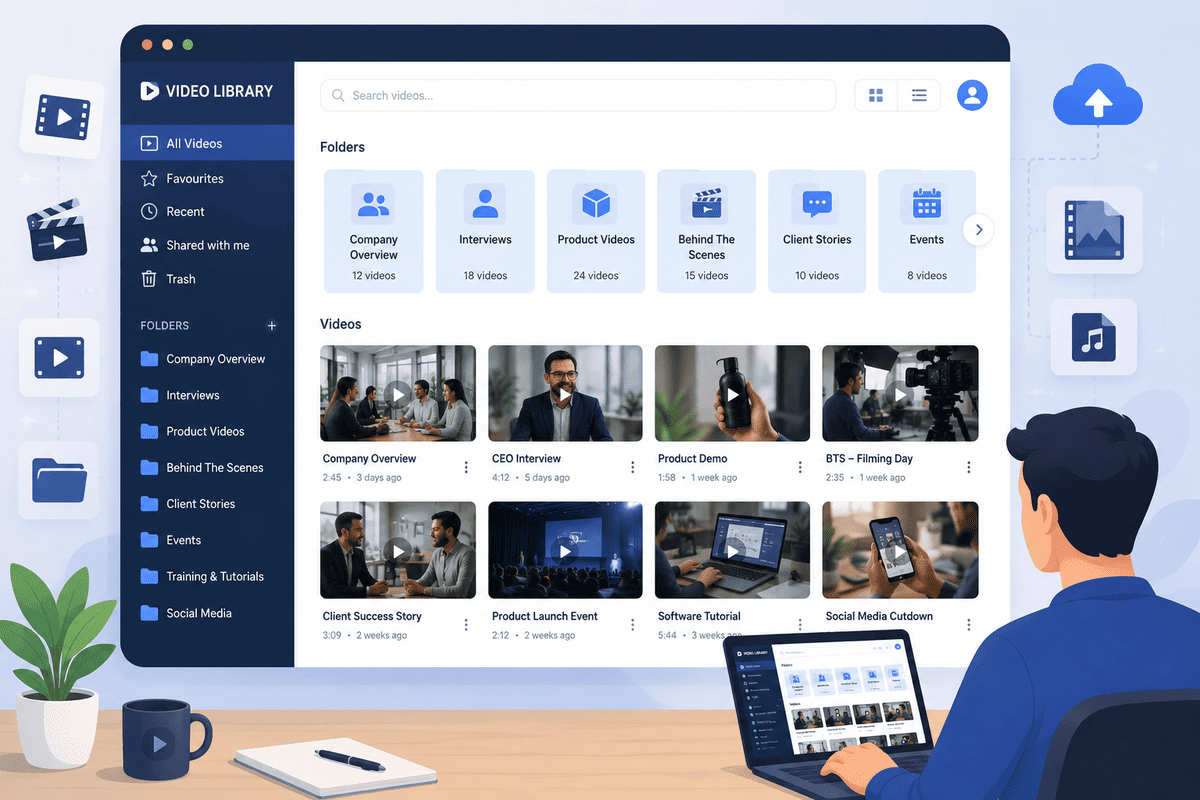
One of the biggest opportunities businesses miss is failing to think beyond the immediate video.
If you're already paying for a professional production day, capturing additional useful footage can create value well beyond the original project.
For example, B-roll captured during a corporate video could later support:
- LinkedIn posts
- Recruitment campaigns
- Website updates
- Sales presentations
- Social media clips
- Customer communications
- Employer branding
- Future video projects
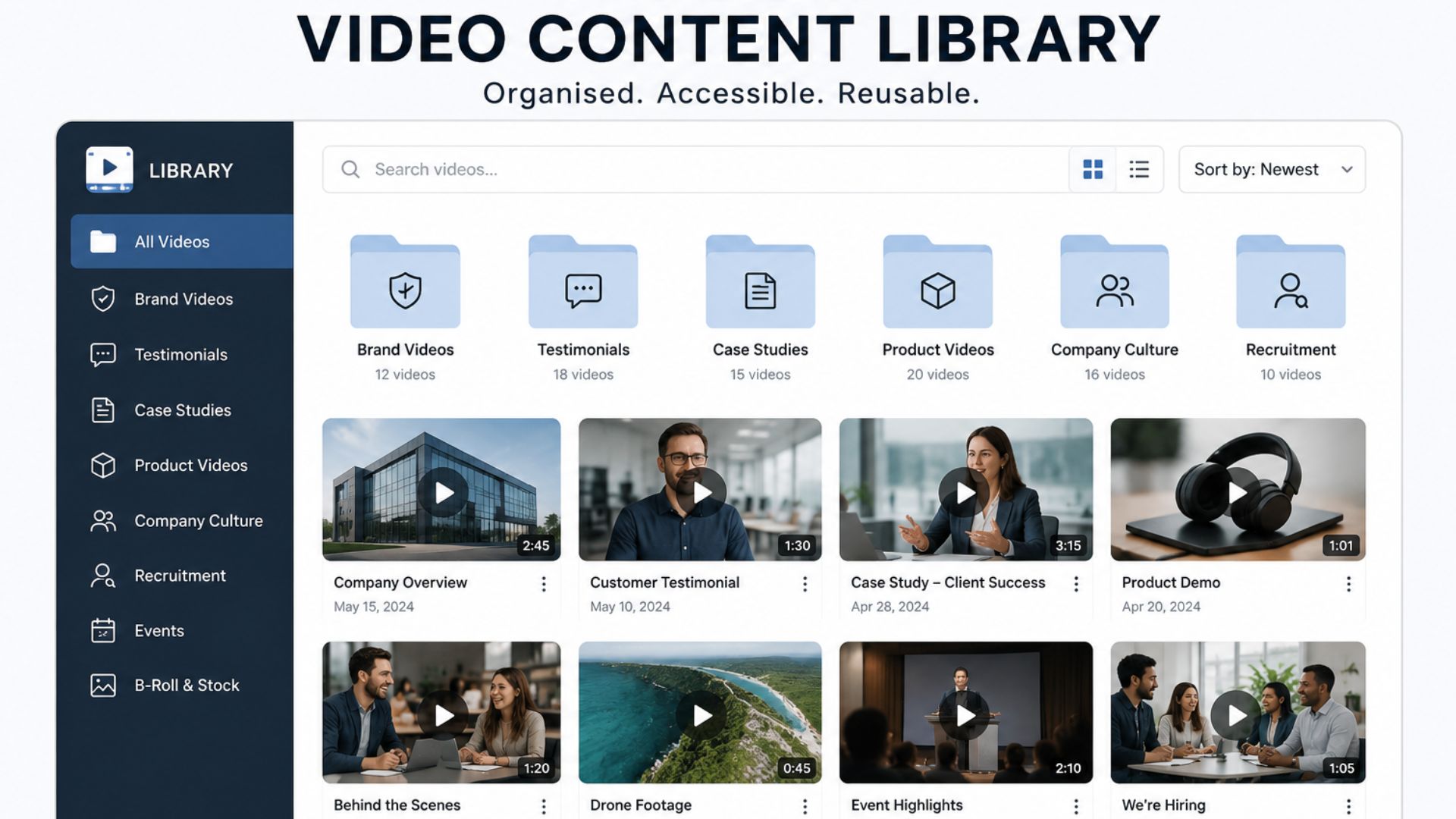
This is particularly valuable when building a video content library.
Instead of treating B-roll as footage that exists only to support one finished video, you can organise useful clips so they remain available for future content.
That makes the original production more versatile and can reduce the need to repeatedly film the same basic workplace activities.
What B-Roll Should Businesses Capture During a Filming Day?
If you're preparing for a business video shoot, think beyond the obvious shots.
A useful B-roll checklist might include:
Your people
- Team members working
- Conversations
- Meetings
- Presentations
- Customer interactions
- Employees collaborating
- Natural workplace moments
Your environment
- Exterior building
- Reception
- Office
- Workshop
- Factory
- Warehouse
- Meeting rooms
Your products
- Product close-ups
- Product being used
- Product preparation
- Packaging
- Finished product
Your processes
- Work being completed
- Equipment operating
- Materials being handled
- Quality checks
- Customer delivery
- Installation or implementation
Supporting details
- Hands at work
- Computer screens
- Tools
- Documents
- Machinery
- Branded materials
This doesn't mean every business needs every shot.
The list should be adapted to the story and the footage you're likely to need later.
B-Roll Can Make One Production More Versatile
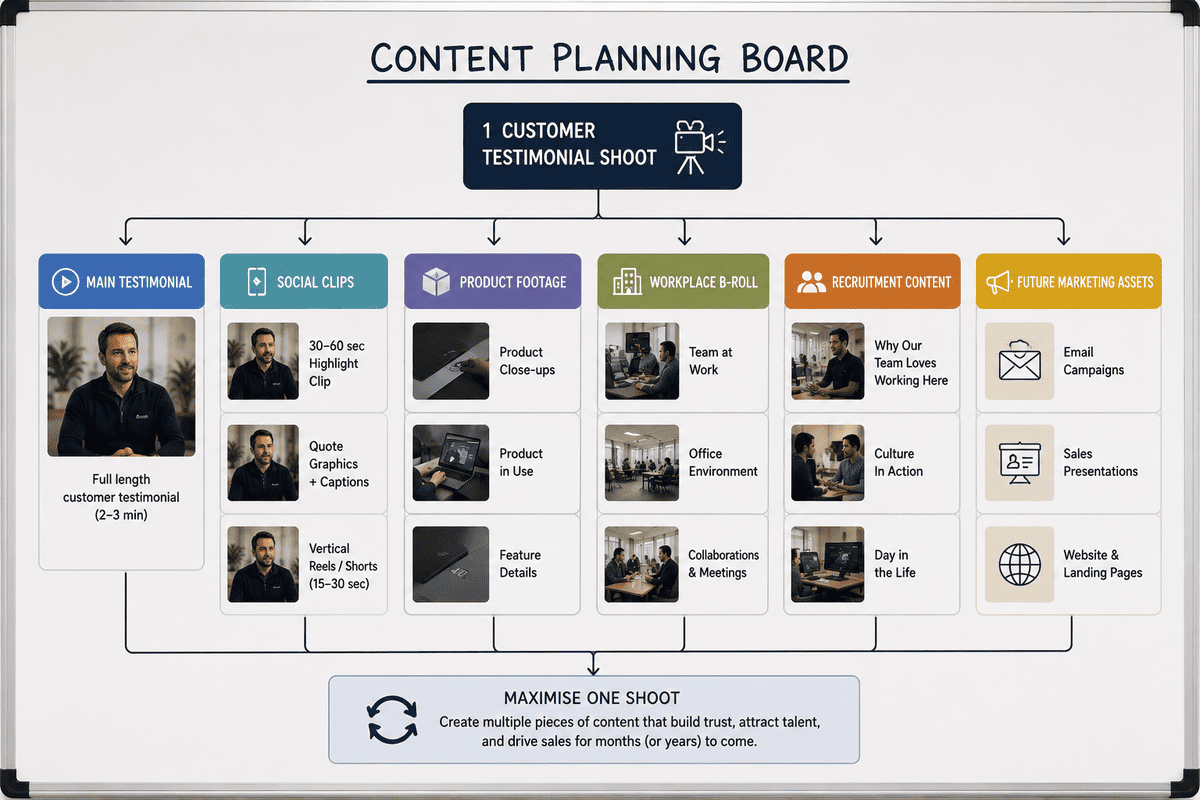
A well-planned production can produce multiple usable assets rather than a single finished video.
Imagine a business is filming a customer testimonial.
The main interview becomes the A-roll.
During the same shoot, the production team could also capture:
- The customer using the product
- Employees working with the customer
- The workplace
- Product close-ups
- Before-and-after visuals
- Customer interactions
- Relevant processes
The finished testimonial might be two minutes long.
But the B-roll captured during the shoot could potentially support several shorter videos and marketing assets later.
This is one reason production planning matters so much.
You're not just filming one video.
You're building a collection of visual assets that can potentially support your marketing for much longer.
Common B-Roll Mistakes Businesses Should Avoid
Capturing Generic Footage
Generic footage of people typing at computers or shaking hands may look polished, but it doesn't necessarily tell your audience anything about your business.
Whenever possible, prioritise footage that is specific to your people, products, services and environment.
Filming B-Roll Without a Purpose
More footage isn't automatically better.
If the editor has hundreds of unrelated clips but none actually support the message, the library becomes harder to use.
Start with the story and work backwards.
Only Capturing Wide Shots
Wide shots establish the environment, but close-ups and medium shots provide useful variety.
Capture the same activity from different perspectives where appropriate.
Forgetting Vertical Content
If you know your footage will also be used for LinkedIn, Instagram or other vertical formats, communicate that before filming.
Framing needs to account for how the footage will eventually be used.
Mango Media's current brand-video guidance similarly emphasises planning productions so footage can be adapted across different formats rather than treating the final master video as the only deliverable.
Not Capturing Enough Supporting Footage
The opposite problem is arriving at the edit with plenty of interview footage but very little visual material to support it.
This can limit the editor's options and make the final video feel overly dependent on talking-head shots.
How B-Roll Affects the Editing Process

B-roll gives an editor more options.
It can help determine:
- Where to cut
- How quickly the video moves
- Which parts of an interview to emphasise
- How to transition between ideas
- Which information should be shown rather than simply heard
It can also help create visual rhythm.
For example, a sequence might move from:
Wide shot → medium shot → close-up → interview → action shot → product detail
The underlying message remains clear, but the visual experience becomes more dynamic.
This is why B-roll should be considered during production planning rather than treated as an afterthought during editing.
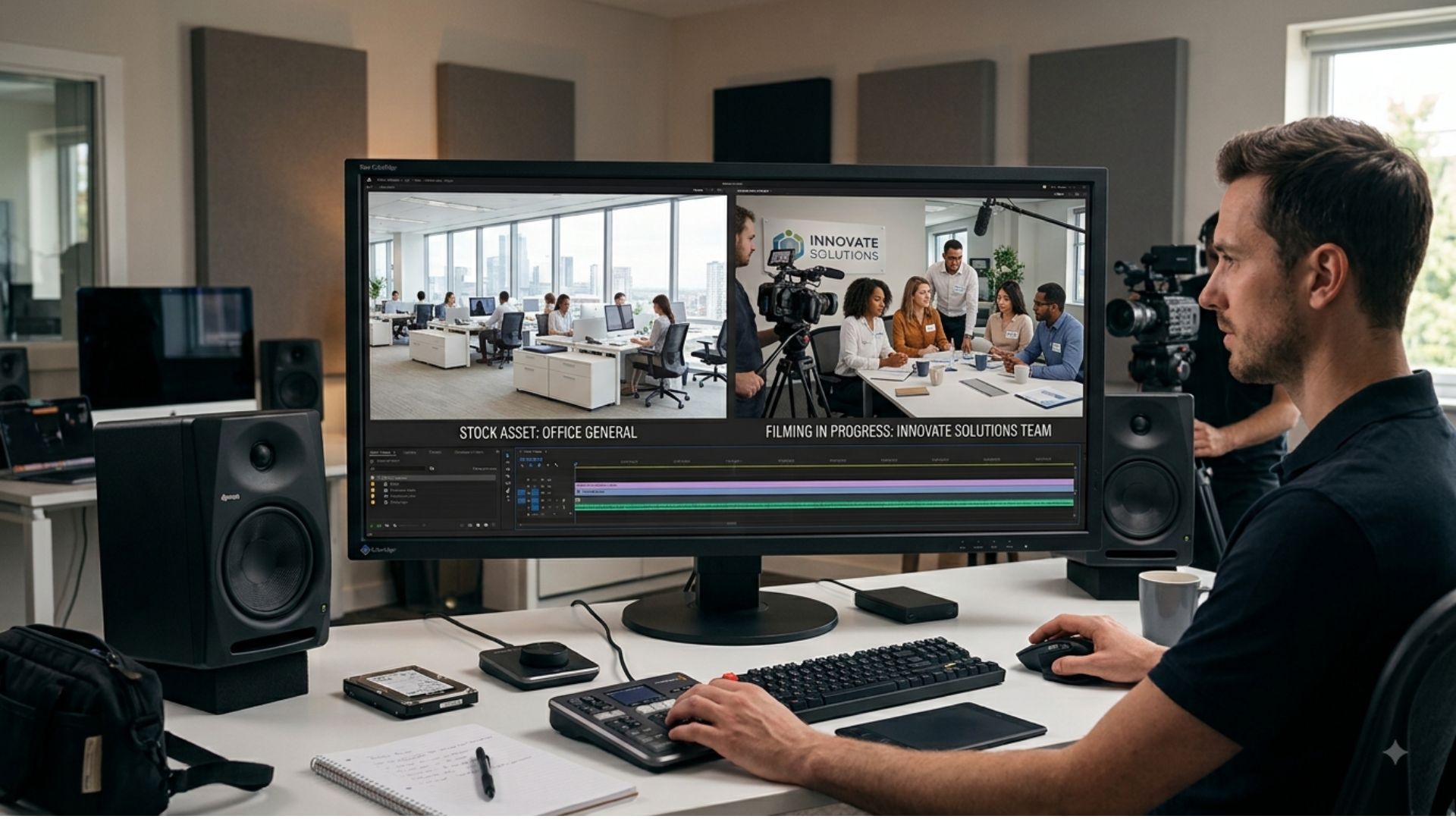
Should Businesses Use Stock Footage as B-Roll?
Stock footage can have a place in video production, particularly when filming a specific location or situation isn't practical.
However, businesses should consider what they're trying to communicate.
If you're explaining that your team works from a particular facility, showing generic footage of another office doesn't provide much evidence.
Likewise, if you're talking about your manufacturing process, footage of a completely different factory may weaken the credibility of the message.
When the footage is available, filming your actual people, products, facilities and processes usually creates a more distinctive and authentic result.
Stock footage can still be useful where appropriate, but it shouldn't replace the real visual story of your business.
How B-Roll Can Increase the Value of a Video Shoot
B-roll may only occupy a few seconds at a time in the finished video, but its value can extend much further.
Well-planned B-roll can:
- Strengthen the story
- Show rather than tell
- Cover interview edits
- Improve visual pacing
- Demonstrate your processes
- Showcase your people
- Provide reusable content
- Support future campaigns
- Build your video content library
The key is to capture it intentionally.
A production day shouldn't simply focus on getting the main interview finished. It should also create a bank of relevant visual material that can support the finished video and potentially future content.
Turning a Filming Day into More Content
If you're already planning a professional video shoot, it's worth asking whether there are additional assets that could be captured at the same time.
Could you record extra B-roll for social media?
Could you capture footage for recruitment?
Could you create short clips from the same interview?
Could you photograph the team while the production is taking place?
Could the B-roll be stored and reused in future campaigns?
Thinking this way turns a filming day into a broader content opportunity rather than a single production.
For businesses investing in video regularly, that approach can make each production more efficient and create a stronger library of assets over time.
A Simple B-Roll Planning Checklist
Before your next video shoot, ask:
1. What is the main message?
Identify the key points the audience needs to understand.
2. What could we show instead of simply saying it?
Look for processes, people, products and environments that visually demonstrate the message.
3. Which people need to be filmed?
Don't limit B-roll to your main interview subject.
4. Which locations matter?
Capture establishing shots and relevant environments.
5. What details tell the story?
Think about tools, products, hands, screens, equipment and other close-ups.
6. Where could this footage be reused?
Consider social media, recruitment, sales, website content and future campaigns.
7. Do we need different formats?
If content will be used vertically as well as horizontally, plan for that before filming.
A little planning can make the difference between having a folder full of random clips and having a genuinely useful collection of business assets.
Why B-Roll Matters More Than It May Seem
B-roll may be called "supporting footage", but that doesn't mean it is unimportant.
It is often what allows a corporate video to demonstrate rather than simply describe. It gives viewers a visual understanding of your people, processes, products and environment while giving the editor the flexibility to create a smoother and more engaging final piece.
For businesses, the bigger opportunity is to think beyond the finished video. When B-roll is captured intentionally and stored properly, it can become part of a wider video content library that supports marketing, sales, recruitment and communications long after the original production has finished.
From Understanding B-Roll to Planning Your Next Shoot
Once you understand the role B-roll plays, the next step is to look at your own production plans differently. Instead of asking only what the finished video needs, consider what visual assets your business could capture now that would remain useful for future campaigns, platforms and audiences.
That's where thoughtful production planning makes a real difference. The aim isn't to film more for the sake of it, but to capture the right supporting footage so your investment continues to deliver value after the first edit is complete.
Conclusion
B-roll is more than extra footage—it is what helps your audience see the story behind your business. When planned around your message, captured with purpose and stored for future use, it can make videos more engaging, give editors greater flexibility and turn one production into a much broader collection of useful content.
If you're planning a business video and want to make the most of your filming day, explore Mango Media's video production services, use our instant price calculator for a quick estimate, or get in touch for a free consultation.
Frequently Asked Questions
What is B-roll in video production?
B-roll is supporting footage used alongside the main footage, or A-roll, in a video. It can show people, products, locations, processes and other visuals that reinforce the main message, add variety and help create smoother edits.
Why is B-roll important in corporate videos?
B-roll helps corporate videos show rather than simply tell. It can demonstrate how a business operates, showcase products and people, cover cuts in interviews, improve visual pacing and give viewers a better understanding of the story being told.
How much B-roll should you film for a corporate video?
There is no fixed amount of B-roll required. The amount depends on the video's length, style, message and intended uses. The best approach is to identify the key points you need to illustrate and capture enough relevant footage to give the editor flexibility.
Similar blogs:


















![How to Write a Promo Video Script (Free Template Included) [2026 Guide]](https://cdn.prod.website-files.com/6226fcc37e2eb518b6e69a7f/69c3804c0b9ea78696bd89e0_covertab11.jpeg)


.jpg)
%20(1)%20(1).jpg)
.jpg)






We'd love to hear from you! Reach out to us today for a chat about our services, pricing, or just to say hello!


