
In today’s oversaturated inboxes, getting your email noticed — let alone opened — is no easy feat. In this article, we’ll explore the power of video in email campaigns, how to embed video content the right way, best practices to maximise performance, and how to track your results. Whether you’re a startup, marketer, or creative agency, using video in your emails can be a game-changer for audience retention and conversions.
Why Website Visitors Don't Always Convert
A visitor can arrive on your website with genuine interest and still leave without contacting you.
Sometimes they don't understand exactly what you offer.
Sometimes they aren't sure whether your business is credible.
Sometimes your service is too complex to explain quickly through written copy.
And sometimes they simply don't know what to do next.
This is particularly relevant for businesses selling professional services, technical products, or higher-value solutions where customers need to understand and trust the company before making a decision.
Text is still essential for explaining your services and supporting search visibility, but video gives you another way to communicate the same information.
A potential customer can hear someone explain a process, see a product being used, watch a customer describe their experience, or get a feel for the people behind the company.
That can make the decision-making process feel much easier.
The important point is that video should support the conversion journey, rather than simply decorate the page.
Where Video Can Make the Biggest Difference on Your Website
Not every page needs a video.
In fact, adding video everywhere can make your website harder to navigate and potentially slower to load.
Instead, identify the pages where visitors need the most reassurance, explanation, or motivation to act.
1. Your Homepage
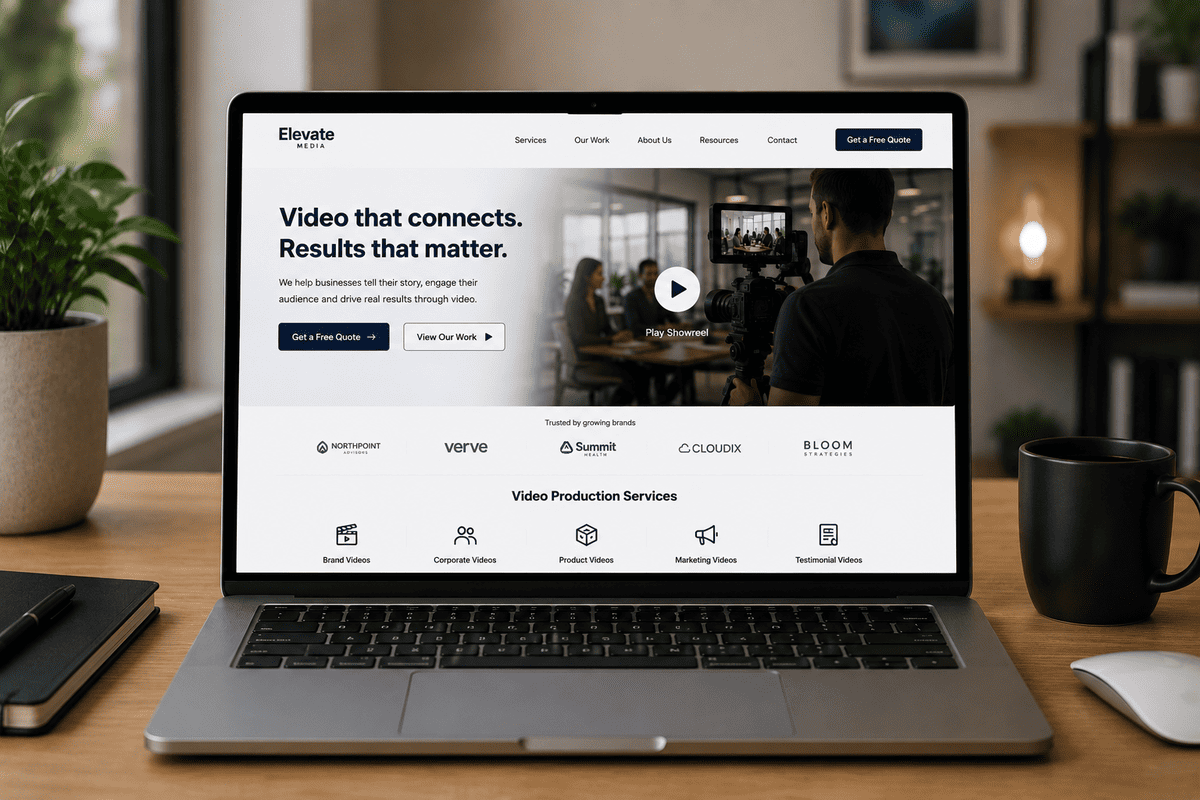
Your homepage often provides the first substantial impression of your business.
A short brand or introduction video can quickly communicate:
- Who you are
- What your business does
- Who you help
- What makes you different
- Why someone should trust you
This can be particularly useful when your offering is difficult to explain in a short headline.
However, the video shouldn't force visitors to watch before they understand what your company does.
Your headline, supporting copy, and primary call to action should still make sense without it.
The video should add depth rather than replace basic clarity.
2. Service Pages
Service pages are often some of the most commercially important pages on a website.
Someone visiting a service page is already showing interest in a particular solution.
This makes video useful for answering the questions that could prevent them from taking the next step.
For example, a professional services company could use video to explain:
- How the service works
- What the process involves
- What clients can expect
- How long the process usually takes
- What makes the company different
- What happens after someone gets in touch
A well-structured service video can turn an unfamiliar process into something much easier to understand.
This is especially valuable for services where the customer may not know what happens behind the scenes.
3. Landing Pages
Landing pages have one job: encourage a specific action.
That could be downloading a guide, requesting a consultation, registering for an event, or making a purchase.
Video can support that objective by answering objections before someone reaches the call to action.
For example, a short video could:
- Identify the customer's problem
- Explain the proposed solution
- Demonstrate the value
- Establish credibility
- Direct the viewer towards the next step
The key is focus.
A landing-page video shouldn't try to tell your company's entire story.
It should help the visitor make the decision that the page is designed to support.
4. Product Pages
For businesses selling physical or digital products, video can demonstrate things that static photography cannot.
A product video can show:
- How something works
- How it is used
- What it looks like in context
- How different features operate
- How it compares with alternatives
- What the customer experience looks like
This can be particularly useful when a product has features that are difficult to communicate through images alone.
Instead of asking the visitor to imagine how something works, you can show them.
5. Case Study and Testimonial Pages
Testimonials are already powerful because they provide evidence from someone other than the business itself.
Video can make that evidence more personal.
A written testimonial might tell a visitor that a customer was happy with the result.
A video testimonial can allow the potential customer to see and hear that person explaining:
- What problem they had
- Why they chose the company
- What the experience was like
- What changed afterwards
- Whether they would recommend the service
The production doesn't need to feel overly polished or scripted.
In many cases, authenticity is more valuable than making every answer sound perfect.
The objective is to make the customer's experience believable and relatable.
Which Types of Videos Work Best for Website Conversions?
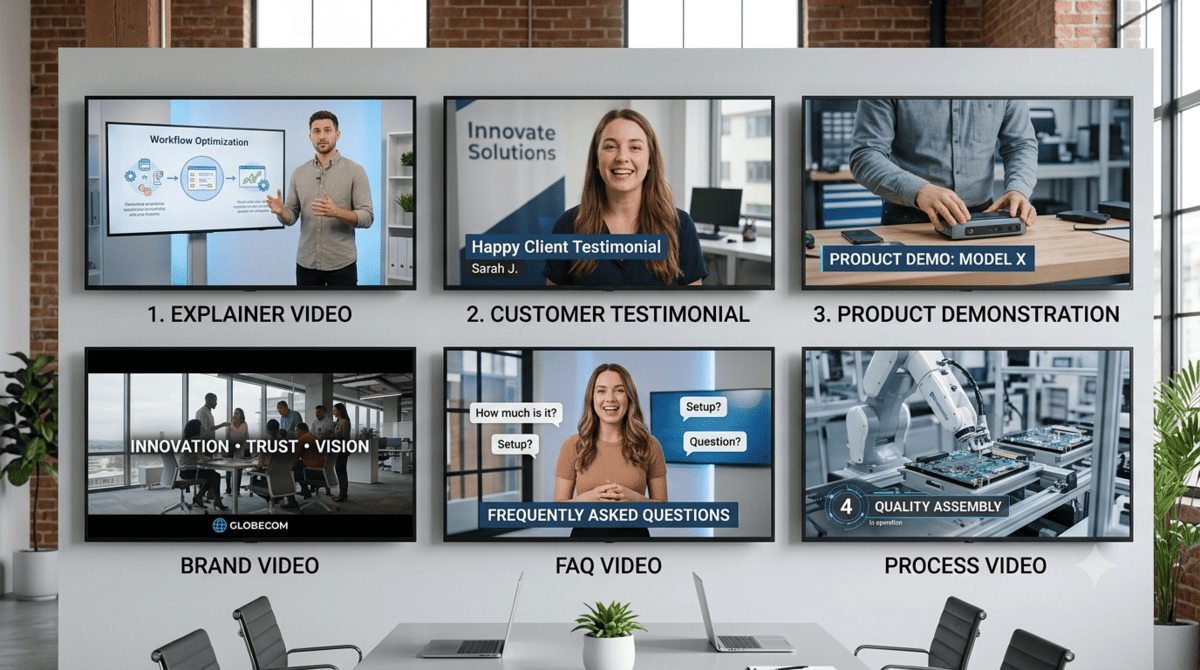
The best format depends on the page and the decision the visitor needs to make.
Explainer Videos
Explainer videos are useful when your product, service, or process requires additional context.
They can simplify complicated ideas and help visitors understand the value of what you offer.
Customer Testimonial Videos
These are particularly useful when trust is a major factor in the buying decision.
Hearing directly from an existing customer can provide a form of social proof that your own marketing copy cannot replicate.
Product Demonstrations
Showing a product in action can help answer practical questions and reduce uncertainty before purchase.
Brand Videos
Brand videos can introduce your company, people, values, and approach.
They're particularly useful when your reputation and personality play an important role in the buying decision.
FAQ Videos
If your sales team repeatedly answers the same questions, those questions may be excellent subjects for short website videos.
Instead of making visitors search through long blocks of text, you can give them a concise visual explanation.
Process Videos
If customers often ask, “What happens after I get in touch?”, a process video can remove that uncertainty.
Showing the steps involved can make the prospect feel more comfortable about taking the first step.
Use Video to Answer the Questions Your Customers Already Have

One of the simplest ways to decide what your website videos should cover is to look at the questions your sales team hears repeatedly.
Think about the questions prospects ask before they become customers.
For example:
“How does the process work?”
Create a process video.
“What happens after I enquire?”
Create an expectations video.
“Why should I choose you?”
Create a brand or customer-story video.
“How does the product work?”
Create a demonstration.
“Has this worked for businesses like mine?”
Create a customer case study.
This approach keeps your video strategy connected to actual customer behaviour rather than producing content simply because video is popular.
How Video Builds Trust Before Someone Contacts You

For many businesses, the hardest part of converting a website visitor isn't explaining what they sell.
It's building enough trust for the visitor to take the next step.
Video can help because it gives people more information about the business behind the website.
They can see the environment you work in.
They can hear how your team communicates.
They can meet the people they'll potentially be working with.
They can see your products or processes in action.
And they can hear directly from existing customers.
This can make a company feel more tangible than a website consisting entirely of written copy and stock photography.
That doesn't mean every business needs a cinematic brand film.
Sometimes a straightforward, professionally produced explanation is more useful.
The production style should serve the purpose of the page.
Don't Make the Visitor Work Too Hard
One of the biggest mistakes businesses make with website video is making visitors work to understand the point.
A conversion-focused video should answer the important question quickly:
“Why should I keep watching?”
That means avoiding long introductions that spend the first 30 seconds talking about the company.
Start with the audience.
What problem are they experiencing?
What do they need to understand?
What outcome are they looking for?
Once you've earned their attention, you can provide more detail.
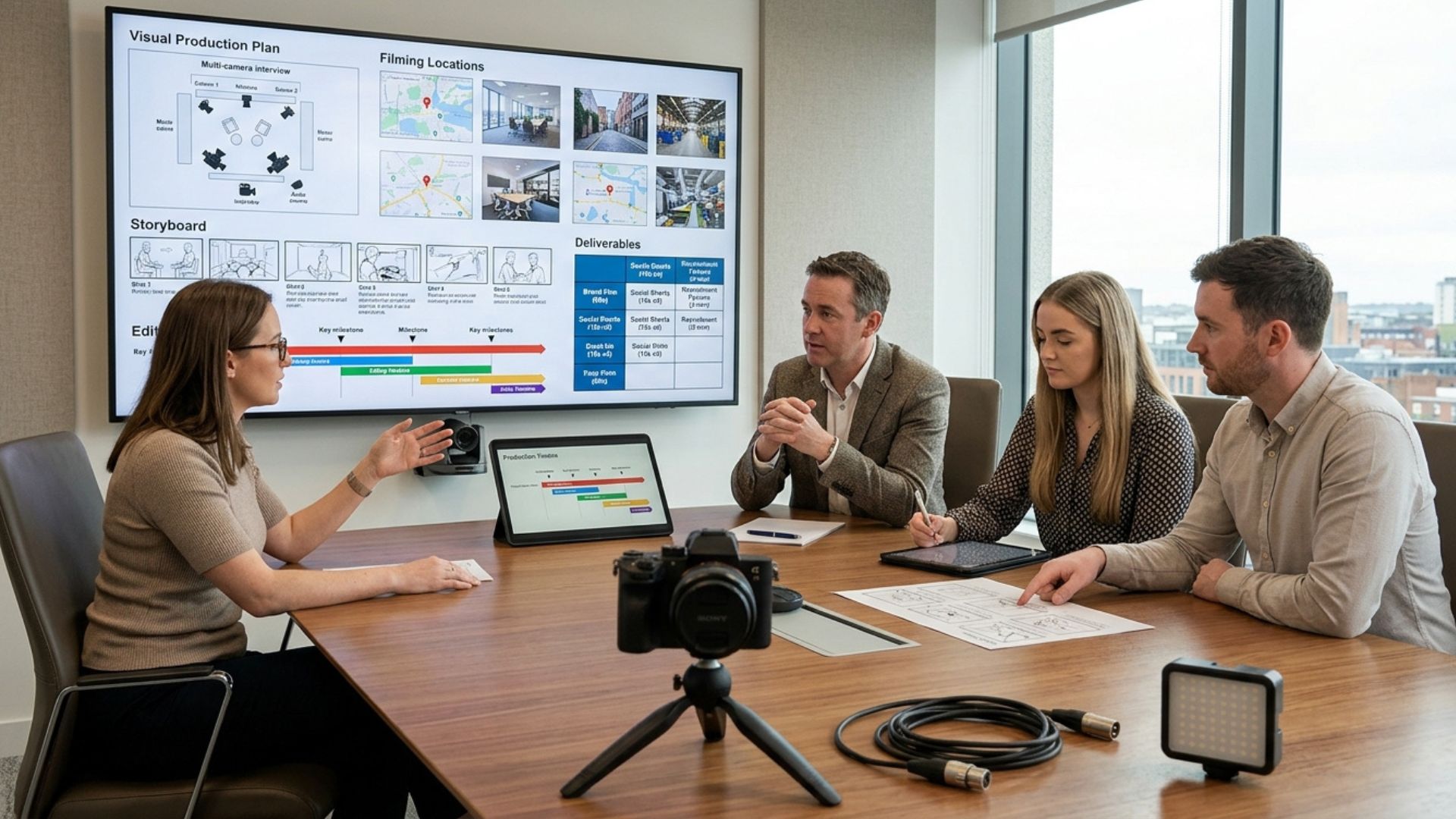
This is one reason strong pre-production matters. The video needs a clear purpose before the cameras start rolling.
Mango Media's video production process explains why defining the objective, audience, intended platform, and desired action during the planning stage helps shape the final video.
Should Your Website Video Autoplay?
Autoplay can work in certain situations, but it isn't automatically the best choice.
A large video that suddenly begins playing with sound can interrupt the visitor's experience.
For many business websites, muted autoplay can be more appropriate for short background or visual videos, while more substantial videos can be left for the visitor to start themselves.
Think about the purpose.
If the video is primarily visual and supports the page design, subtle autoplay may work.
If the video contains important information, giving the visitor control can be better.
Whatever approach you choose, make sure the page remains understandable and usable without relying entirely on the video.
Where Should the Call to Action Go?
A video can generate attention without generating action.
That's why the CTA needs to be considered during production, not added as an afterthought.
Your CTA could be:
- Request a quote
- Book a consultation
- Contact our team
- See the full range
- Download the guide
- Get started
- Watch the case study
- Visit the product page
The appropriate CTA depends on where the visitor is in the buying journey.
A homepage visitor may need more information before contacting you.
Someone watching a product demonstration on a product page may already be close to purchasing.
The video and the surrounding page should work together towards the same next step.
How Long Should a Website Video Be?
There is no universal ideal length.
A video should be as long as it needs to be to communicate the message clearly—and no longer.
A short promotional video may work well at around one to two minutes, while a detailed explanation, case study, or educational video may justify more time.
The important thing is relevance.
A three-minute video that answers a visitor's most important questions can be more valuable than a 45-second video that leaves them confused.
Mango Media's own guidance similarly notes that shorter promotional content often works well in the one-to-two-minute range, while more detailed explanations can justify longer formats.
The purpose, audience, and placement should determine the length.
Make Your Video Work Without Sound
Not everyone will watch a website video with their volume turned up.
Visitors may be at work, on a mobile device, or browsing in an environment where sound isn't convenient.
Consider supporting your video with:
- Captions
- On-screen text
- Clear visual storytelling
- Graphics
- Strong framing
- Concise messaging
Captions can also make your content more accessible and easier to follow.
However, don't turn the entire video into a wall of text.
Visual communication should remain visual.
Don't Forget Page Performance
A high-quality video can improve the user experience, but a poorly implemented video can also make a page frustrating to use.
Large video files can affect loading performance, particularly for visitors on slower connections or mobile devices.
Before adding a video to a page, consider:
- File size
- Hosting method
- Compression
- Mobile performance
- Thumbnail or poster image
- Lazy loading where appropriate
- Whether the video is actually necessary
The goal isn't to make every page heavier.
It's to make the page more useful.
If a video doesn't help the visitor understand, trust, or act, it may not deserve a place on the page.
Use Video as Part of the Customer Journey
One video rarely needs to do everything.
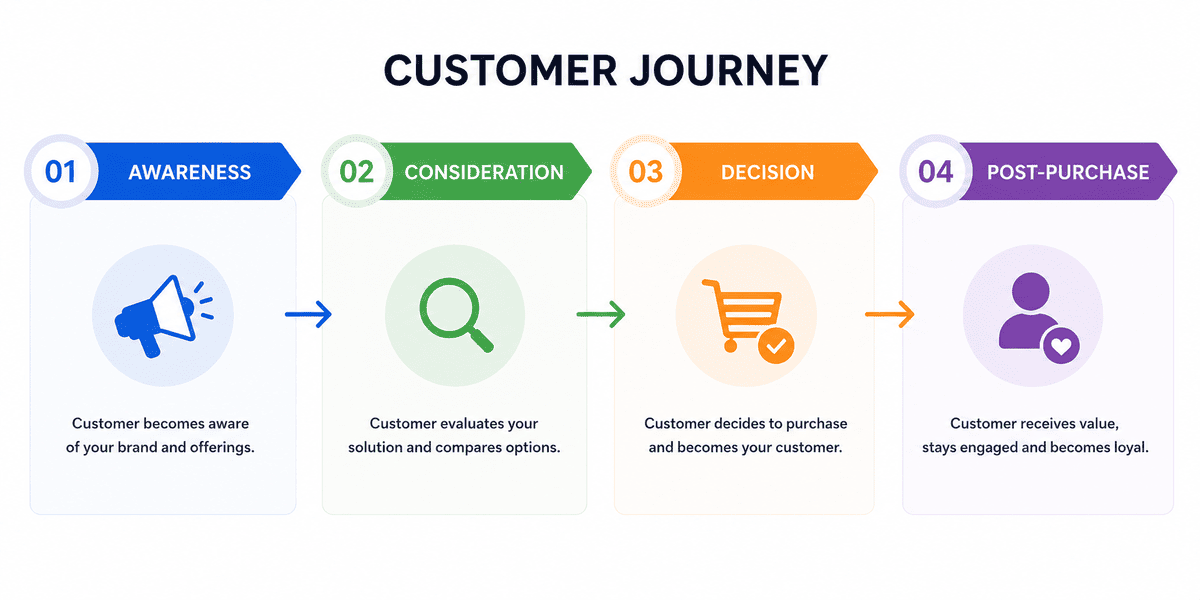
Instead, think about the role of video across the customer's journey.
Awareness
Short videos can introduce a problem, idea, or brand.
Consideration
Explainers, educational videos, and case studies can help prospects evaluate their options.
Decision
Testimonials, product demonstrations, and service videos can help remove final objections.
Post-purchase
Tutorials, onboarding videos, and customer support content can help customers get more value from their purchase.
This creates a more useful video ecosystem.
Rather than asking:
“What video should we make?”
ask:
“Where are customers getting stuck, and could video help?”
That question usually leads to a more strategic answer.
How to Measure Whether Your Website Video Is Working
Adding a video is not the end of the process.
You need to understand whether it is helping visitors move closer to the desired action.
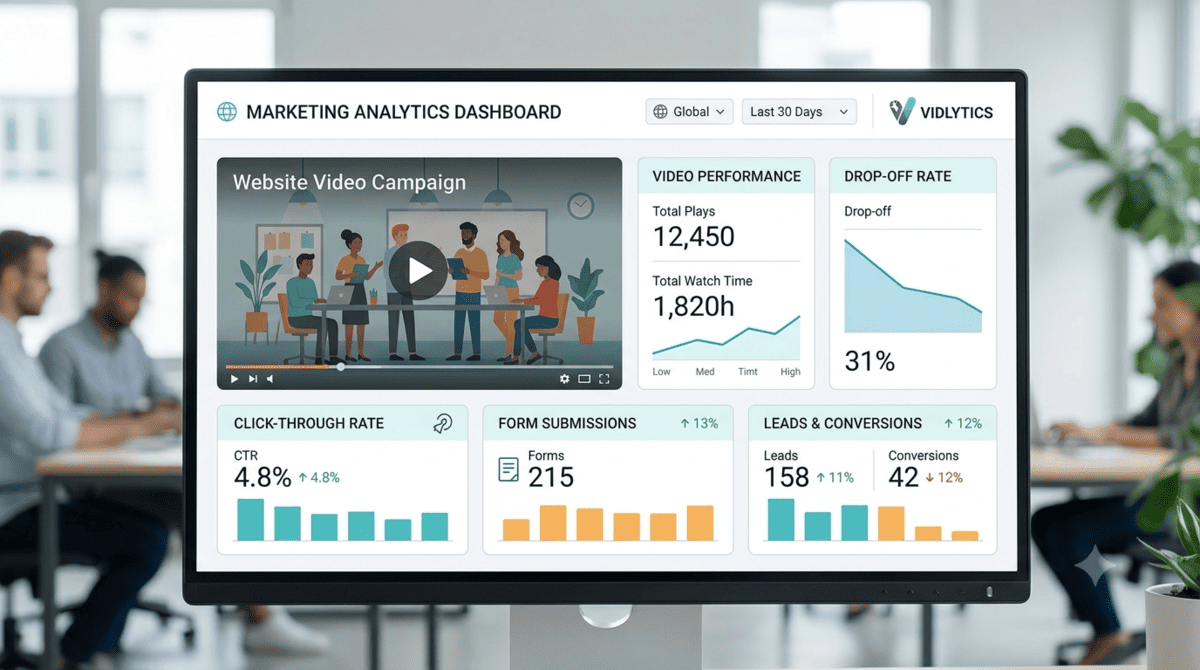
Depending on the page and objective, useful metrics can include:
Video engagement
Look at plays, watch time, and drop-off points.
If most viewers leave after the first few seconds, the opening may need work.
Click-through rate
If the video contains a CTA, measure how many viewers take that next step.
Conversion rate
Compare the desired action before and after implementing the video where possible.
Form submissions
For lead-generation pages, track whether visitors who engage with the video are more likely to complete the enquiry form.
Sales or qualified leads
Ultimately, the most important question is whether video contributes to meaningful business outcomes.
Mango Media's guide to measuring video marketing ROI covers metrics such as watch time, CTR, conversion rate, website traffic, and revenue tracking in more detail.
Don't judge a website video solely by its view count.
A video with fewer views can be more valuable if it helps the right visitors become customers.
Common Website Video Mistakes
Making the Video About the Company Instead of the Customer
Your audience wants to understand what's in it for them.
Lead with their problem, needs, questions, or desired outcome.
Putting a Video on the Page Without a Purpose
A video should have a job.
If you can't explain what it is supposed to achieve, reconsider whether it belongs on the page.
Making One Video Do Everything
A five-minute video trying to explain your company, products, services, history, values, team, process, and customer results is unlikely to be effective.
Give each video a clear purpose.
Hiding the CTA
Don't make visitors guess what to do after watching.
The next step should be obvious.
Ignoring Mobile Users
Your website video needs to work on smaller screens as well as desktop.
Check framing, captions, text size, loading performance, and controls.
Prioritising Production Quality Over Message
Professional production matters, but a beautifully shot video with a weak message will not solve a conversion problem.
Strategy comes first.
Should You Add a Video to Every Website Page?
No.
More video isn't necessarily better.
A useful way to approach this is to identify your highest-value pages first.
Look at:
- Pages receiving significant traffic
- Pages generating enquiries
- Pages with high exit rates
- Services that require explanation
- Pages where prospects frequently ask questions
- Pages where trust is a major barrier
Start there.
If a video improves the experience and supports the desired action, consider where else the same strategy could work.
This is much more effective than adding videos simply to make the website feel more modern.
How to Plan a Website Video Before You Film
The best website videos are usually planned with their final destination in mind.
Before filming, define:

1. The page
Where will the video live?
2. The audience
Who is watching it?
3. The problem
What question or objection should it address?
4. The message
What does the viewer need to understand?
5. The action
What should they do next?
6. The supporting footage
What visuals will help demonstrate the message?
7. The format
Will it be horizontal, vertical, short-form, long-form, subtitled, or adapted into multiple versions?
Planning these elements before production can prevent a common problem: finishing a video and only then trying to figure out where it belongs.
A professional production team can also use the filming day to capture supporting footage and additional assets that can be used across the website and other channels.
When Should You Create a New Website Video?
Sometimes your existing video is perfectly usable.
You may simply need to improve its placement, CTA, surrounding copy, or distribution.
In other situations, the video itself may be outdated.
Consider creating a new version if:
- Your branding has changed
- Your service has changed
- Your target audience has changed
- The people featured are no longer relevant
- The information is outdated
- The production quality no longer reflects your brand
- The video doesn't address current customer questions
- The CTA is no longer appropriate
A video should support the current customer journey, not simply remain on the website because it was expensive to produce.
From Website Visitor to Enquiry: Build the Video Around the Decision
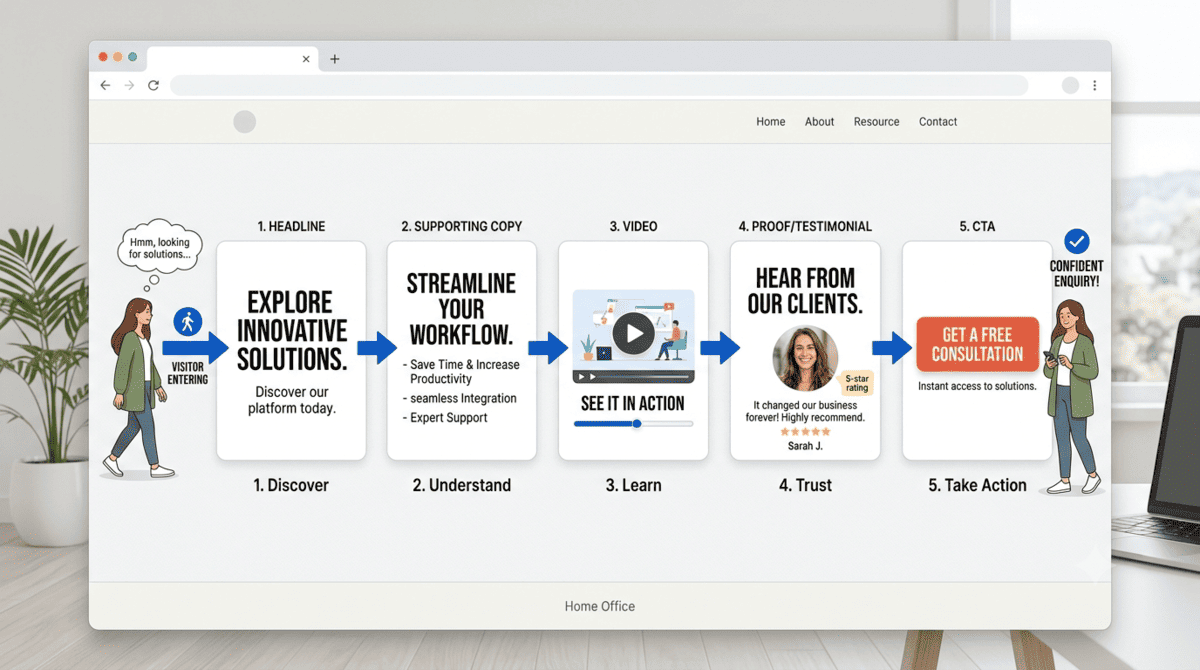
A website video shouldn't exist in isolation.
It should work alongside the headline, copy, images, testimonials, navigation, forms, and calls to action already on the page.
Think of it as one part of the conversion journey.
For example:
Headline:
Solve [customer problem].
Supporting copy:
Explain the value and key benefits.
Video:
Show how the solution works and establish trust.
Proof:
Customer testimonial, case study, credentials, or results.
CTA:
Make the next step obvious.
When these elements reinforce one another, the website becomes much more persuasive.
The video isn't doing all the work.
It's helping the rest of the page do its job better.
Before You Film: Audit Your Highest-Value Pages
If you're considering investing in website video, don't start by asking what type of video looks impressive.
Start with your website.
Identify your highest-value pages and ask:
- Which pages receive the most relevant traffic?
- Where do visitors appear to lose interest?
- Which services require the most explanation?
- What questions do prospects repeatedly ask?
- Where does trust matter most?
- Which pages already generate enquiries?
- Where could a demonstration, explanation, or testimonial remove uncertainty?
Those answers can tell you where video is most likely to make a meaningful difference.
The production should follow the strategy—not the other way around.
From Planning to Production
If you’ve identified a page where video could answer questions, build trust or encourage more enquiries, the next step is to turn that opportunity into a clear production plan. The right message, format and visuals can make the difference between simply having a video on your website and having one that genuinely supports your conversion goals.
Conclusion
Adding video to your website isn't about following a trend or putting a video on every page. It's about giving visitors the information, reassurance and proof they need to understand your offer and feel confident taking the next step. Start with the pages where customers need the most explanation or trust, then create focused video content that supports the decision you want them to make.
If you're looking to use video to build trust, answer customer questions and turn more website visitors into enquiries, Mango Media can help. Explore our video production services, use our instant price calculator for a quick estimate, or get in touch for a free consultation.
Frequently Asked Questions
Does video on a website increase conversions?
Video can help increase website conversions by explaining your offer, building trust and answering common customer questions. However, results depend on factors such as the video's relevance, placement, quality, audience and the overall page experience.
Where should I put a video on my website?
The best place for a website video depends on its purpose. Common high-value locations include your homepage, service pages, product pages, landing pages and testimonial or case study pages. Place video where it can answer questions, build confidence or support the next step in the customer journey.
What type of video is best for a business website?
The best type depends on what you want the video to achieve. Explainer videos can simplify complex services, testimonials can build trust, product demonstrations can show how something works, and process videos can help potential customers understand what happens after they enquire.
Similar blogs:


































![How to Write a Promo Video Script (Free Template Included) [2026 Guide]](https://cdn.prod.website-files.com/6226fcc37e2eb518b6e69a7f/69c3804c0b9ea78696bd89e0_covertab11.jpeg)



.jpg)
%20(1)%20(1).jpg)
.jpg)





We'd love to hear from you! Reach out to us today for a chat about our services, pricing, or just to say hello!


