
In today’s oversaturated inboxes, getting your email noticed — let alone opened — is no easy feat. In this article, we’ll explore the power of video in email campaigns, how to embed video content the right way, best practices to maximise performance, and how to track your results. Whether you’re a startup, marketer, or creative agency, using video in your emails can be a game-changer for audience retention and conversions.
Why Customer Onboarding Is Often Where Friction Starts
The sales process may have been clear and straightforward, but the experience can change immediately after the deal is signed.
A new customer might suddenly receive:
- A welcome email
- A list of documents or information they need to provide
- Setup instructions
- Access details
- Training materials
- A meeting invitation
- Several different contacts
- A large help centre or knowledge base
None of these resources are necessarily bad. The problem is that the customer may not know what to do first.
This is particularly relevant in B2B relationships where implementation involves multiple people, systems or stages.
The customer may be asking:
What happens now?
What do I need to do?
Who is responsible for what?
How do I actually use this?
What happens if I get stuck?
Video can help answer those questions at the point when they become relevant.
The goal is not to replace your onboarding team. It is to make the information they provide easier to understand, easier to access and easier to revisit.
What Can Video Do Better Than a Long Onboarding Document?
Written documentation still has an important role in customer onboarding. It is searchable, easy to update and useful when customers need to check a specific detail.
Video has a different strength: showing the customer what something actually looks like.
For example, instead of describing a process in several paragraphs, a short video could show:
- Where to find a particular setting
- How to complete a specific step
- What the finished setup should look like
- How a product or service works in practice
- What the customer should expect during implementation
- How different parts of a process fit together
This is especially useful when the customer needs to understand both the what and the how.
A strong onboarding system does not have to choose between video and written content. In many cases, the most useful approach is to let each format do the job it handles best.
Start With the Customer Journey, Not the Video
One of the easiest mistakes to make is deciding to “make some onboarding videos” before deciding what the customer actually needs.
Start with the journey instead.
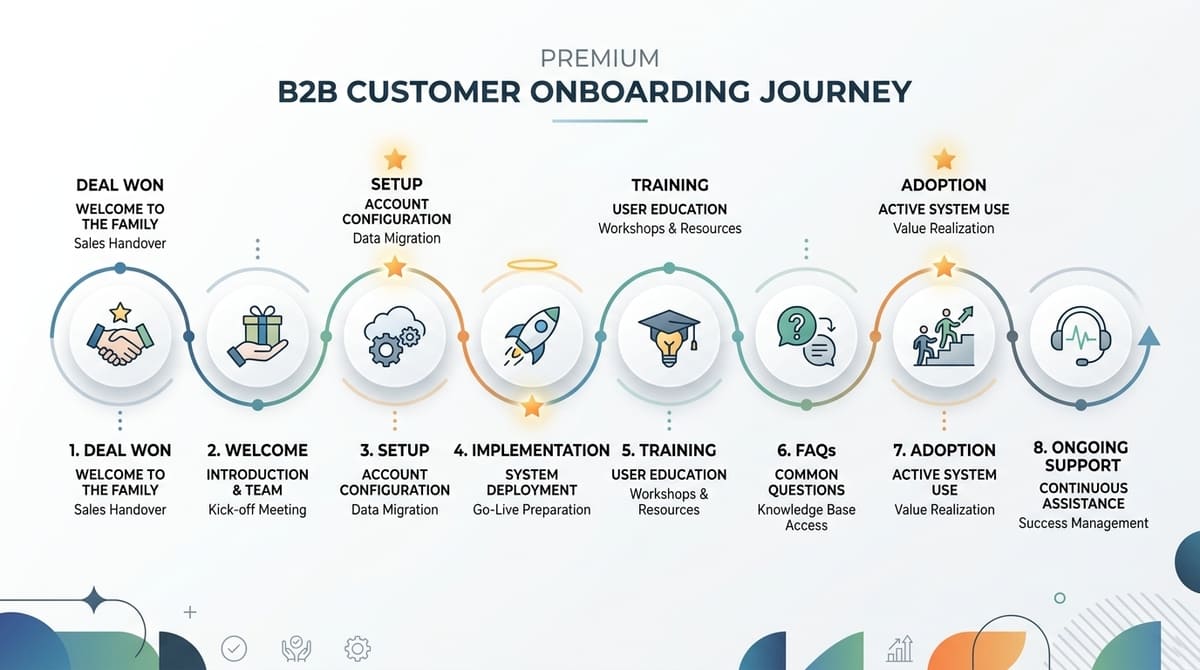
A typical B2B onboarding process might look something like:
Deal won → Welcome → Setup → Implementation → Training → FAQs → Adoption → Ongoing support
The exact stages will vary depending on your business.
A SaaS company may need videos showing account configuration and integrations.
A professional services company may need videos explaining how communication, approvals and project delivery work.
A manufacturer or technical business may need videos explaining installation, operation or maintenance.
The important question is:
Where does the customer need clarity?
Those are the moments where video is most useful.
1. Use a Welcome Video to Set Expectations
The first video does not need to explain everything.
In fact, it probably shouldn't.
A welcome video can simply introduce the customer to the onboarding process and explain what happens next.
It could cover:
- A welcome from the account or customer success team
- Who the customer will be working with
- What the onboarding process looks like
- What the customer needs to prepare
- The first action they need to take
- Where they can get help if they have questions
The purpose is to reduce uncertainty.
A short, personal message from a real person can also help maintain some of the human connection established during the sales process.
The customer has just made a significant decision. The first onboarding communication should make the next step feel clear rather than overwhelming.

2. Create Process and Implementation Walkthroughs
Implementation is often where customers encounter the most practical questions.
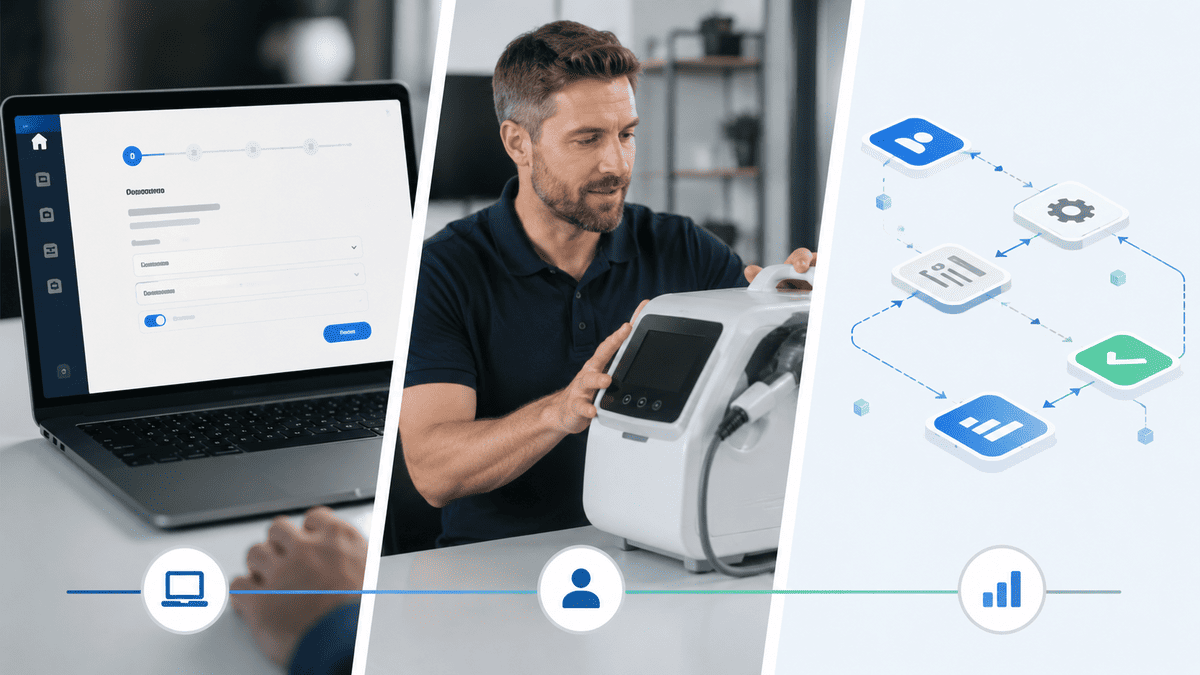
Instead of explaining every stage in a single meeting, consider creating short videos for the individual processes customers need to complete.
For example:
“How to prepare your account before implementation”
“How to submit your information to our team”
“What happens during the implementation stage”
“How to complete your first setup”
Each video has one clear purpose.
This makes the content easier to follow and means customers do not have to watch an entire onboarding presentation simply to find one instruction.
For software-based processes, a screen recording may be the most appropriate format.
For a physical product, demonstration footage may be more useful.
For a complex concept, animation or motion graphics may make the explanation easier to understand.
The format should follow the customer's need, rather than the other way around.
3. Use Product and Platform Training Videos
Product training is one of the most obvious uses for customer onboarding video, but the key is not trying to teach everything at once.
A long video covering every feature may technically contain all the information the customer needs, but it can be difficult to navigate and difficult to maintain.
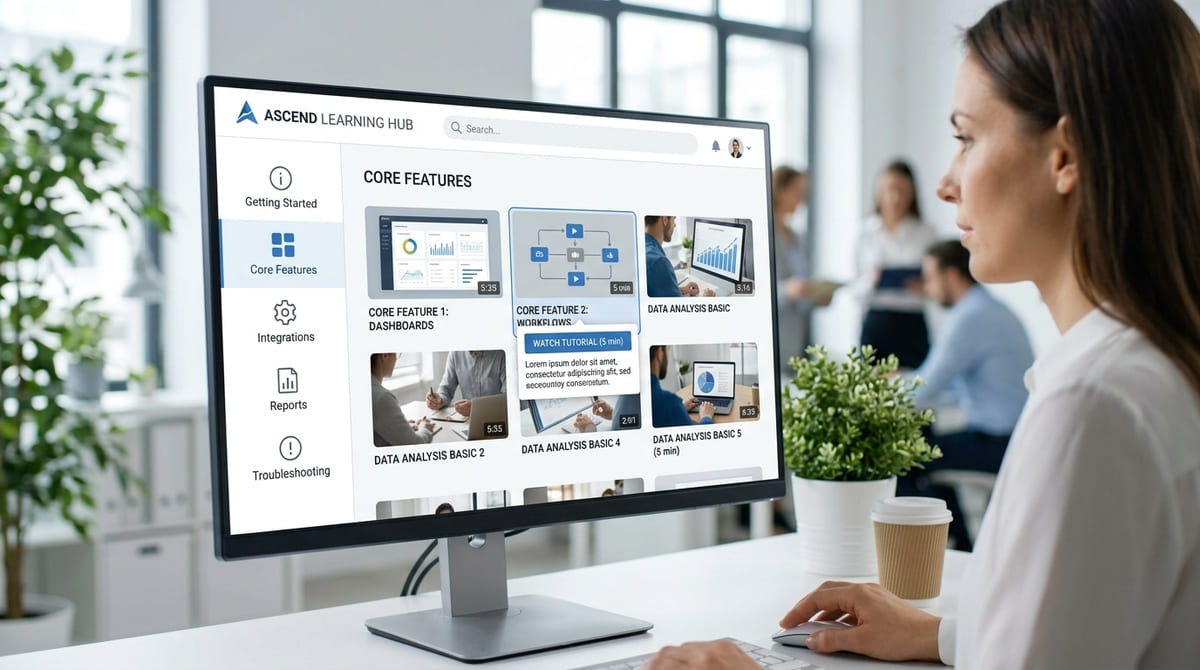
Instead, break training into logical topics.
For example:
- Getting started
- Completing the first task
- Managing users
- Setting up integrations
- Using a key feature
- Creating reports
- Managing settings
- Troubleshooting common issues
This creates a searchable collection that customers can return to whenever they need help.
It also makes future updates easier. If one part of the product changes, you may only need to update the relevant video rather than recreate an entire training programme.
4. Build Role-Specific Onboarding Videos
Not everyone involved in a B2B purchase needs the same information.
An administrator may need to understand configuration and permissions.
A day-to-day user may only need to know how to complete their specific tasks.
A manager may be more interested in reporting, performance or how the solution fits into their wider workflow.
Putting all of these audiences into one generic onboarding video can make the content unnecessarily long.
Instead, consider creating different resources for different roles.
For example:
For administrators
Focus on:
- Setup
- Permissions
- Configuration
- User management
- Integrations
For everyday users
Focus on:
- Getting started
- Core workflows
- Common tasks
- Best practices
- Troubleshooting
For managers
Focus on:
- Reporting
- Performance
- Key outcomes
- Team adoption
- Ongoing support
This approach makes the onboarding experience more relevant without requiring every customer to watch everything.

5. Turn Repeated Questions Into FAQ Videos
Your customer support and customer success teams already know where customers get stuck.
Use that information.
Look at recurring questions and identify which ones could be answered clearly with a short video.
These might include:
- “How do I change this setting?”
- “Where can I find this information?”
- “How do I complete this process?”
- “What happens if I need to make a change?”
- “How do I troubleshoot this issue?”
These videos can then be placed where customers are most likely to need them — such as a help centre, knowledge base, onboarding email or customer portal.
The goal isn't to turn every support article into a video.
Some questions are better answered with text. Others become significantly clearer when the customer can actually see the process.
6. Continue Using Video After the Initial Onboarding
Customer onboarding shouldn't necessarily end once the customer has completed their initial setup.
There is often another stage where video can help: customer education.
Once customers understand the basics, they may need help getting more value from what they have purchased.
This could include:
- Advanced features
- Best-practice workflows
- New use cases
- Product updates
- Common mistakes
- Advanced training
- New feature announcements
- Industry-specific guidance
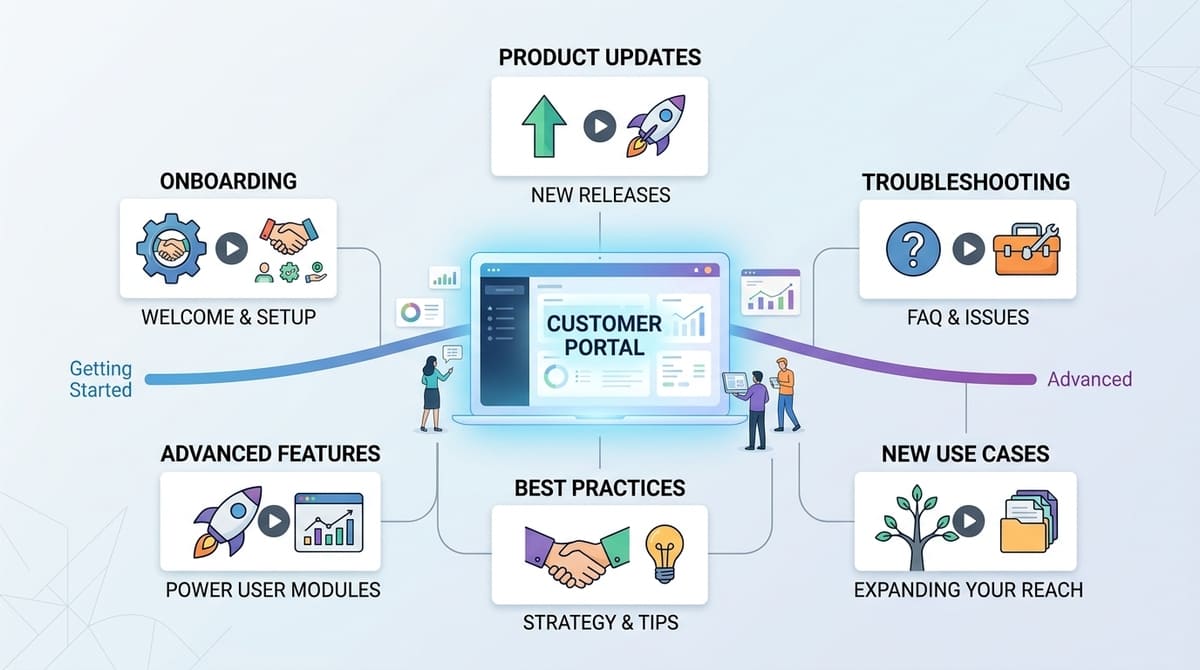
This is where onboarding video can develop into a broader customer education library.
Instead of producing a single collection of videos for the first few weeks, you gradually build a resource that supports customers throughout their relationship with your business.
When Is Live Support Still Better Than Video?
Video is useful, but it should not be treated as a replacement for human support.
Some onboarding situations genuinely require a conversation.
Live support may be more appropriate when:
- The customer's situation is highly specific
- Several stakeholders need to make decisions together
- The implementation is complex or unusual
- There is a technical problem that cannot be solved through standard instructions
- The customer needs advice rather than information
- Sensitive or high-risk decisions are involved
The best onboarding strategy often combines both.
Video handles repeatable explanations. People handle situations that require judgement, context or conversation.
This can make the onboarding process more efficient without making it feel impersonal.
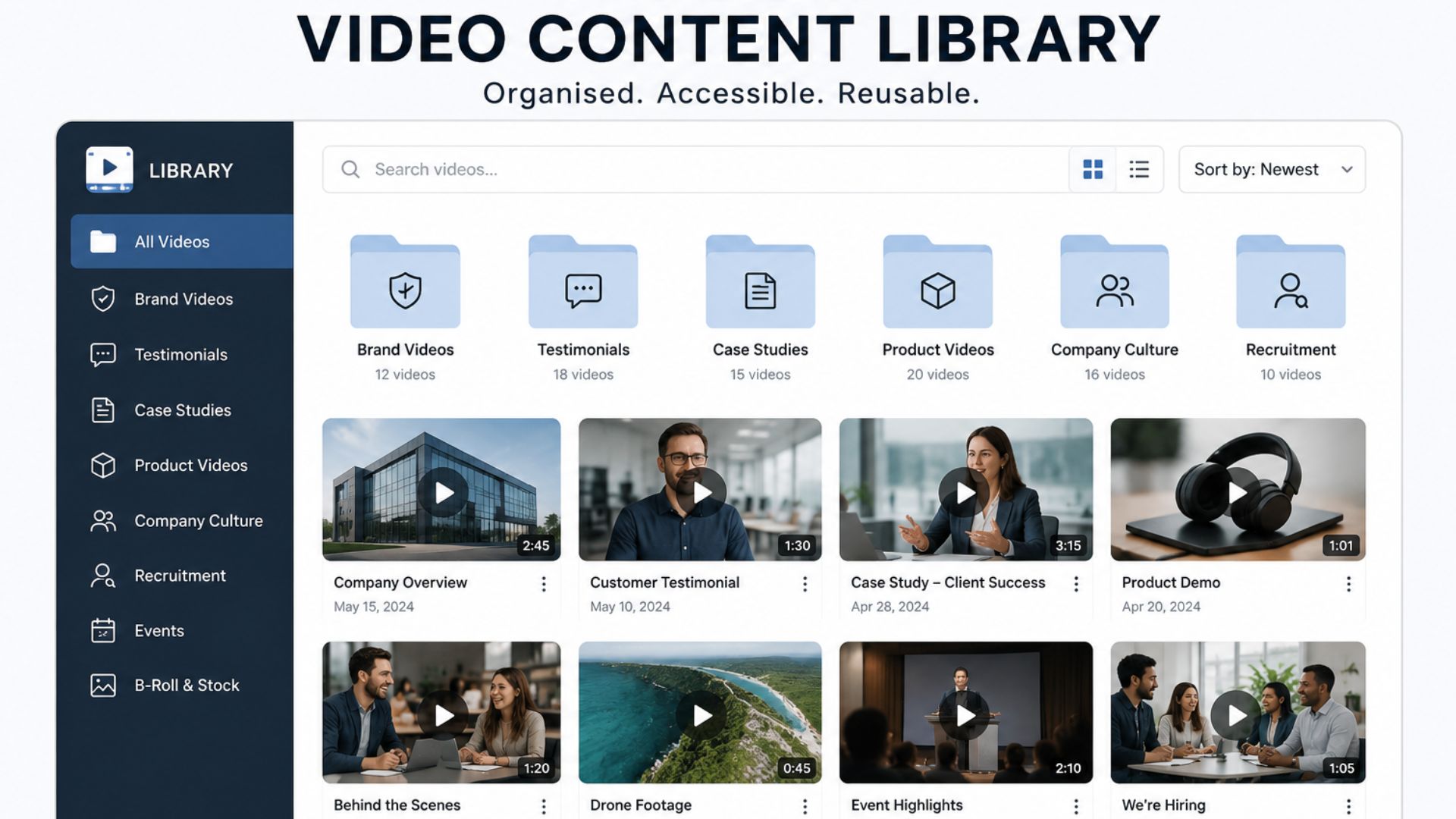
How to Build a Reusable Customer Onboarding Video Library
Once you have several onboarding videos, avoid treating them as isolated files.
Build a structured library.
For example:
Welcome
- Welcome to [Company]
- What happens next
- Meet your onboarding team
Setup
- Account setup
- Required information
- Initial configuration
Training
- Getting started
- Core workflow
- Key features
- Role-specific training
Support
- Common questions
- Troubleshooting
- Where to get help
Advanced
- Best practices
- Advanced features
- Additional use cases
This makes the content easier for both your customers and your internal teams to navigate.
It also connects with the wider idea of building a business video content library. Rather than treating every production as a one-off asset, businesses can create organised collections of useful content that continue to support different teams and customer touchpoints over time.
Make Each Video Easy to Maintain
A customer onboarding video is only useful if the information remains accurate.
This is particularly important for software businesses where interfaces, features and workflows can change.
Before producing a video, consider:
How likely is this information to change?
If something changes frequently, a short screen recording or written guide may be more practical than investing in a highly polished production.
If the information is relatively stable and important to the customer experience, a professionally produced video may make more sense.
For longer-term content, consider creating videos in modules rather than one large production.
That way, if one process changes, you can replace the affected section without rebuilding the entire onboarding experience.
Your team should also have a simple review process.
For every video, know:
- Who owns the content
- When it was created
- What process it covers
- Where it is published
- When it should be reviewed
- Whether it needs updating or replacing
Good video production is only part of maintaining an effective onboarding library. Content management matters too.
How to Measure Whether Your Onboarding Videos Are Working
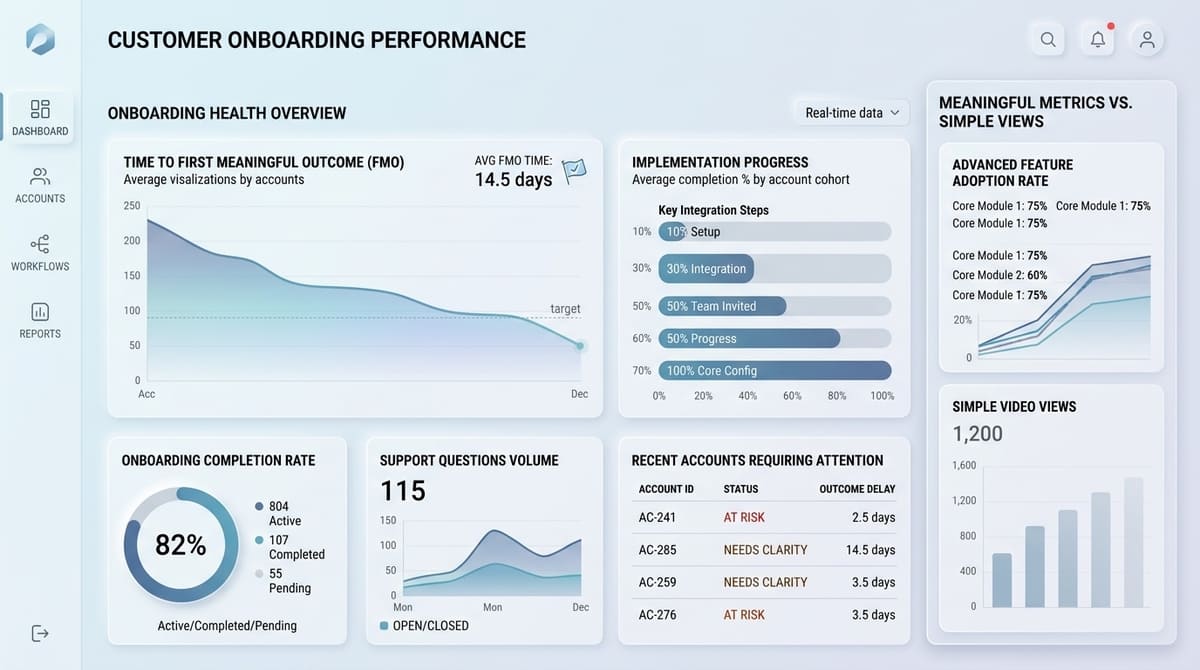
Video views alone do not tell you whether onboarding is successful.
A customer could watch an entire video and still be unable to complete the task it explains.
Instead, connect your videos to the outcomes they are designed to support.
Depending on your business, useful measures might include:
- Completion of key onboarding steps
- Time taken to reach the first meaningful outcome
- Repeated support questions
- Customer participation in training
- Usage of important features
- Completion of implementation tasks
- Engagement with specific help resources
For example, if you create a video explaining a common setup problem, look at whether customers are able to complete that step more easily afterwards.
The question is not simply:
“Did they watch the video?”
It is:
“Did the video help them move forward?”
That distinction keeps your onboarding strategy focused on customer outcomes rather than vanity metrics. Current customer-onboarding guidance similarly emphasises sequencing videos around specific customer milestones and measuring outcomes such as activation and time-to-value rather than views alone.
When Should Customer Onboarding Videos Be Professionally Produced?
Not every onboarding video needs a production crew.
A simple screen recording with clear narration may be perfectly appropriate for a straightforward software instruction.
Professional production becomes more valuable when the video represents your brand, explains something complex, needs to be used repeatedly, or will remain part of your customer experience for a significant period.
Professional production can be particularly useful for:
- Customer welcome videos
- High-value product explainers
- Complex process demonstrations
- Service onboarding
- Technical training
- Brand-led customer education
- Safety or operational demonstrations
- Videos used across multiple customer touchpoints
The decision should come down to the job the video needs to perform.
A five-minute screen recording and a professionally produced customer education film can both be useful. They simply solve different problems.
A Practical Customer Onboarding Video Workflow
If you're starting from scratch, keep the process straightforward.
Step 1: Map the onboarding journey
Write down what happens from the moment a customer signs until they are fully operational.
Step 2: Identify friction points
Ask your sales, onboarding, customer success and support teams where customers repeatedly need clarification.
Step 3: Decide which questions need video
Not every question needs one. Prioritise processes that are visual, repeatable or difficult to explain clearly in writing.
Step 4: Give every video one objective
Avoid creating one enormous onboarding video that tries to explain everything.
Each video should answer a specific question or help the customer complete a specific task.
Step 5: Choose the right format
Use screen recordings for software processes, demonstrations for physical products, talking-head videos for human introductions and animation or motion graphics where they genuinely improve understanding.
Step 6: Place the video where the customer needs it
A useful video hidden in a video library is less valuable than the same video appearing at the exact point where a customer has a question.
Step 7: Review and improve
Monitor whether customers are completing the relevant steps and whether the same questions continue reaching your team.
Then update the content based on what you learn.
From Onboarding Videos to a Better Customer Experience
The strongest customer onboarding video strategy isn't about producing the most videos.
It is about identifying the moments when customers need clarity and giving them the right explanation at the right time.
A short welcome video can make the first interaction feel more personal. A process walkthrough can make implementation easier to follow. A focused tutorial can help a user complete a task without waiting for support. An FAQ video can answer a question that your team has otherwise explained dozens of times.
Together, these assets can create a more consistent onboarding experience without removing the human element.
From Planning to Production
If your business has identified several onboarding moments where customers regularly need guidance, the next step is to decide which of those moments deserve professionally produced video.
The best starting point isn't “What videos should we make?” It's “Where does our customer experience unnecessary friction?” Once you know that, you can work backwards to determine which videos would genuinely make the process clearer.
Final Thoughts
Customer onboarding is where the promises made during the sales process begin to become the customer's actual experience. Video can help bridge that gap by making processes easier to understand, giving customers practical guidance they can revisit and creating a consistent resource for common questions.
If you're planning a customer onboarding video strategy, Mango Media can help you identify the right format and produce content that fits into the wider customer journey. Explore our video production services, use our instant price calculator for a quick estimate, or get in touch to discuss your project.
Frequently Asked Questions
How do I use video for customer onboarding?
Start by mapping your customer's onboarding journey and identifying where they regularly need clarification. Create focused videos for those moments, such as welcome messages, setup walkthroughs, product training, FAQs and troubleshooting, then place each video where the customer is most likely to need it.
What should a customer onboarding video include?
It should have one clear objective and explain the specific action, process or concept the customer needs to understand. Depending on the stage of onboarding, this could include what happens next, how to complete a setup task, how a product works or what to do when something goes wrong.
Can customer onboarding videos reduce support questions?
They can help answer repeatable questions before customers need to contact your team, particularly when the video demonstrates a process that is easier to understand visually. However, video should complement rather than replace human support, especially for complex or customer-specific issues.
Similar blogs:



































![How to Write a Promo Video Script (Free Template Included) [2026 Guide]](https://cdn.prod.website-files.com/6226fcc37e2eb518b6e69a7f/69c3804c0b9ea78696bd89e0_covertab11.jpeg)






.jpg)
%20(1)%20(1).jpg)
.jpg)





We'd love to hear from you! Reach out to us today for a chat about our services, pricing, or just to say hello!


