
In today’s oversaturated inboxes, getting your email noticed — let alone opened — is no easy feat. In this article, we’ll explore the power of video in email campaigns, how to embed video content the right way, best practices to maximise performance, and how to track your results. Whether you’re a startup, marketer, or creative agency, using video in your emails can be a game-changer for audience retention and conversions.
Why Technical Videos So Often Become Boring
The subject isn't usually the problem.
Engineering isn't boring.
Cybersecurity isn't boring.
Manufacturing isn't boring.
Technology, construction, finance and professional services aren't boring.
What makes technical video difficult to watch is usually the way the information is presented.
Experts naturally start where their own knowledge starts.
They explain the background.
Then the terminology.
Then the process.
Then the technical details.
Then, eventually, they get to the reason the viewer should care.
By that point, the viewer may already have moved on.
A better approach is to start from the other direction.
Begin with the customer's problem.
Then introduce the expertise needed to solve it.
That small change can completely transform a technical video.
The Problem Isn't the Subject — It's the Approach
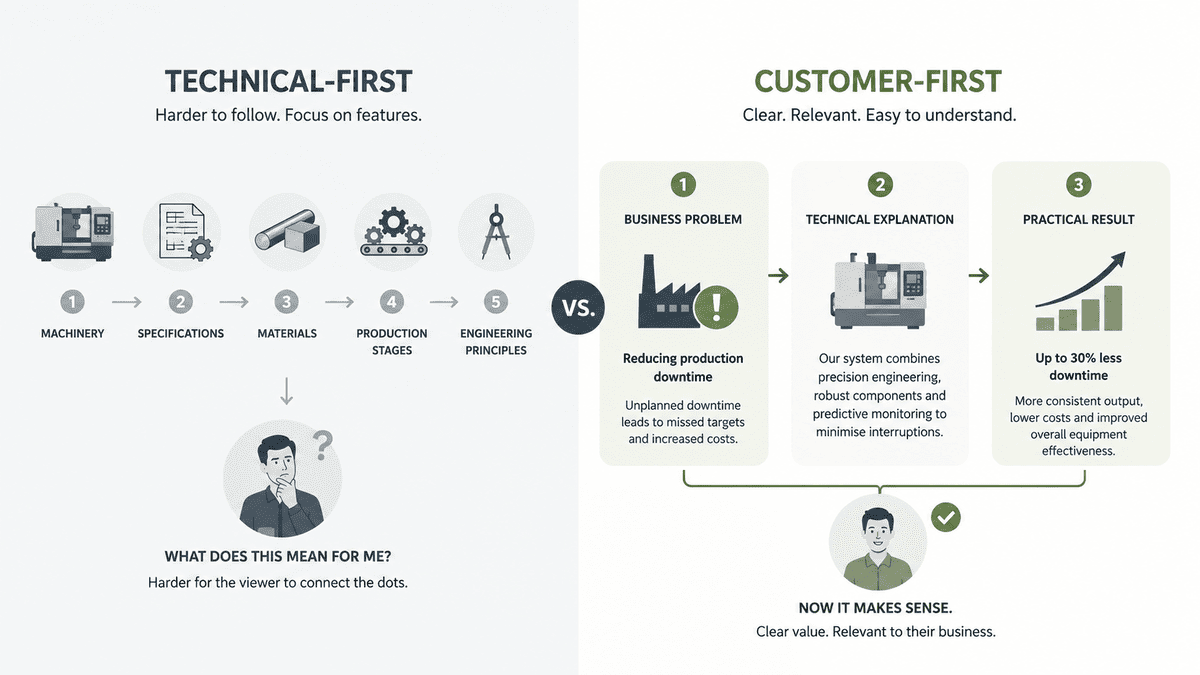
Imagine an engineering company wants to create a video about a new manufacturing process.
The technical team might naturally want to explain:
- How the machinery works
- The specifications
- The materials involved
- The stages of production
- The technical advantages
- The engineering principles behind it
All of that may be correct.
But the customer may be wondering something much simpler:
"Will this help us reduce production time?"
That's the question the video should answer first.
The technical detail can follow.
This doesn't mean oversimplifying the subject.
It means giving the information a reason to matter.
For example:
Instead of:
"Our system uses an integrated predictive analytics architecture..."
Try:
"We use the data your machines are already producing to spot potential problems before they cause downtime."
The second explanation doesn't remove the expertise.
It translates it into something the customer can immediately understand.
Start With the Customer's Question
One of the easiest ways to improve technical video content is to stop starting with the technology.
Start with the question.
What does the customer actually want to know?
That could be:
- How does this work?
- What problem does this solve?
- How much does it cost?
- How long does it take?
- What can go wrong?
- What should we look out for?
- How is this different from the alternative?
- Is this right for our business?
- What happens after we buy it?
These questions give your expert somewhere useful to go.
They also make the resulting video much more focused.
For example, a cybersecurity company doesn't necessarily need a 15-minute explanation of its entire security platform.
It could create:
"What Are the Three Biggest Cybersecurity Mistakes Businesses Make?"
A construction company could create:
"Why Do Commercial Projects Go Over Schedule?"
An engineering company:
"What Causes Production Downtime — And How Can Businesses Reduce It?"
A software company:
"What Should You Check Before Migrating to a New Platform?"
The expertise is still there.
But now there is a clear reason for the viewer to watch.
Stop Asking Experts to "Explain Everything"
This is one of the biggest mistakes businesses make with technical video.
Someone from marketing sits down with an engineer or subject-matter expert and says:
"Can you explain everything about this?"
The expert tries.
And understandably, they start from the beginning.
The result is often a long answer that contains useful information but doesn't have a clear story.
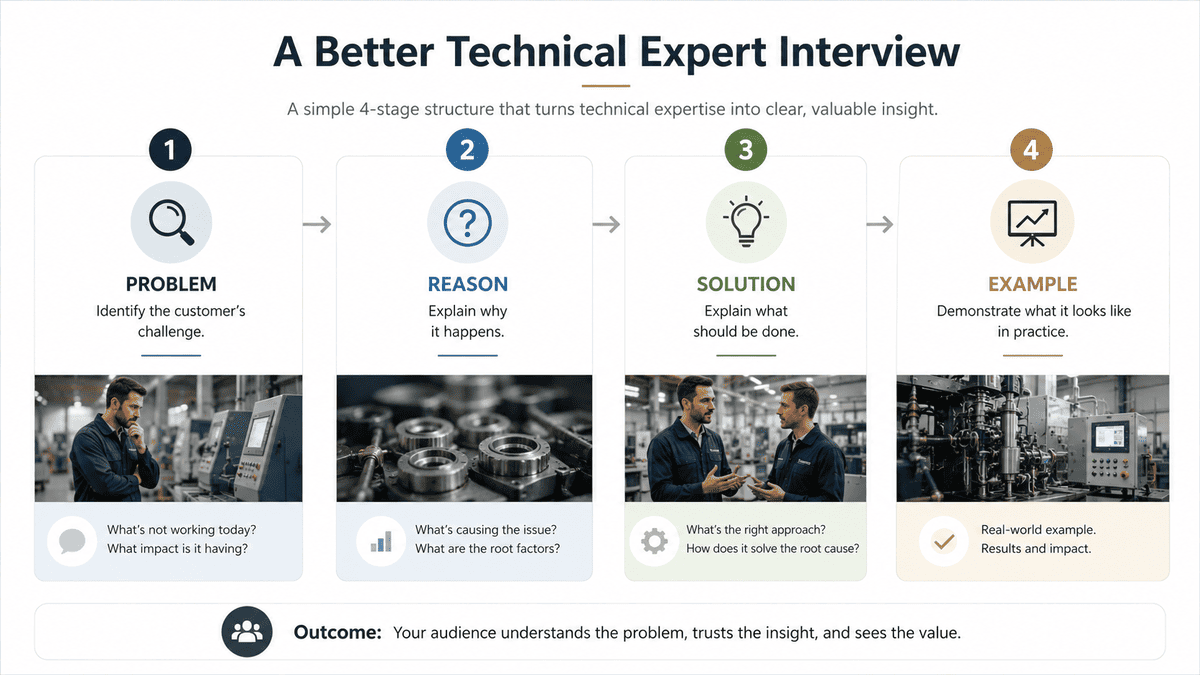
Instead, give the expert one specific question at a time.
Ask:
"What's the biggest mistake businesses make?"
Then:
"Why does that happen?"
Then:
"What should they do instead?"
Then:
"Can you give us a real example?"
Now you've got a structure.
Problem → reason → solution → example
The expert doesn't need to become a presenter.
They simply need to answer good questions.
That is often where interview-led production works particularly well for technical businesses.
Ask Better Questions
The quality of a technical video often depends on the quality of the questions being asked off camera.
Compare these:
Weak:
"What does your software do?"
Better:
"What problem were customers experiencing before they started using your software?"
Weak:
"Can you explain your engineering process?"
Better:
"Where do projects most often go wrong, and how do you prevent it?"
Weak:
"Tell us about your new technology."
Better:
"What becomes easier or possible for customers because of this technology?"
Weak:
"What makes your company different?"
Better:
"What do you do differently when a project gets complicated?"
The better questions encourage examples, experience and opinions.
That's where the interesting material usually comes from.
And it helps the expert sound like a real person rather than someone reading a brochure.
Turn Technical Language Into Plain English
Technical experts naturally use the language of their industry.
That's useful when speaking to another expert.
It isn't always useful when speaking to potential customers.
A video doesn't need to remove technical terminology completely.
It simply needs to make the terminology understandable.
For example:
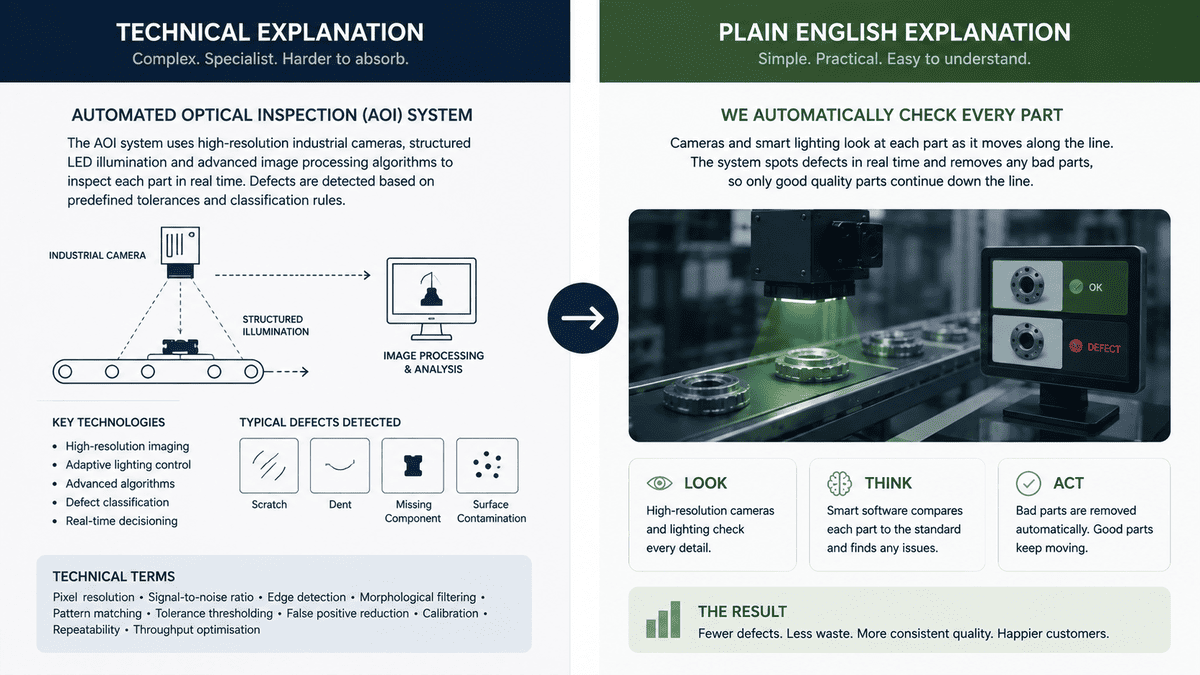
Instead of:
"We implement a multi-layered cloud-native architecture."
You could explain:
"We build the system so that different parts can scale independently as the business grows."
Or instead of:
"Our equipment uses automated optical inspection."
Explain what that means in practice:
"The system checks each product automatically so problems can be identified before the product leaves the production line."
The expert remains technically accurate.
The viewer simply has a clearer route into the subject.
A good test is:
Could someone outside your industry understand the main point without needing to Google three terms?
If not, simplify the explanation.
Use the "Problem → Explanation → Example" Structure
A useful framework for technical video is:
1. Problem
What is the customer struggling with?
2. Explanation
What does the expert know that helps solve or understand it?
3. Example
What does this look like in practice?
For example:
Problem:
"Manufacturers lose valuable production time when equipment fails unexpectedly."
Explanation:
"Predictive maintenance uses data from the equipment to identify signs of potential problems."
Example:
"One warning sign might be a change in vibration patterns, allowing engineers to investigate before a major failure occurs."
Now the viewer understands:
Why it matters.
What it is.
What it looks like.
That is much easier to follow than beginning with a technical definition.
Show What Words Can't Explain
Technical subjects often become easier to understand when people can see the process.
This is where video has a major advantage.
An engineering company can show a machine operating.
A manufacturer can show a production line.
A software company can show the interface.
A construction company can show a process on site.
A laboratory can demonstrate equipment.
A professional services firm can use diagrams or animation to explain a complicated process.
Instead of asking an expert to describe everything verbally, ask:
"Can we show this?"
That could mean:
- Demonstration footage
- Screen recordings
- Close-ups
- B-roll
- Diagrams
- Motion graphics
- Animation
- Before-and-after visuals
- Process footage
The best technical video often combines the expert's explanation with visuals that make the explanation easier to understand.
Let the Expert Be the Expert — Not the Presenter
Not every expert is comfortable on camera.
That's okay.
You don't need to turn an engineer into a television presenter.
In fact, trying to make them behave like one can make the video less natural.
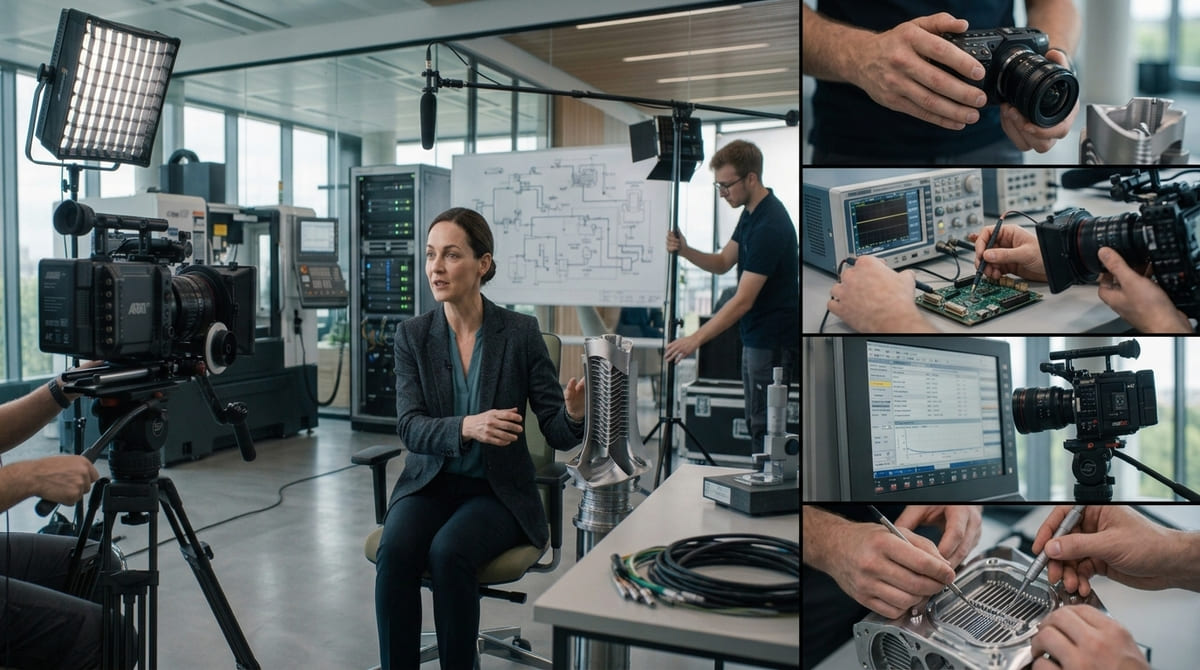
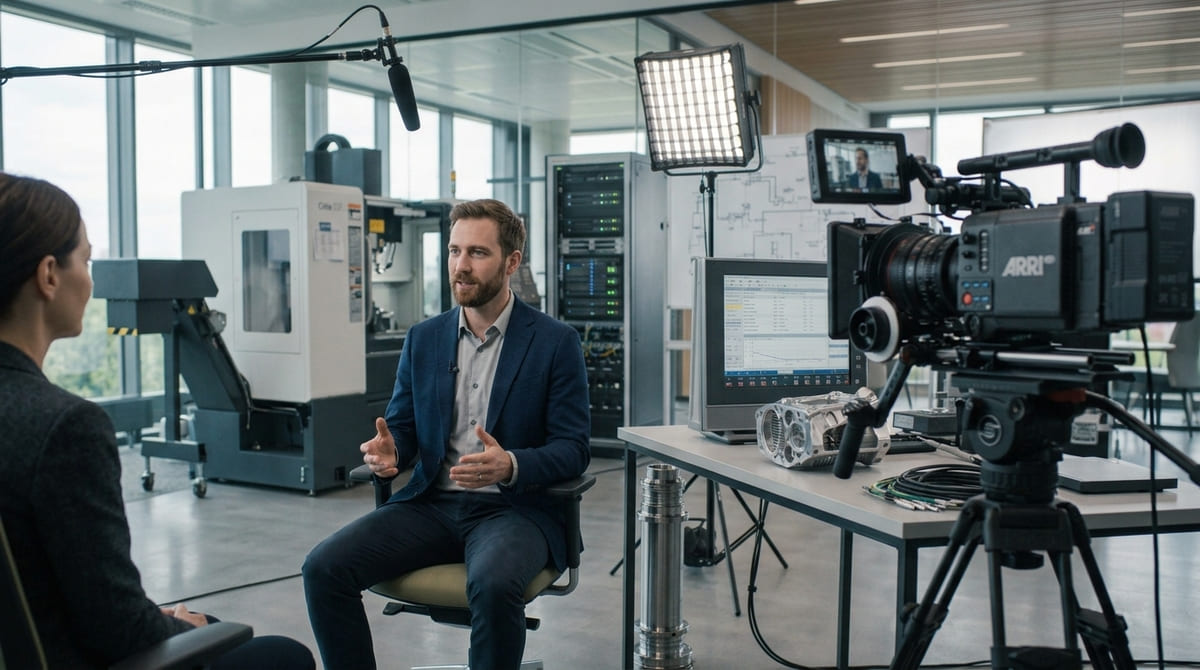
A better approach is often to create an interview environment where the expert can talk through what they know.
Give them:
- Questions
- Prompts
- Examples
- A clear audience
- Enough time to think
- The freedom to explain things naturally
Then let the production and editing process shape the material afterwards.
A strong editor can remove repetition, tighten the answer and combine it with supporting footage.
That means the expert doesn't need to deliver a perfect 90-second speech in one take.
They just need to give a good answer.
Make Technical Experts Sound Human
Another common problem is that experts know their subject so well that they forget what it feels like to not know it.
They might say:
"Obviously..."
But what is obvious to the expert may not be obvious to the customer.
They might skip several steps because they understand the subject intuitively.
Or they might use a term without explaining it.
A useful interview technique is to keep asking:
"Why does that matter?"
And:
"Can you give me an example?"
And:
"What would that mean for a business in practice?"
These questions pull the explanation back towards the audience.
They also tend to produce better stories.
For example:
"Why does that matter?"
could turn:
"Our process reduces system latency."
into:
"It means the system can respond much faster when a large number of users are working on it at the same time."
Same expertise.
Better communication.
Use Real Examples Instead of Abstract Explanations
Technical concepts become much easier to understand when attached to something real.
Instead of saying:
"Our process improves efficiency."
show how.
For example:
"On a typical project, this removes two manual stages from the process."
Or:
"The customer used to need three separate systems. This brought those functions together in one platform."
Or:
"The team was spending several hours each week checking these reports manually. The new process automates that step."
Specific examples create context.
They also make the content more credible because the expert is explaining what they've actually seen.
Google's current guidance for content creators places particular emphasis on original information, first-hand expertise and useful content that offers something beyond material that could simply be generated or repeated elsewhere.
That is especially relevant for technical businesses.
Your advantage isn't simply knowing the definition.
It's knowing what actually happens in the real world.
Don't Hide the Interesting Parts
Sometimes technical businesses assume their customers won't understand the interesting details.
So they remove them.
That's not always necessary.
The answer isn't to make technical content simplistic.
It's to make the complexity accessible.
For example, a fascinating engineering problem can become a great video if it's explained properly.
A complex manufacturing process can be visually compelling.
A cybersecurity incident can make an excellent educational story.
A difficult construction challenge can demonstrate expertise.
The trick is to give the viewer an entry point.
Start with:
"Here's the problem."
Then:
"Here's why it's difficult."
Then:
"Here's how we approached it."
Then:
"Here's what happened."
That's a story.
And stories are easier to follow than technical specifications presented in isolation.
One Technical Expert Can Create Multiple Videos
A useful technical interview doesn't need to produce just one video.
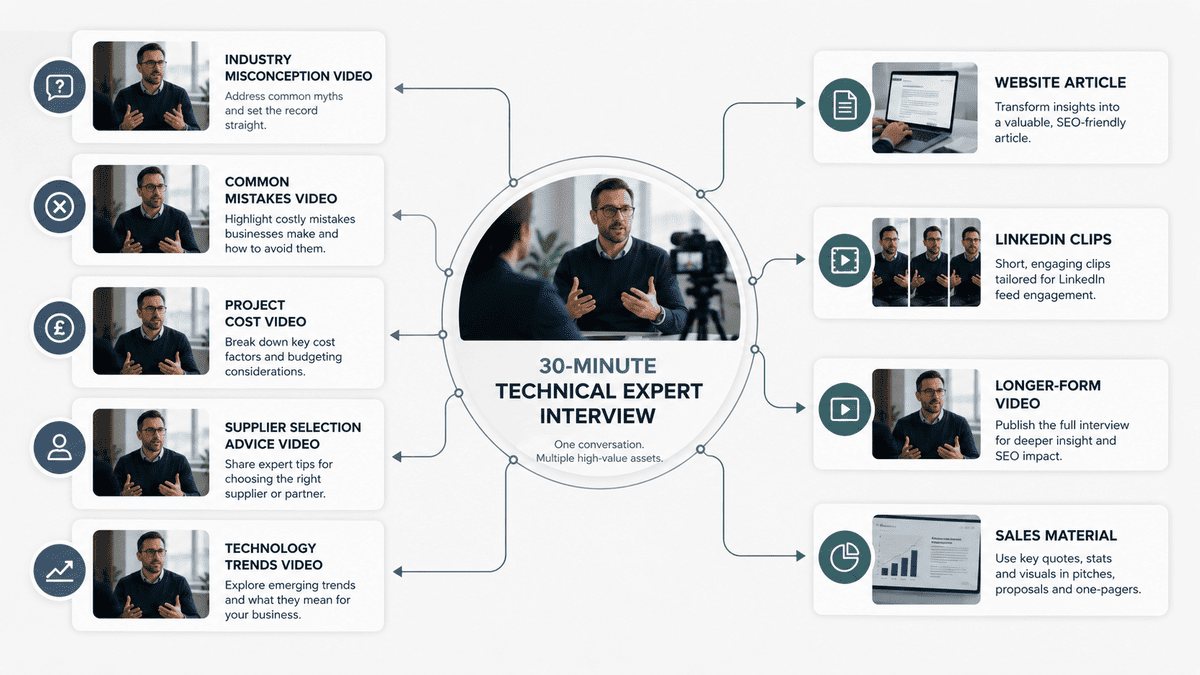
Suppose you spend 30 minutes interviewing an engineering director.
They might answer:
- What is the biggest misconception about the industry?
- What mistakes do businesses make?
- What causes projects to go over budget?
- What should customers ask before hiring a supplier?
- What technology is changing the industry?
- What would you do differently if starting again?
- What should businesses expect from the process?
Those answers could become individual videos.
For example:
"The Biggest Mistake Businesses Make When..."
"Three Things to Ask Before Hiring..."
"Why Projects Go Over Budget..."
"What New Technology Means for..."
The footage can then support longer-form video, LinkedIn content, website articles and sales material.
The important thing is that this starts with one strong expert conversation, not dozens of unrelated content ideas.
Mango's existing guidance around repurposing video covers the wider process of turning core footage into multiple assets; the key difference here is using expert interviews specifically as a source of technical knowledge and content ideas.
Examples of Technical Video Topics by Industry
The same framework can work across almost any specialist business.
Engineering
Instead of:
"About Our Engineering Services"
Try:
"Why Do Engineering Projects Go Over Budget?"
Or:
"What Should Businesses Check Before Starting an Engineering Project?"
Manufacturing
Instead of:
"Our Manufacturing Capabilities"
Try:
"What Causes Production Downtime?"
Or:
"How Can Manufacturers Improve Quality Without Slowing Production?"
Technology
Instead of:
"Our Software Platform Explained"
Try:
"What Should Businesses Consider Before Migrating to the Cloud?"
Or:
"When Does Your Business Actually Need to Upgrade Its Software?"
Construction
Instead of:
"Our Construction Services"
Try:
"What Causes Delays on Commercial Construction Projects?"
Or:
"What Should a Business Know Before Starting a Commercial Fit-Out?"
Professional Services
Instead of:
"Meet Our Team"
Try:
"What Do Businesses Often Get Wrong When Expanding Into a New Market?"
Or:
"What Should You Check Before Choosing a Business Adviser?"
The pattern is the same.
Start with a genuine problem.
Then let the expert solve it.
The Production Still Matters
Making technical content engaging doesn't mean you can ignore production quality.
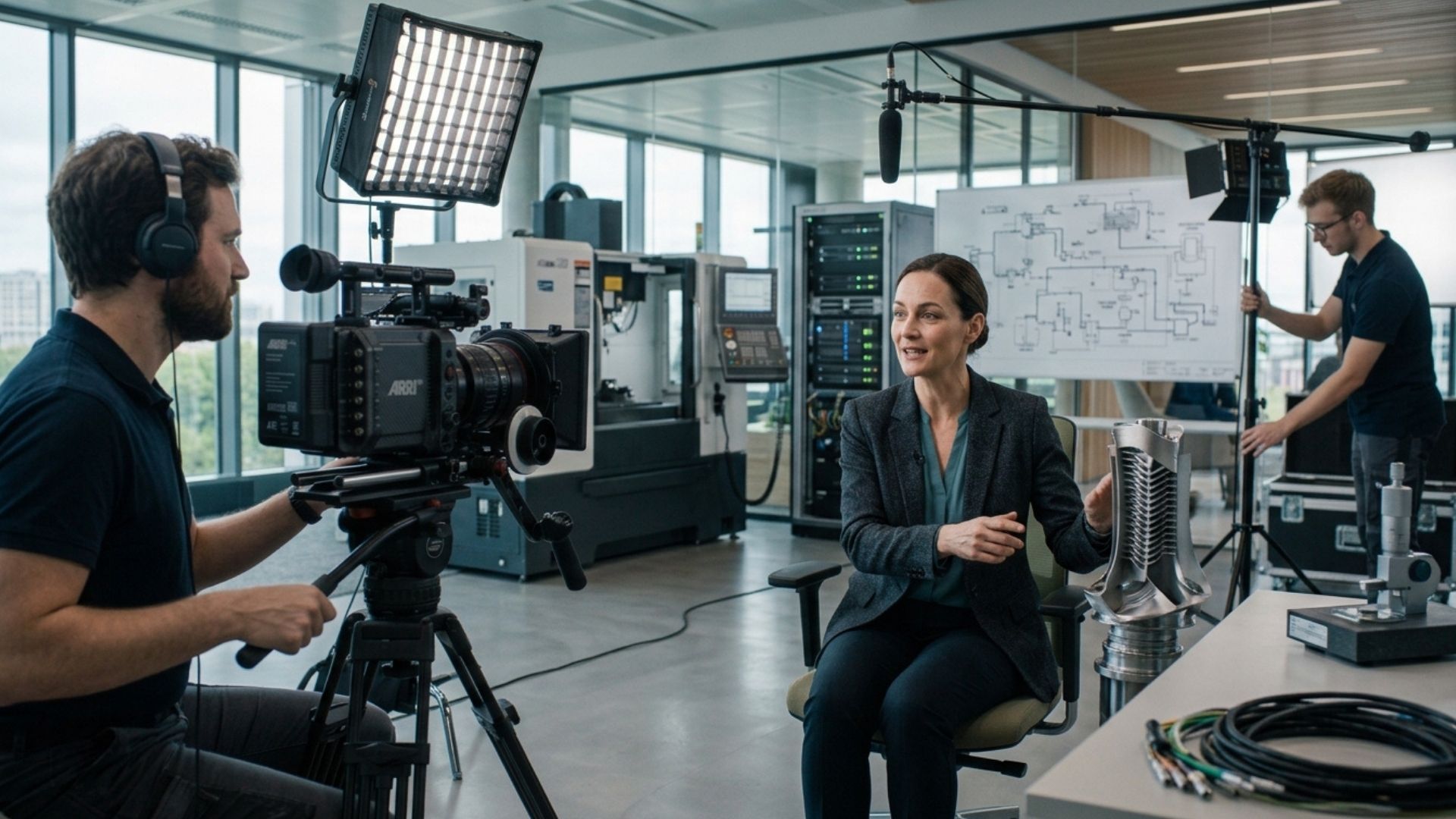
A knowledgeable person speaking into a poorly positioned microphone in a distracting environment can make even a strong idea difficult to watch.
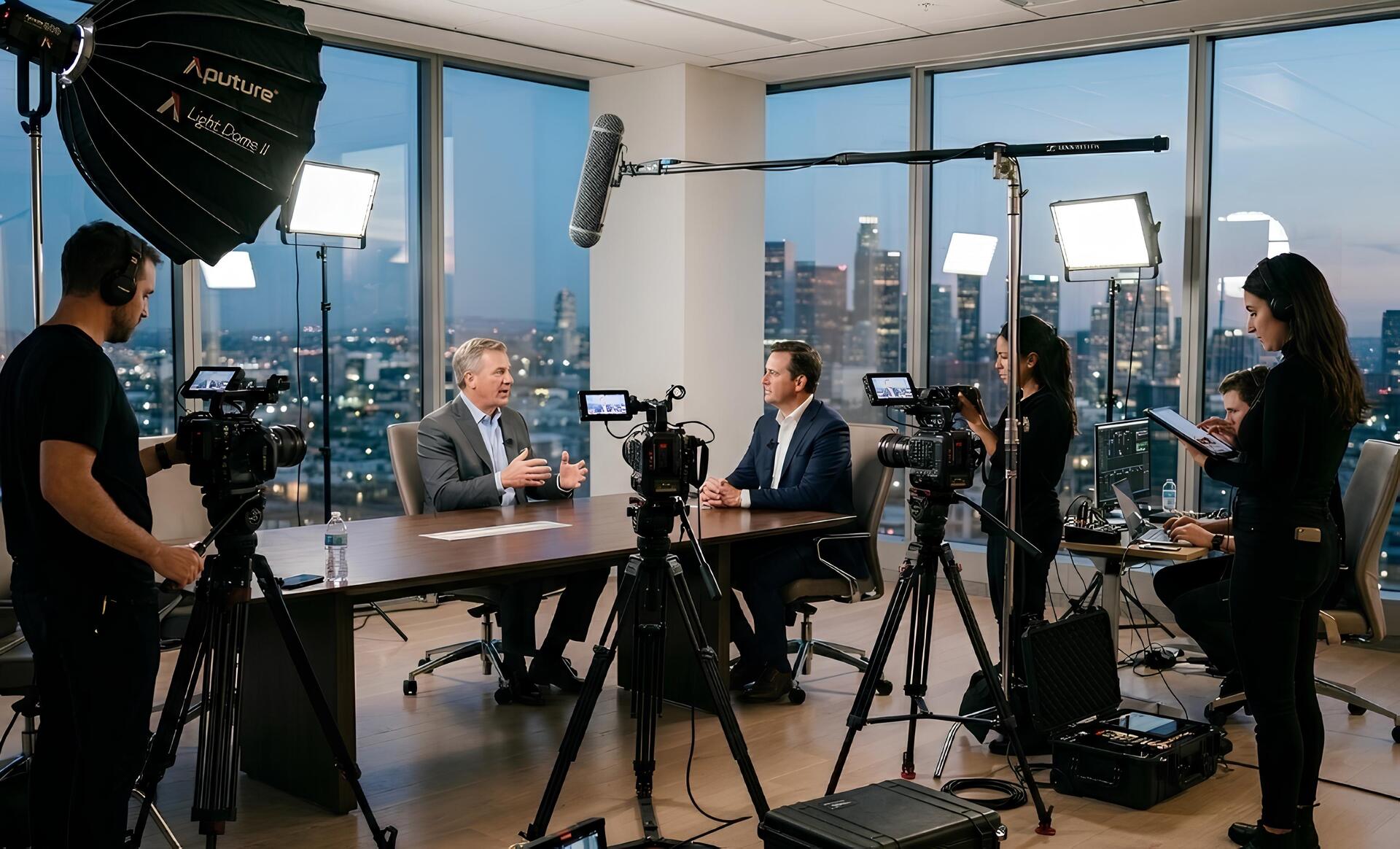
Professional production can help make technical expertise easier to consume through:
- Clear audio
- Good lighting
- Strong framing
- Multiple camera angles
- Supporting B-roll
- Product demonstrations
- Screen recordings
- Motion graphics
- Clean editing
- Captions
- Consistent visual identity
But the production should serve the information.
Don't add flashy visuals simply because they look impressive.
Every visual should help the viewer understand, remember or feel something.
The same principle applies to animation.
A diagram that explains a complicated process can be extremely useful.
An animation added purely because the video "needs more movement" probably isn't.
A Simple Framework for Creating Technical Video Content
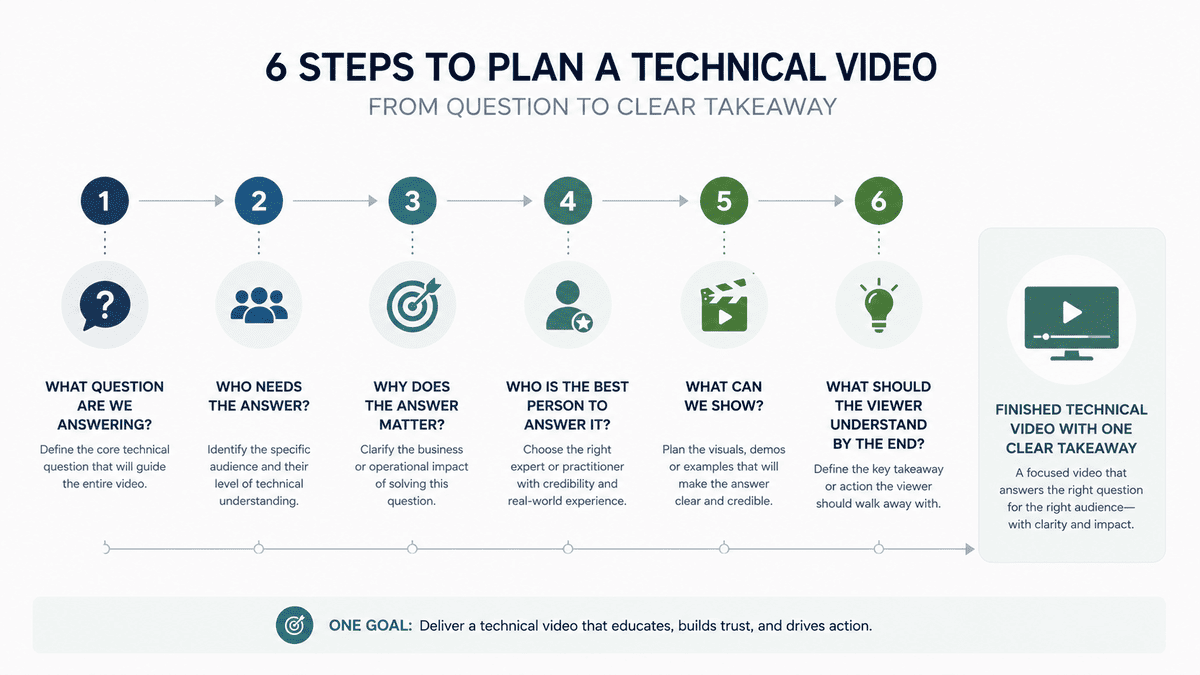
Before filming, work through six questions.
1. What question are we answering?
Keep it specific.
2. Who needs the answer?
A technical expert and a business decision-maker may need very different explanations.
3. Why does the answer matter?
Connect the technical subject to a real business problem.
4. Who is the best person to answer it?
Use the person with genuine experience rather than automatically choosing the most senior person.
5. What can we show?
Think about demonstrations, processes, screens, locations, products and examples.
6. What should the viewer understand by the end?
Give the video one clear takeaway.
This simple framework can prevent a technical video from becoming a long information dump.
Common Mistakes to Avoid
Trying to explain everything
A single video doesn't need to become a masterclass covering an entire industry.
Choose one question.
Answer it properly.
Starting with the company
Don't spend the first 30 seconds explaining who you are.
Start with something the viewer cares about.
Using too much jargon
Technical terms are fine when they're necessary.
Explain them when your audience may not know them.
Reading a rigid script
A script can be useful, but forcing an expert to memorise paragraphs can make them sound unnatural.
Use questions and talking points where appropriate.
Talking only about features
Features matter.
But customers usually care more about what those features help them achieve.
Forgetting visuals
If the subject can be demonstrated, show it.
If it can be illustrated, illustrate it.
Making the expert do all the work
Interview, B-roll, graphics and editing can all help turn a technical explanation into a better viewing experience.
The Goal Isn't to Make Technical Content Less Technical
This is worth emphasising.
You don't need to remove the interesting parts to make technical video accessible.
You need to give those interesting parts context.
A good technical video lets the viewer understand:
What is the problem?
Why does it matter?
What is happening?
What does the expert know?
What does it look like in practice?
What should I take away from this?
Once those questions are answered, technical detail becomes an advantage rather than a barrier.
That is particularly important in B2B.
Your expertise is one of the things customers are buying.
Don't hide it behind generic marketing language.
Show people what your business actually knows.
Why This Matters for Search Too
There is another reason to turn genuine expertise into useful video content.
Search is increasingly rewarding content that offers original value rather than simply repeating information available elsewhere. Google's current guidance for both traditional Search and generative AI experiences encourages unique, useful, people-first content and specifically highlights first-hand expertise and original points of view.
That makes technical expertise a valuable content asset.
A generic article explaining what predictive maintenance is can be produced by almost anyone.
A video where an experienced engineer explains the three failures they see most often, shows the equipment involved and explains how they prevent those failures is much harder to replicate.
It gives your audience something your business actually knows.
And that is exactly the sort of knowledge worth putting on camera.
Turn What Your Experts Know Into What Your Customers Can Learn
The best technical video doesn't try to impress people with how much the business knows.
It uses that knowledge to help the viewer understand something useful.
That's the difference between:
"Look how technical we are."
and:
"Here's something that could help your business."
Start with the question.
Bring in the expert.
Use plain language.
Show real examples.
Support the explanation with useful visuals.
Then give the viewer one clear takeaway.
You don't need to make technical subjects simpler than they really are.
You just need to make them easier to understand.
From Expertise to Your Next Video
Your experts already have the raw material for great content. The next step is to identify the questions your customers actually want answered, choose the people best placed to answer them and plan a production that captures more than one useful conversation.
The aim isn't to turn every expert into a presenter. It's to make the knowledge inside your business easier for customers to understand, remember and act on.
Conclusion
Technical content doesn't have to be boring, and it doesn't need to be stripped of its complexity to become accessible. The strongest videos take the knowledge already sitting inside a business and turn it into something customers can understand and use — starting with a real problem, asking better questions, using clear language and showing the expertise behind the answer.
Ready to turn that expertise into content? Mango Media can help bring those ideas to life through professional video production. You can explore our video production services, use our instant price calculator for an initial estimate, or get in touch for a free consultation.
Frequently Asked Questions
How do you make technical videos more engaging?
Start with a real customer question or problem rather than a technical definition. Use an expert who can explain the subject clearly, ask specific questions, include real examples and demonstrations, and support the explanation with useful visuals.
How do you explain complex topics in a video?
Break the subject into one clear question at a time. A useful structure is problem, explanation and example. Avoid unnecessary jargon, explain important technical terms in plain English and show the process wherever possible.
What makes a good technical explainer video?
A good technical explainer video answers a specific question, uses genuine expertise and makes the subject easy to follow. Strong interviews, clear storytelling, relevant demonstrations, B-roll, graphics and professional audio and editing can all help communicate complex information effectively.
Similar blogs:






















![How to Write a Promo Video Script (Free Template Included) [2026 Guide]](https://cdn.prod.website-files.com/6226fcc37e2eb518b6e69a7f/69c3804c0b9ea78696bd89e0_covertab11.jpeg)



.jpg)
%20(1)%20(1).jpg)
.jpg)






We'd love to hear from you! Reach out to us today for a chat about our services, pricing, or just to say hello!


