
In today’s oversaturated inboxes, getting your email noticed — let alone opened — is no easy feat. In this article, we’ll explore the power of video in email campaigns, how to embed video content the right way, best practices to maximise performance, and how to track your results. Whether you’re a startup, marketer, or creative agency, using video in your emails can be a game-changer for audience retention and conversions.
What Does It Mean for AI to "Understand" a Video?
When a person watches a five-minute video, they can understand the context almost immediately.
They can hear what the speaker says, see what is being demonstrated, recognise the people involved and understand the overall story.
Search engines have traditionally had a harder time extracting all of that meaning.
A video file itself doesn't automatically tell Google:
- what question the video answers
- which topics it covers
- who is speaking
- what products or services are being discussed
- which part of the video answers a particular question
- whether the information is relevant to a specific search
Modern search systems are becoming much better at interpreting multimedia, but businesses should still make the surrounding context as clear as possible.
Think of it this way:
Don't make AI guess what your video means. Give it enough context to understand it.
That starts with the content itself.

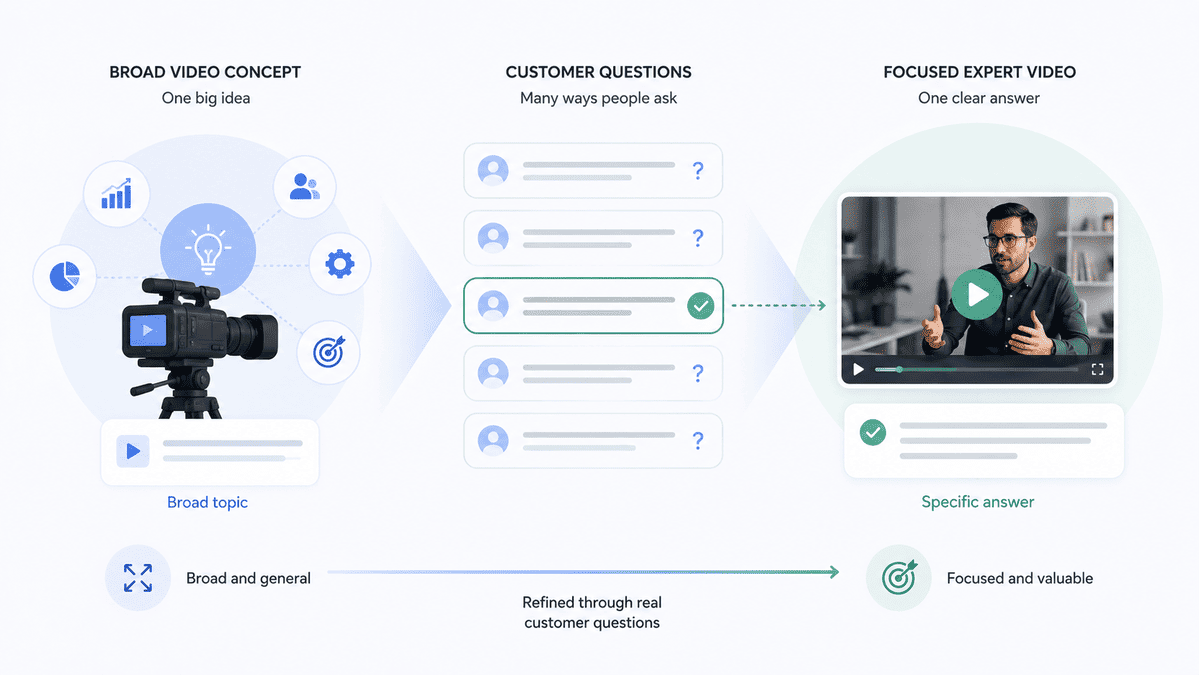
1. Start With Questions Your Customers Actually Ask
The first step isn't technical.
It's strategic.
Before producing a video, identify the questions your customers are already asking.
For example, an engineering company might produce a video called:
"Our New Manufacturing Facility"
That's useful as a brand asset, but it doesn't necessarily address a specific search intent.
A more focused video could be:
"How Does Precision CNC Machining Work?"
Or:
"What Is the Difference Between CNC Milling and CNC Turning?"
Now the subject of the video is immediately clear.
The same principle applies across industries.
A financial services company could create:
"How Does Business Insurance Work?"
A software company:
"How Do You Migrate From Legacy Software to a Cloud Platform?"
A recruitment company:
"How Can Employers Attract Better Technical Candidates?"
A construction company:
"How Long Does a Commercial Fit-Out Take?"
These aren't simply video ideas.
They're questions that potential customers are already trying to answer.
And when your video directly addresses a question, it becomes much easier to build the surrounding content around that same intent.
2. Say the Topic Clearly in the Video
It sounds obvious, but it is surprisingly important.
Don't make viewers—or search systems—wait several minutes to understand what the video is about.
Instead of beginning with:
"Hi everyone, today we're going to have a chat about some of the changes we've been seeing in the industry..."
Be more direct:
"In this video, we'll explain how commercial solar panels work, what they cost and what businesses should consider before installing them."
That opening immediately establishes:
- the subject
- the audience
- the questions being answered
- the context
The same principle applies throughout the video.
Use clear language when introducing different topics.
For example:
"There are three main stages involved in implementing the system."
Then actually explain those three stages.
This creates a much clearer semantic structure for the content.
3. Build Videos Around One Search Intent
One mistake businesses can make is trying to answer everything in a single video.
Imagine a company creates a 30-minute video titled:
"Everything You Need to Know About Commercial Construction."
It might contain valuable information about:
- planning
- costs
- timelines
- materials
- regulations
- contractors
- project management
But that's a huge amount of information.
Instead, consider creating a series:
- How Much Does a Commercial Construction Project Cost?
- How Long Does a Commercial Construction Project Take?
- What Does the Commercial Planning Process Involve?
- How Do You Choose a Commercial Contractor?
- What Are the Most Common Commercial Construction Delays?
Now each video has a much clearer purpose.
This also creates a useful content library for your website, YouTube channel, social media and sales team.
One video doesn't have to answer every question.
Sometimes the better strategy is to create a collection of highly focused expert videos.
4. Use Descriptive Video Titles
A clever title might sound creative.
A descriptive title is often more useful.
Compare:
"The Future Is Here"
with:
"How AI Is Changing Cybersecurity for Irish Businesses"
The second title immediately communicates what the content is about.
For business video, clarity usually beats cleverness.
Your title should help someone understand:
- what the video is about
- who it is for
- what they will learn
- why they should watch
You can still make titles engaging.
But don't sacrifice clarity just to sound catchy.
5. Write a Useful Video Description
Uploading a video with a title and one sentence isn't making the most of the opportunity.
The description should provide meaningful context.
For example, rather than:
"In this video, John discusses our new service."
You could write:
"In this video, John Murphy, Head of Engineering at ABC, explains how predictive maintenance can help manufacturers reduce unplanned equipment downtime. He covers how predictive maintenance works, which types of equipment benefit most and what businesses should consider before implementing a predictive maintenance programme."
Now the page gives search engines—and humans—much more information about the content.
The description can also include:
- key topics
- relevant questions
- links to supporting resources
- product or service information
- chapters
- related videos
- contact information where appropriate
The goal isn't to stuff keywords into the description.
The goal is to accurately describe the information contained in the video.

6. Give Your Video a Transcript
One of the simplest ways to make video content more accessible is to provide a transcript.
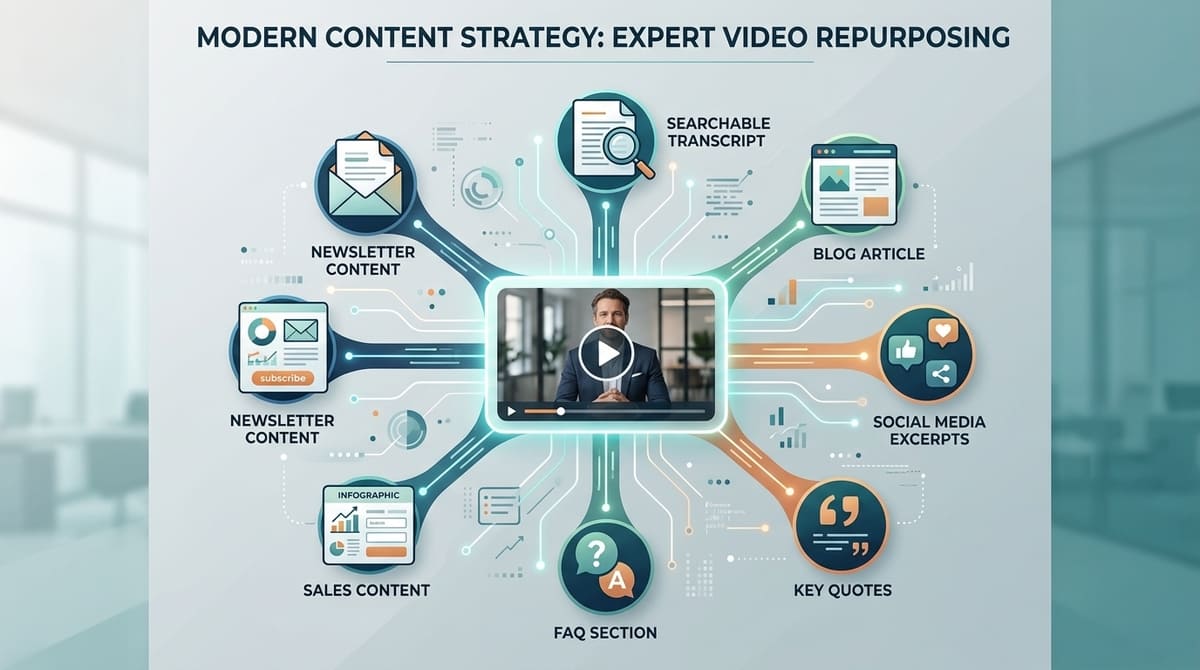
A transcript turns spoken expertise into text that can be indexed, read, referenced and repurposed.
Imagine your CEO records a 15-minute discussion about the future of your industry.
Without a transcript, much of that expertise exists primarily inside the video.
With a transcript, you now have:
- the original video
- searchable text
- a potential blog post
- social media excerpts
- quotes
- FAQs
- sales content
- newsletter material
And, importantly, the subject matter of the video becomes much easier for search systems to interpret.
This doesn't mean every video needs a giant block of text underneath it.
For longer or more educational videos, however, a well-formatted transcript can be extremely valuable.
7. Add Chapters to Longer Videos
Chapters are particularly useful for educational and business videos.
Suppose you publish:
"Complete Guide to Commercial Solar Installation"
Instead of one 12-minute block of video, divide it into meaningful sections:
00:00 – Introduction
01:15 – How Commercial Solar Works
03:10 – How Much Does It Cost?
05:45 – Installation Timeline
08:20 – Maintenance Requirements
10:05 – Is Solar Right for Your Business?
Now viewers can quickly find the information they need.
It also gives additional structure to the content.
Google's video SEO guidance covers how video content is discovered and indexed, making it increasingly important to provide clear context around videos rather than treating the video file as a standalone asset.
8. Put the Video on a Relevant Web Page
Don't think of the YouTube upload as the entire strategy.
If a video answers an important customer question, consider giving it a proper home on your website.
For example:
Video:
"How Does Commercial Heat Pump Installation Work?"
Website page:
"Commercial Heat Pump Installation: Complete Guide"
The page could contain:
- an introduction
- the video
- a transcript
- key takeaways
- FAQs
- supporting images
- relevant statistics
- related services
- a call to action
This creates a much richer resource than simply embedding a video on a generic page.
It also gives your business an opportunity to connect the video with relevant website content.
9. Make the Video the Main Content of the Page When Appropriate
There's an important distinction here.
Adding a tiny video to a page full of unrelated text isn't necessarily useful.
If the video is the primary resource answering the user's question, make it prominent.
For example:
"How to Operate an Industrial Laser Cutting Machine"
If the video is the main tutorial, it should be easy to find.
Likewise:
"How Our Cybersecurity Assessment Works"
The explanatory video should be central to the page.
The aim is to make the relationship between the user's question, the page and the video obvious.
10. Use Real Expertise
This may be the most important point of all.
AI search is making generic information increasingly easy to produce.
That means businesses have less reason to publish content that simply repeats information already available everywhere.
Instead, use video to show what your company actually knows.
Put your:
- engineers
- consultants
- founders
- product specialists
- technicians
- project managers
- designers
- customer experts
in front of the camera.
Ask them questions that require genuine experience to answer.
For example:
"What are the three biggest mistakes businesses make when implementing this technology?"
That's much more valuable than asking:
"What is this technology?"
The first question produces experience.
The second produces a definition.
AI can generate definitions.
Your people provide expertise.

11. Create Video Around First-Hand Experience
This is especially important for businesses operating in specialist industries.
Consider the difference between:
"What Is a Commercial Fit-Out?"
and:
"The Five Problems We See on Almost Every Commercial Fit-Out Project."
The second contains something much harder to commoditise:
first-hand experience.
That could come from:
- projects you've completed
- mistakes you've encountered
- customer questions
- industry observations
- original research
- case studies
- demonstrations
- expert opinions
When working with Irish businesses, we've seen how much useful knowledge often sits inside the people doing the work every day. The challenge isn't necessarily finding something worth saying; it's creating a practical way to capture that expertise and turn it into content customers can actually use.
This is where professionally produced video can become much more than a promotional asset.
It becomes a way of documenting your company's knowledge.
12. Turn Customer Questions Into a Video Library
Your sales and customer service teams are already collecting potential video topics.
Every time a prospect asks:
"What's the difference between X and Y?"
you have a potential video.
Every time a customer asks:
"How does this work?"
you have another.
Every time your sales team hears:
"Why should we choose you instead of another provider?"
you have another.
Start keeping a list.
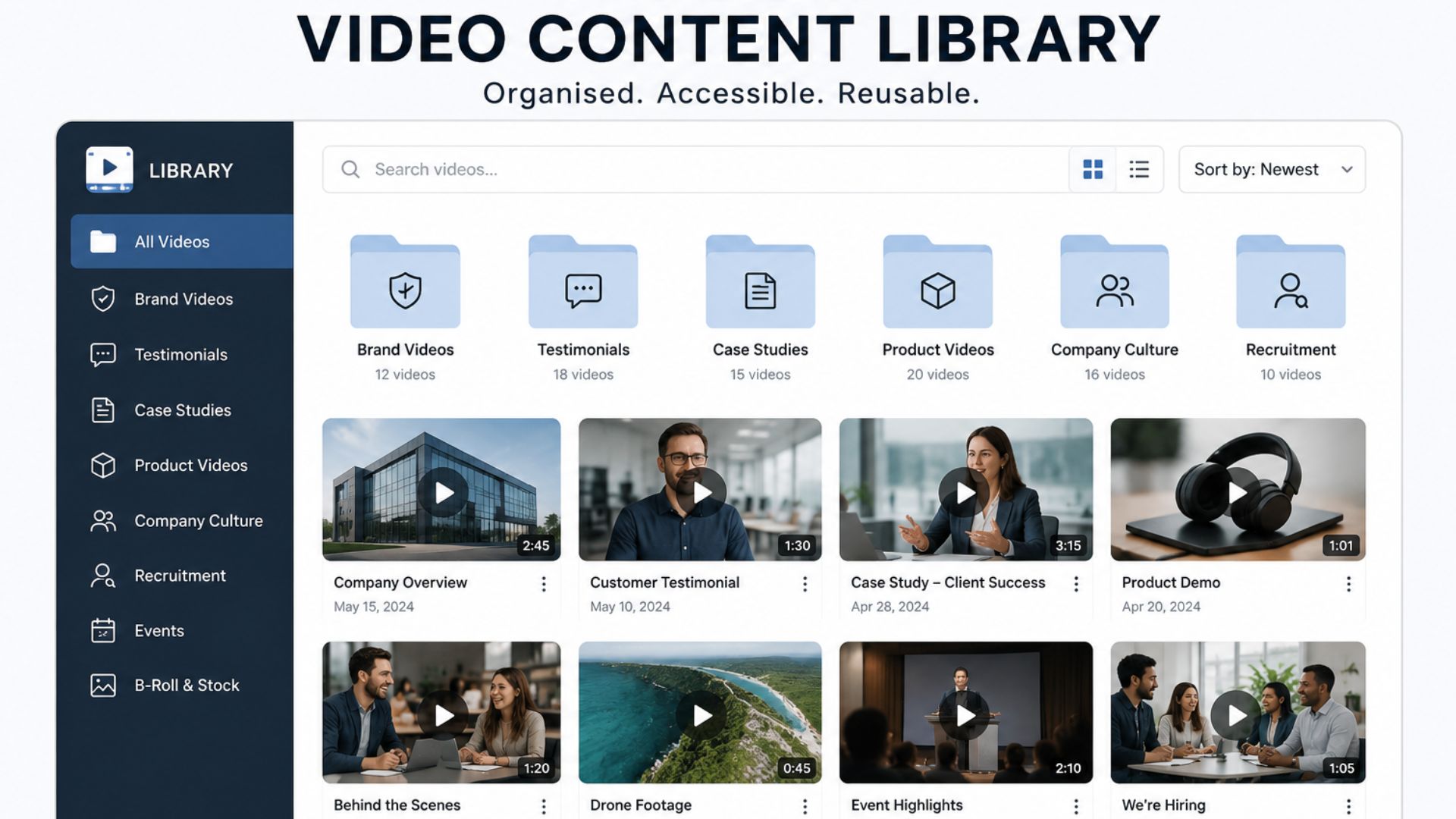
Over time, this can become a structured library of videos answering the questions your customers actually care about.
This is far more sustainable than asking your marketing team to invent 50 random video topics every quarter.
13. Connect Videos Together
A single video is useful.
A connected library is more powerful.
Suppose you're an Irish technology company.
You could create:
Pillar Video:
"Complete Guide to Cloud Migration"
Then supporting videos:
- How Much Does Cloud Migration Cost?
- How Long Does Cloud Migration Take?
- What Are the Risks of Cloud Migration?
- Cloud Migration vs Cloud Modernisation
- Five Common Cloud Migration Mistakes
- How to Choose a Cloud Migration Partner
Each video answers a different question.
Together, they demonstrate depth of expertise.
This also gives your website visitors multiple paths into your content.
14. Don't Forget YouTube
YouTube isn't just a social platform.
It is one of the world's largest search engines and an important part of the video discovery ecosystem.
That makes it useful for businesses to think about YouTube as part of their wider search strategy.
For a B2B company, that could mean building a channel around:
- customer questions
- technical explanations
- product demonstrations
- expert interviews
- industry commentary
- case studies
- tutorials
- FAQs
You don't necessarily need thousands of subscribers.
The goal is to create useful content that reaches the right people when they're researching a problem.
15. Don't Rely on Keywords Alone
This is where AI-era search differs from some traditional SEO thinking.
You shouldn't approach video by asking:
"How many times can we say our target keyword?"
Instead ask:
"Does this video genuinely answer the question?"
There isn't a magic formula for "ranking in ChatGPT" or "getting into AI Overviews."
Be wary of anyone promising one.
The fundamentals still matter:
Useful content. Clear information. Relevant context. Genuine expertise. Strong technical implementation.
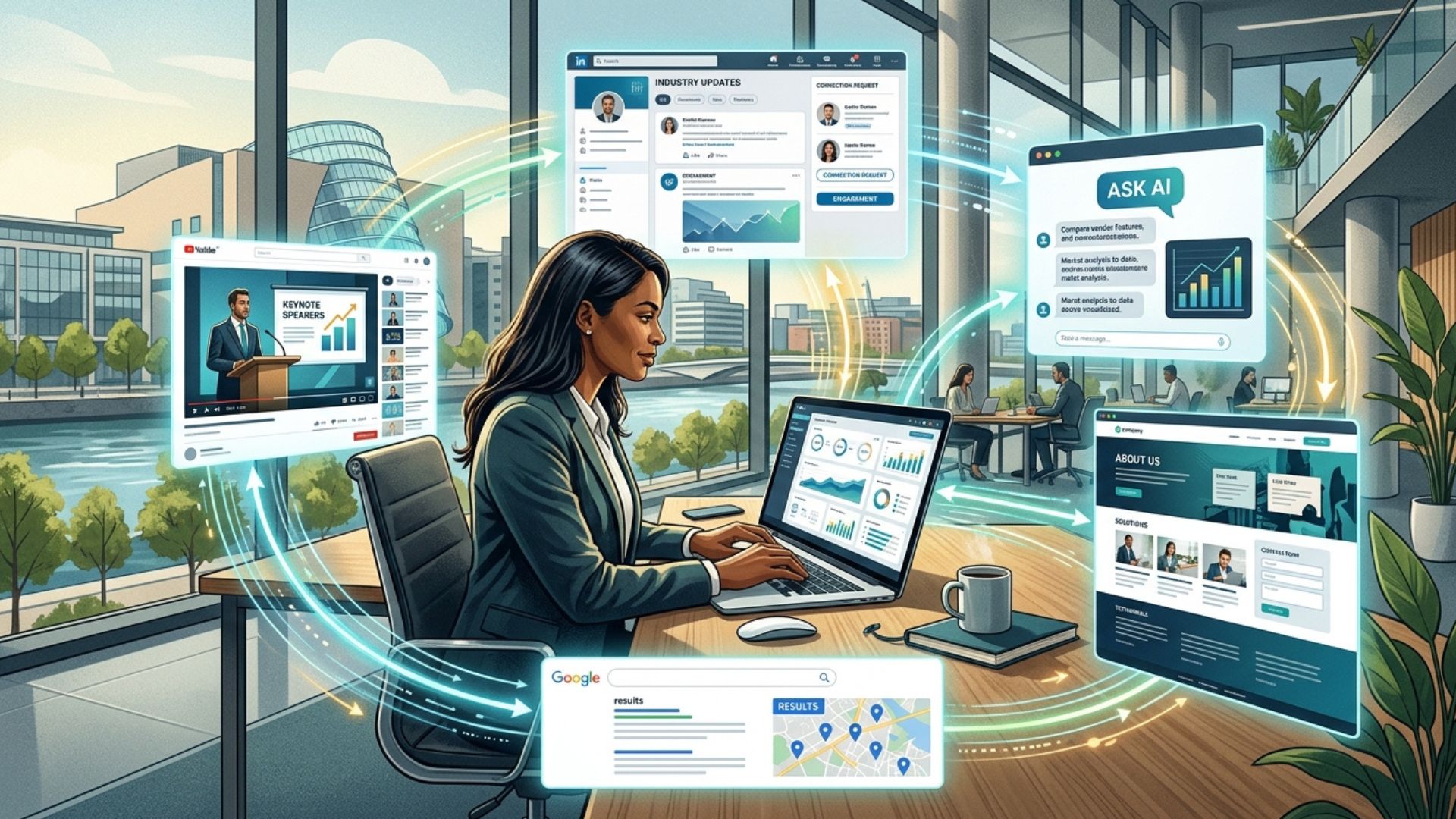
16. Think Beyond Google
"AI search" doesn't necessarily mean one search engine.
People are increasingly using multiple AI and discovery tools to research companies, products, services and ideas.
That means your video content should exist as part of a broader digital ecosystem.
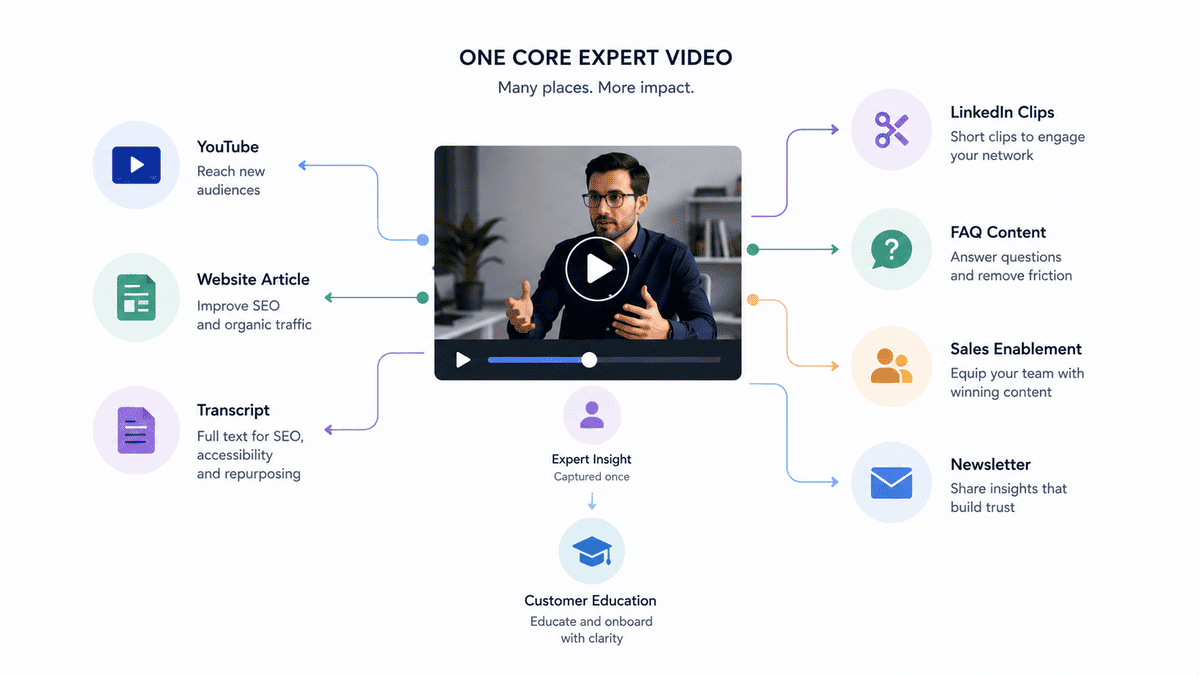
A single expert interview could become:
Video
↓
YouTube
↓
Website article
↓
Transcript
↓
LinkedIn clips
↓
FAQ content
↓
Sales enablement
↓
Newsletter
↓
Customer education
The more consistently the same expertise appears across relevant channels, the easier it becomes for people to discover and understand what your business actually does.
17. Make Important Information Explicit
Don't assume context.
If your company serves Irish manufacturers, say so.
If your service is designed for enterprise businesses, say so.
If your video demonstrates a particular technology, name it.
If an expert has 20 years of experience in a particular field, introduce them properly.
Instead of:
"We've been doing this for years."
Say:
"Sarah O'Brien has spent 18 years working with pharmaceutical manufacturers across Ireland and Europe."
Specific information creates context.
And context makes content easier to understand.
18. Use Video to Demonstrate What Text Can't
This is where video has a genuine advantage.
Some things are difficult to communicate with a paragraph.
A manufacturing company can show its facility.
A construction company can show a completed project.
An engineering company can demonstrate a machine.
A software company can walk through the product.
A medical technology company can demonstrate how equipment works.
A recruitment company can show what working at a company actually feels like.
Don't use video simply to repeat what your website already says.
Use it to provide information that is more convincing when people can see it happening.
19. Don't Optimise the Video at the Expense of the Viewer
There's a temptation whenever a new search trend appears to start producing content for algorithms.
Don't.
Your primary audience is still human.
A video stuffed with unnatural keywords, robotic narration and awkward phrasing won't become more valuable because an AI system can technically identify its subject.
In fact, as AI-generated content becomes more common, authentic human expertise may become more valuable, not less.
The best approach is:
Create for people first. Structure for machines second.
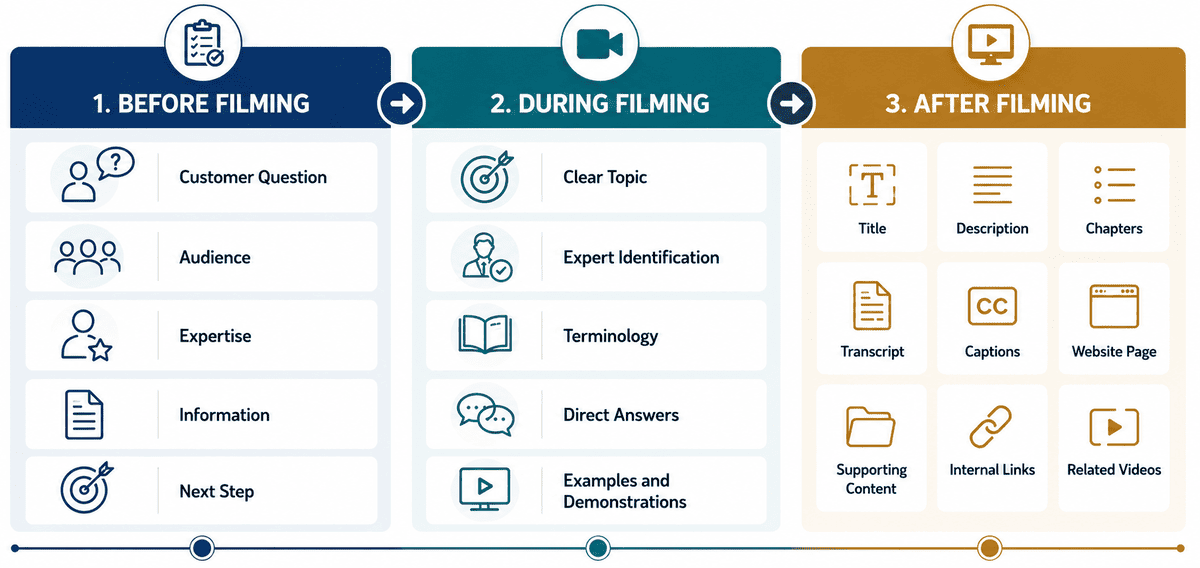
20. A Simple Framework for AI-Friendly Business Video
If you're planning a new video, use this framework.
Before filming
Ask:
1. What customer question are we answering?
2. Who is asking it?
3. What expertise do we have that makes our answer valuable?
4. What specific information will the viewer learn?
5. What should they do next?
During filming
Make sure:
- the topic is introduced clearly
- experts identify themselves
- terminology is explained
- questions are answered directly
- examples are included
- important points are stated clearly
- demonstrations are shown where useful
After filming
Create:
- a descriptive title
- a useful description
- chapters where appropriate
- a transcript
- captions
- a relevant website page
- supporting written content
- internal links
- related videos
- appropriate structured data where applicable
Then distribute the content across the channels where your customers actually spend time.
What This Means for Your Business
The most important shift isn't really about "optimising videos for AI."
It's about recognising that your company's knowledge is becoming a digital asset.
Think about everything your employees know.
Your sales director knows the objections customers raise.
Your engineer knows the mistakes competitors make.
Your CEO understands where the industry is heading.
Your customer success team knows where clients struggle.
Your project managers know what causes delays.
Your product team understands the problems your product solves.
All of that knowledge can become content.
And video is one of the most effective ways to capture it.
Instead of producing one corporate video every few years, businesses can build an ongoing library of expert content that helps customers:
discover → understand → evaluate → trust → buy.
That is a much more valuable role for video.
From Research to Your Next Video
Knowing that AI search is changing is one thing; identifying which parts of your own expertise are worth turning into video is the more practical next step. Start with the questions your sales team hears, the problems your customers regularly ask you to solve and the subjects your internal experts could explain better than a generic search result ever could.
Conclusion
Your expertise is already there. Your customers are already asking questions. Now it's about turning that knowledge into useful, discoverable video content that helps your business get found, understood and trusted.
If your business has valuable expertise that isn't being captured on video, it may be time to start filming it. You can explore our video production services, get an instant estimate with our instant price calculator, or get in touch with the Mango Media team for a no-obligation conversation.
Frequently Asked Questions
How do I optimise video content for AI search?
Start by creating genuinely useful videos that answer specific customer questions. Use clear titles, descriptions, transcripts, captions and chapters, and publish the video on a relevant, well-structured website page. Most importantly, make sure the content demonstrates genuine expertise rather than simply repeating generic information.
Can AI search engines understand YouTube videos?
AI-powered search systems can use information from video content and the context surrounding it, but businesses shouldn't assume that uploading a video alone communicates everything about it. Clear titles, descriptions, transcripts, chapters and relevant supporting web content can make the video's subject and purpose much easier to understand.
Does video help with AI SEO?
Video can contribute to a broader AI search and SEO strategy when it provides useful, relevant information and is supported by strong surrounding context. There is no single "AI SEO" trick that guarantees visibility, but expert-led video, transcripts, structured pages and content that directly answers customer questions can all contribute to a stronger digital presence.
Similar blogs:








































![How to Write a Promo Video Script (Free Template Included) [2026 Guide]](https://cdn.prod.website-files.com/6226fcc37e2eb518b6e69a7f/69c3804c0b9ea78696bd89e0_covertab11.jpeg)






.jpg)
%20(1)%20(1).jpg)
.jpg)






We'd love to hear from you! Reach out to us today for a chat about our services, pricing, or just to say hello!


