
In today’s oversaturated inboxes, getting your email noticed — let alone opened — is no easy feat. In this article, we’ll explore the power of video in email campaigns, how to embed video content the right way, best practices to maximise performance, and how to track your results. Whether you’re a startup, marketer, or creative agency, using video in your emails can be a game-changer for audience retention and conversions.
What Is a Corporate Video Script?
A corporate video script is the written or structured plan that guides what happens in a business video.
Depending on the type of production, it can include:
- Spoken dialogue
- Voiceover
- Interview questions
- On-screen text
- Visual directions
- B-roll suggestions
- Transitions between sections
- Calls to action
It is important to understand that a script does not always mean every word needs to be written and memorised.
A scripted corporate video might use a carefully written voiceover, while an interview-led video might use a series of questions and talking points instead.
The format should match the way the story needs to be told.
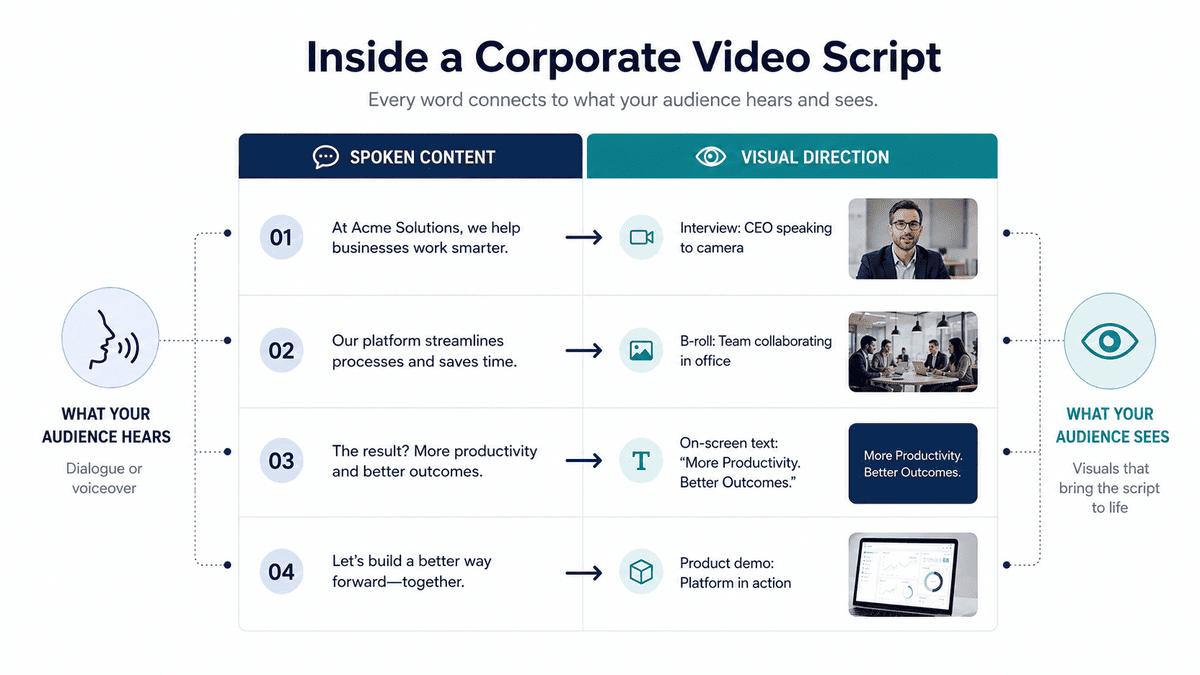
The script is essentially the bridge between the business objective and the finished video. It gives the production team a clearer understanding of what needs to be communicated and helps keep filming and editing focused on that objective.
Mango Media's wider production guidance similarly treats scriptwriting as part of pre-production, alongside elements such as interview questions, on-screen messaging and calls to action.
Why Does Scriptwriting Matter for Corporate Video?
It is easy to assume that the camera, lighting and editing will determine whether a corporate video works.
They certainly matter, but production quality cannot compensate for an unclear message.
A strong script helps you:
- Keep the message focused
- Avoid unnecessary information
- Give the video a logical structure
- Plan the visuals around the message
- Make filming more efficient
- Give contributors clearer direction
- Reduce unnecessary revisions
- Create a stronger connection between the business objective and the finished video
It also gives everyone involved a common reference point.
The marketing team knows what the video is supposed to communicate. The production team knows what needs to be captured. The people appearing on camera understand what they need to contribute. The editor has a clearer narrative to build around.
Without that shared direction, a project can collect plenty of good footage without necessarily having a strong story.
Before You Write: Define These Four Things
The easiest way to make a corporate video script difficult to write is to start writing before deciding what the video actually needs to achieve.
Before opening a blank document, answer four questions.
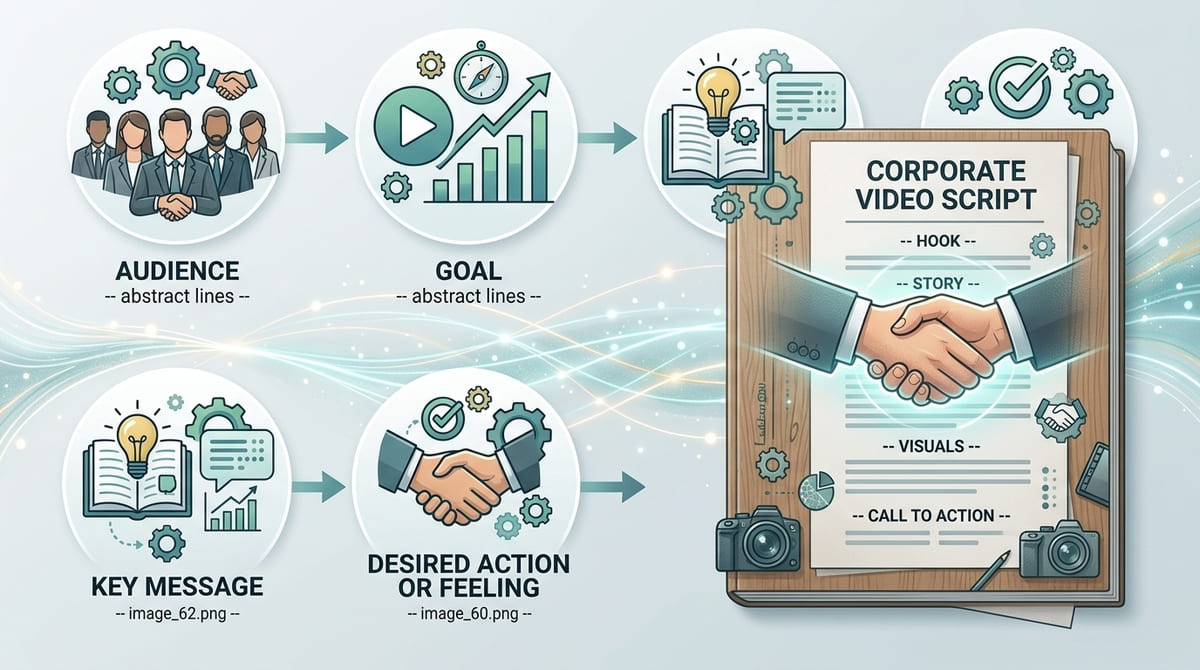
1. Who Is the Video For?
Be specific.
“Potential customers” may be technically correct, but it does not tell you enough.
Consider:
- What does the audience already know?
- What problem are they trying to solve?
- What questions might they have?
- What objections could they have?
- What matters most to them?
- What do you want them to understand after watching?
A recruitment video, for example, is speaking to prospective employees rather than prospective customers. A customer testimonial is aimed at people considering a purchase. An internal communication video may be aimed at employees who already understand the business.
The audience changes the language, tone and information you need to include.
2. What Is the Goal?
What should the video actually accomplish?
It could be designed to:
- Explain a service
- Introduce a company
- Build trust
- Support recruitment
- Explain a complex product
- Train employees
- Introduce a new product
- Support sales conversations
- Communicate internally
The goal determines the structure.
A recruitment video might prioritise people and culture. A product explainer might prioritise clarity and demonstration. A brand film might focus more heavily on perception and storytelling.
3. What Is the One Key Message?
If the viewer remembers only one thing, what should it be?
This is your central message.
For example:
“We make complex compliance processes easier for growing businesses.”
Everything else should support that idea.
This doesn't mean the video can contain only one piece of information. It means every additional point should have a reason for being there.
If a sentence does not support the main message, ask whether it genuinely belongs in the video.
4. What Should the Viewer Do or Feel Afterwards?
The answer will depend on the purpose of the video.
You might want them to:
- Get in touch
- Request a quote
- Visit a service page
- Apply for a role
- Book a demonstration
- Understand a process
- Feel more confident about your company
- Remember your brand
Knowing the intended outcome makes it much easier to decide what belongs in the final section of the script.
Choosing the Right Corporate Video Script Format
Not every corporate video should be written in the same way.
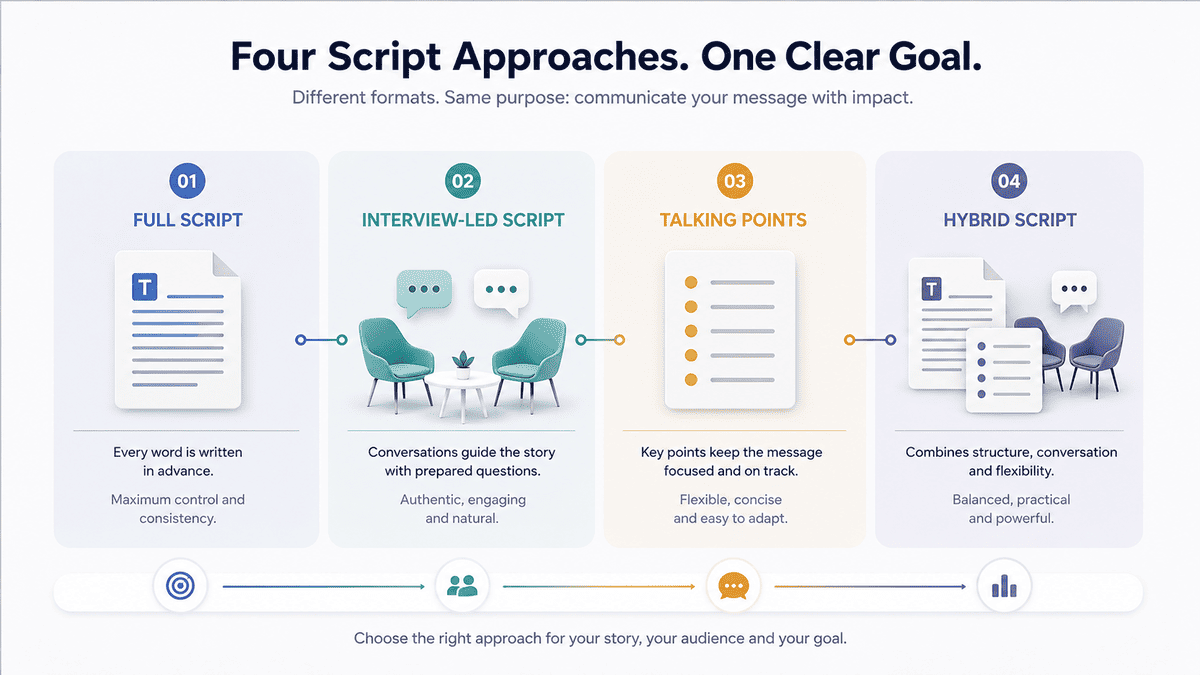
Before building the script, decide what format best suits the story.
Full Script
Every spoken line is written in advance.
This works well for:
- Voiceover videos
- Animated explainers
- Promotional videos
- Brand films
- Carefully controlled corporate messages
It gives you precise control over wording and timing.
Interview-Led Script
Instead of writing every answer, you prepare questions designed to draw useful information from the contributor.
This works particularly well for:
- Customer testimonials
- Founder stories
- Company culture videos
- Documentary-style corporate videos
- Expert-led content
The final story is shaped from the strongest answers during editing.
Talking Points
The contributor receives key points rather than a word-for-word script.
This can be useful for:
- CEO messages
- LinkedIn videos
- Internal communications
- Expert commentary
- Informal business content
It gives the speaker enough structure to stay on message without making their delivery feel memorised.
Hybrid Script
Many corporate videos combine approaches.
For example, a video might use:
- A scripted opening
- An interview in the middle
- Voiceover connecting different sections
- B-roll supporting the interviews
- A scripted closing
This can provide structure while still allowing the people on screen to sound natural.
How to Structure a Corporate Video Script
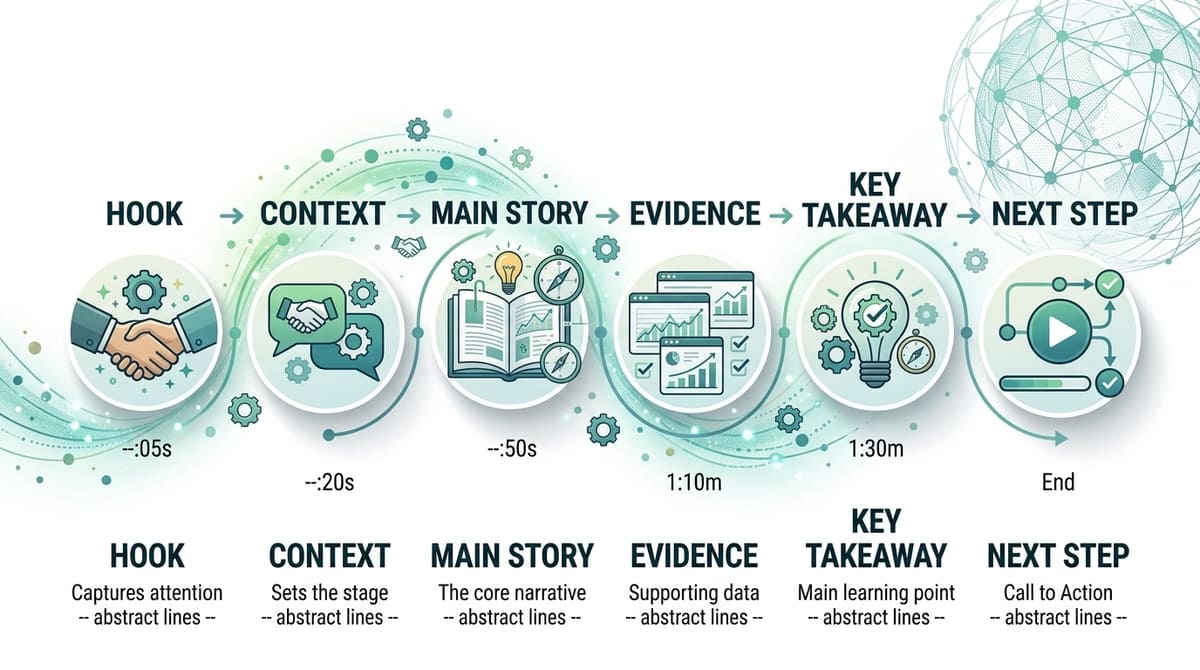
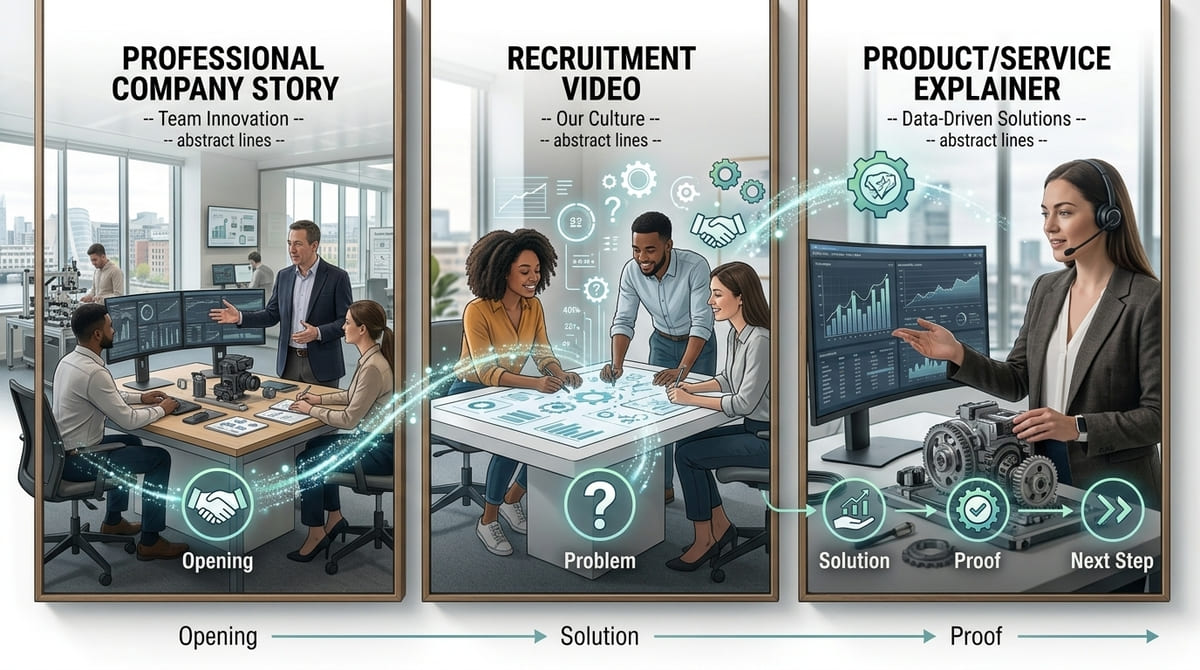
There is no single structure that works for every corporate video. However, a useful general framework is:
Hook → Context → Main Story → Evidence → Key Takeaway → Next Step
The emphasis changes depending on the video's purpose.
1. Start With a Strong Opening
The opening should quickly establish why the viewer should continue watching.
That does not necessarily mean using a dramatic statement.
A strong opening could be:
- A question
- A problem
- A surprising situation
- A compelling visual
- A customer statement
- A strong piece of dialogue
- A clear statement of what the video will explain
For example:
“Every year, businesses lose hours trying to manage a process that should take minutes.”
Or, for a company story:
“What started as a two-person operation now supports businesses across Ireland.”
The right opening depends on the audience and purpose.
Avoid automatically beginning with:
“Hello, my name is John, and I'm the Managing Director of…”
There may be a place for an introduction later, but the first moments should give the audience a reason to care.
2. Establish the Context
Once you have their attention, explain the situation.
This might mean introducing:
- The customer problem
- The industry challenge
- The company story
- The product
- The situation that led to the business being created
Keep this section focused.
The audience does not necessarily need your entire company history. They need enough context to understand why the rest of the video matters.
3. Develop the Main Story
This is where the video delivers its central information.
Depending on the video, this might involve:
- Explaining how a service works
- Showing a product in use
- Telling the company's story
- Introducing members of the team
- Hearing from customers
- Demonstrating a process
- Explaining an expert concept
Break the information into logical sections rather than presenting one uninterrupted block of information.
Think about the questions the viewer is likely to have and answer them in a natural order.
4. Add Evidence or Proof
If the purpose of the video involves building trust, give the audience something concrete to believe.
This could include:
- Customer interviews
- Demonstrations
- Case study examples
- Relevant results
- Expertise
- Experience
- Behind-the-scenes footage
- Real people using the product or service
The type of proof should match the claim you're making.
If you're saying your process is efficient, show the process.
If you're saying customers trust you, let customers explain their experience.
If you're explaining a technical product, demonstrate it rather than relying entirely on adjectives.
5. Finish With a Clear Takeaway
The end of the video should reinforce the main point.
Ask:
What do we want the viewer to remember when the video ends?
This could be a simple statement of your value, a key insight, a brand message or the outcome the customer can expect.
Don't introduce a completely new idea in the final few seconds.
The ending should feel like the natural conclusion of everything that came before it.
6. Give the Viewer a Next Step
For videos designed to drive an action, make the next step obvious.
Examples include:
- Visit our website
- Request a quote
- Book a consultation
- Speak to our team
- Learn more
- Apply today
- Contact us
Not every corporate video needs a hard sales CTA.
For an internal communication or recruitment film, the appropriate ending may simply be a memorable statement or invitation to find out more.
Corporate Video Script Examples
The structure changes depending on what you're trying to achieve.
Example 1: Company Video
Opening:
“Behind every successful construction project is a team making thousands of decisions before work even begins.”
Context:
“For more than 20 years, our team has helped developers and contractors plan and deliver complex projects across Ireland.”
Main story:
“We bring design, engineering and project management together under one roof…”
Proof:
Show completed projects, team footage and customer interviews.
Takeaway:
“Our job is to make complex projects easier to manage from start to finish.”
Next step:
“Talk to our team about your next project.”
Example 2: Recruitment Video
Opening:
“What does it actually feel like to work here?”
Context:
Show employees arriving, collaborating and working.
Main story:
Employees explain the culture, responsibilities and opportunities in their own words.
Proof:
Show real workplace interactions rather than relying only on scripted claims.
Takeaway:
“This is a place where people can develop, contribute and build a career.”
Next step:
“Explore our current opportunities.”
Example 3: Product or Service Explainer
Opening:
“Managing this process manually can take hours every week.”
Problem:
Explain the challenge clearly.
Solution:
Introduce the product or service.
Demonstration:
Show how it works.
Outcome:
Explain what changes for the customer.
Next step:
“Book a demonstration to see how it works for your team.”
The important point is that these examples use the same underlying principle without forcing every corporate video into exactly the same formula.
Write for the Ear, Not the Page
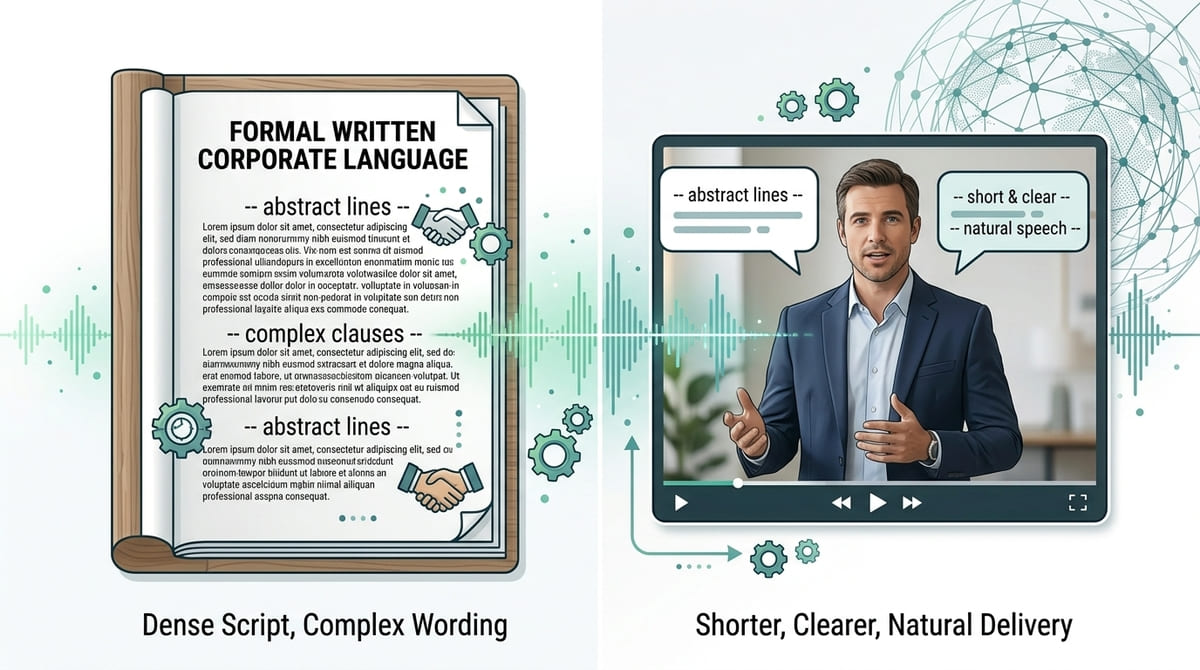
One of the biggest differences between written content and video scripting is that people hear a video script.
A sentence that looks perfectly reasonable on a page can sound awkward when spoken aloud.
Compare:
“Our organisation provides comprehensive, end-to-end solutions designed to facilitate operational efficiency across multiple business functions.”
with:
“We help businesses make their day-to-day operations simpler.”
The second is easier to understand and easier to say.
When reviewing your script, read it aloud.
Look for:
- Long sentences
- Unnecessary jargon
- Repeated phrases
- Awkward transitions
- Words that are difficult to say naturally
- Sentences that sound like written marketing copy
If someone would never say the sentence in a normal conversation, reconsider it.
Keep the Language Specific
Corporate scripts often become vague because businesses want to sound professional.
Words such as:
- Innovative
- Cutting-edge
- World-class
- Bespoke
- End-to-end
- Solutions-driven
- Industry-leading
may have a place in some contexts, but they don't explain much on their own.
Specific language is stronger.
Instead of:
“We provide innovative solutions.”
Try explaining what you actually do.
“Our software automatically brings your project data into one dashboard.”
The second statement gives the viewer something concrete to understand.
Write the Visuals Alongside the Words
A corporate video is not a presentation with moving pictures added afterwards.
The visuals should contribute to the story.
A simple way to plan this is to create two columns:
What the viewer hears
What the viewer sees
“Our team works closely with clients.”
Team meeting with a client
“We manufacture every component in-house.”
Production floor and machinery
“The system tracks every stage.”
Screen recording of the system
“Our people are at the heart of the business.”
Employees working together
This prevents the common problem of writing a complete script first and only later asking what footage could possibly accompany it.
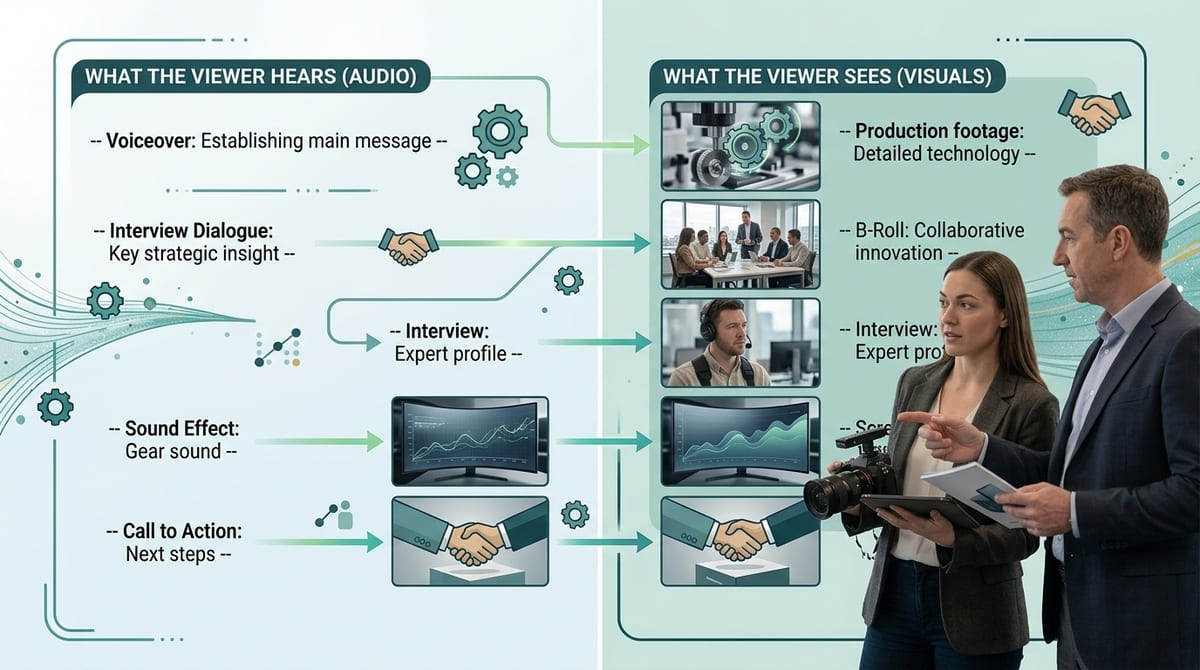
Mango's existing guidance on B-roll makes the same point: supporting footage can reinforce spoken information, provide visual variety and help cover transitions between interview sections.
How Long Should a Corporate Video Script Be?
There is no universal ideal length.
The right length depends on:
- The video's purpose
- The audience
- The amount of information required
- Where the video will be used
- How engaging the material is
A simple explainer may need only a minute.
A company story or documentary-style piece may need considerably longer.
The better question is not:
“How long should our video be?”
It is:
“How long does this message need to be communicated clearly?”
Don't add information simply to make a video longer, and don't remove useful information simply to hit an arbitrary runtime.
Write the clearest version first, then edit it down.
Should a Corporate Video Be Fully Scripted?
Not necessarily.
This is one of the most important decisions to make before production.
A fully scripted video gives you control over the exact wording, which can be valuable when precision matters.
But forcing every person on camera to memorise a script can make their delivery feel unnatural.
For interviews and expert-led content, a better approach may be to prepare:
- Key questions
- Core talking points
- Important facts
- Messages that must be covered
- Examples the speaker can draw from
The production team can then guide the conversation and shape the strongest material during editing.
This is particularly useful for customer testimonials, founder stories and technical experts where authenticity and natural delivery are important.
The right level of scripting is therefore not about choosing between “scripted” and “unscripted”. It is about deciding where structure is necessary and where natural conversation will produce a better result.
Common Corporate Video Script Mistakes
Even a well-planned script can lose effectiveness through a few common mistakes.
1. Trying to Say Everything
Your company may have dozens of services, achievements and reasons customers should choose you.
That doesn't mean they all belong in one video.
Choose the information that supports the video's specific objective.
2. Starting With the Company Instead of the Audience
“We are a leading provider…”
is rarely as compelling as immediately addressing the audience's problem, question or interest.
Start with something relevant to the viewer.
3. Using Too Much Corporate Jargon
If the viewer has to decode the language before understanding the message, the script needs simplifying.
4. Writing Without Thinking About Visuals
If the script is entirely dialogue with no consideration of what the audience will see, you may end up with a video that is difficult to make visually engaging.
5. Making People Memorise Long Paragraphs
Long scripted answers can sound rehearsed and make contributors uncomfortable.
Use shorter lines or interview questions where appropriate.
6. Changing the Objective Halfway Through
A video cannot effectively be a company introduction, recruitment campaign, product demonstration and sales presentation all at once.
Choose the primary purpose.
7. Forgetting the Ending
Don't let the video simply stop after the final piece of information.
Give the viewer a clear takeaway or next step.
A Practical Corporate Video Script Template
You can use this framework as a starting point for your next project.
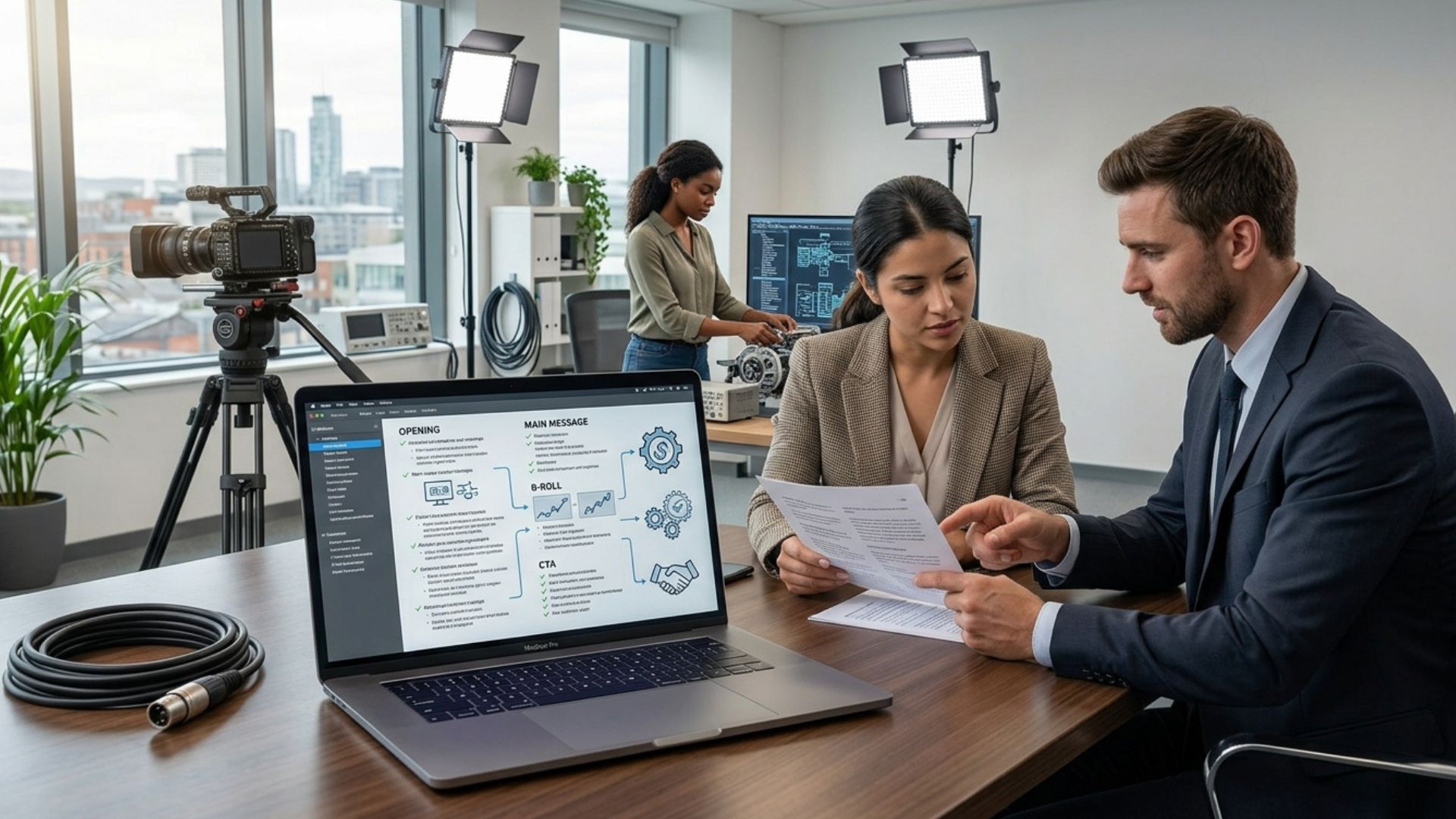
CORPORATE VIDEO SCRIPT TEMPLATE
1. Objective
What does this video need to achieve?
2. Audience
Who is watching?
3. Key message
What is the one thing they should remember?
4. Opening / Hook
What will make the audience want to keep watching?
5. Context
What does the viewer need to understand first?
6. Main message
What information, story or explanation needs to be communicated?
7. Proof / Evidence
What can demonstrate or support the message?
8. Visual direction
What should the viewer see while each point is being communicated?
9. Key takeaway
What should the viewer remember?
10. Next step
What should they do or think about after watching?
This template is intentionally flexible.
For an interview-led video, the “main message” section might become a list of interview questions. For an animated explainer, it could become a detailed voiceover and visual storyboard. For a recruitment video, the proof section might be real employees demonstrating the culture rather than customer case studies.
The framework gives you structure without forcing every project into the same creative format.
From Script to Shoot: What Happens Next?
A good script is not the end of pre-production.
It becomes a reference point for the rest of the project.
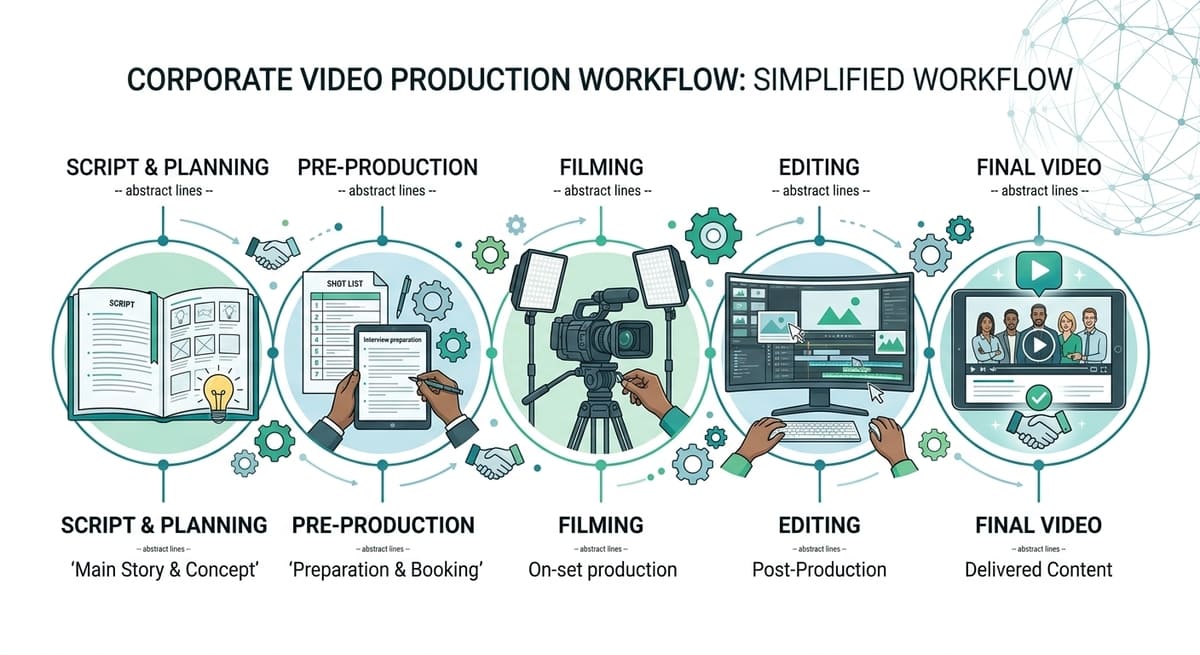
Once the script is approved, the production team can use it to develop:
- A shot list
- Interview questions
- Locations
- B-roll requirements
- Graphics
- Production schedules
- Voiceover requirements
- Editing direction
This is one reason scripting should happen before filming rather than being treated as something that can be figured out afterwards.
A clear script helps identify what needs to be captured while the crew is on location, reducing the risk of discovering during editing that an important visual or piece of information is missing.
The wider production process typically moves from planning and scripting into filming and then post-production, where the footage, audio, graphics and other elements are assembled into the final video.
When Should You Bring in a Video Production Company?
Writing a basic business video script is something a marketing team can often begin internally.
However, professional input becomes particularly valuable when the video is important to your brand, involves several contributors or needs to communicate something complex.
A production company can help you:
- Refine the core message
- Choose the right scripting format
- Develop interview questions
- Translate written ideas into visual storytelling
- Plan B-roll
- Identify production requirements
- Direct people on camera
- Shape the final story during editing
This is especially useful when the people who understand the business best are not necessarily the people who know how to turn that knowledge into a compelling video.
The strongest result often comes from combining subject-matter expertise from the business with storytelling and production expertise from the video team.
From Words to Something Worth Watching
A strong corporate video script does more than tell people what your business does. It gives the audience a reason to listen, organises the information they need and creates a clear path from the opening moment to the final takeaway.
Before you start writing, define the audience, objective and key message. Then decide whether the project needs a full script, interview questions, talking points or a combination of formats. Once those decisions are clear, the production team has a much stronger foundation for turning the words into something people can actually watch, understand and remember.
Final Thoughts
A corporate video script doesn't need to sound complicated or overly polished. It needs to be clear, purposeful and written with the audience, visuals and final outcome in mind. When the script has a strong central message and a logical structure, every stage that follows — from filming to editing — has a clearer direction.
If you're planning a corporate video and need help turning your ideas into a production-ready concept, explore our video production services, use our instant price calculator, or get in touch with the Mango Media team for a free consultation.
Frequently Asked Questions
How do you write a corporate video script?
Start by defining the video's audience, objective and key message. Then choose the right format — such as a full script, interview questions or talking points — and structure the content around a clear opening, main message, supporting evidence and final takeaway.
Should a corporate video be fully scripted?
Not always. Voiceover and animated videos often benefit from a fully written script, while interviews, testimonials and expert-led videos may work better with questions and talking points that allow more natural responses.
How long should a corporate video script be?
There is no fixed word count because the ideal length depends on the video's purpose, audience and amount of information required. The priority should be communicating the message clearly rather than reaching a specific runtime.
Similar blogs:

























![How to Write a Promo Video Script (Free Template Included) [2026 Guide]](https://cdn.prod.website-files.com/6226fcc37e2eb518b6e69a7f/69c3804c0b9ea78696bd89e0_covertab11.jpeg)




.jpg)
%20(1)%20(1).jpg)
.jpg)






We'd love to hear from you! Reach out to us today for a chat about our services, pricing, or just to say hello!


